![[Open Source] IP Query Web — IP Geolocation Lookup, My IP, Domain Resolution](/upload/ChatGPT%20Image%202026%E5%B9%B45%E6%9C%8827%E6%97%A5%2002_03_24.png)
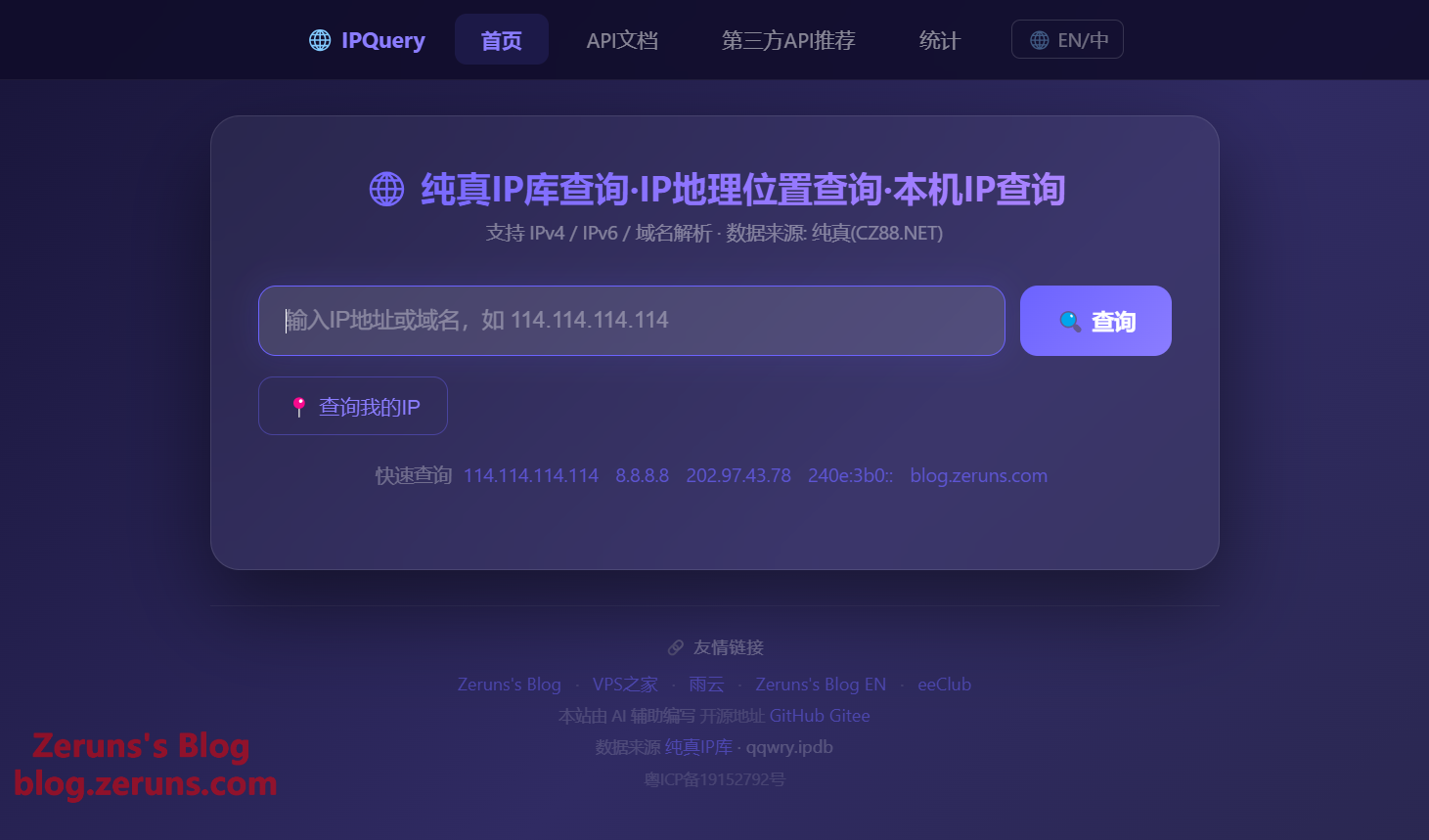
Open source an online IP geolocation query system based on the CZ88 (Pure) IP database. Supports IP geolocation lookup, my IP detection, domain resolution, and API integration.
This whole project was developed with AI assistance!
Hermes Agent Deployment Guide — step-by-step tutorial to build your first AI assistant: https://blog.zeruns.com/archives/939.html

Project Overview
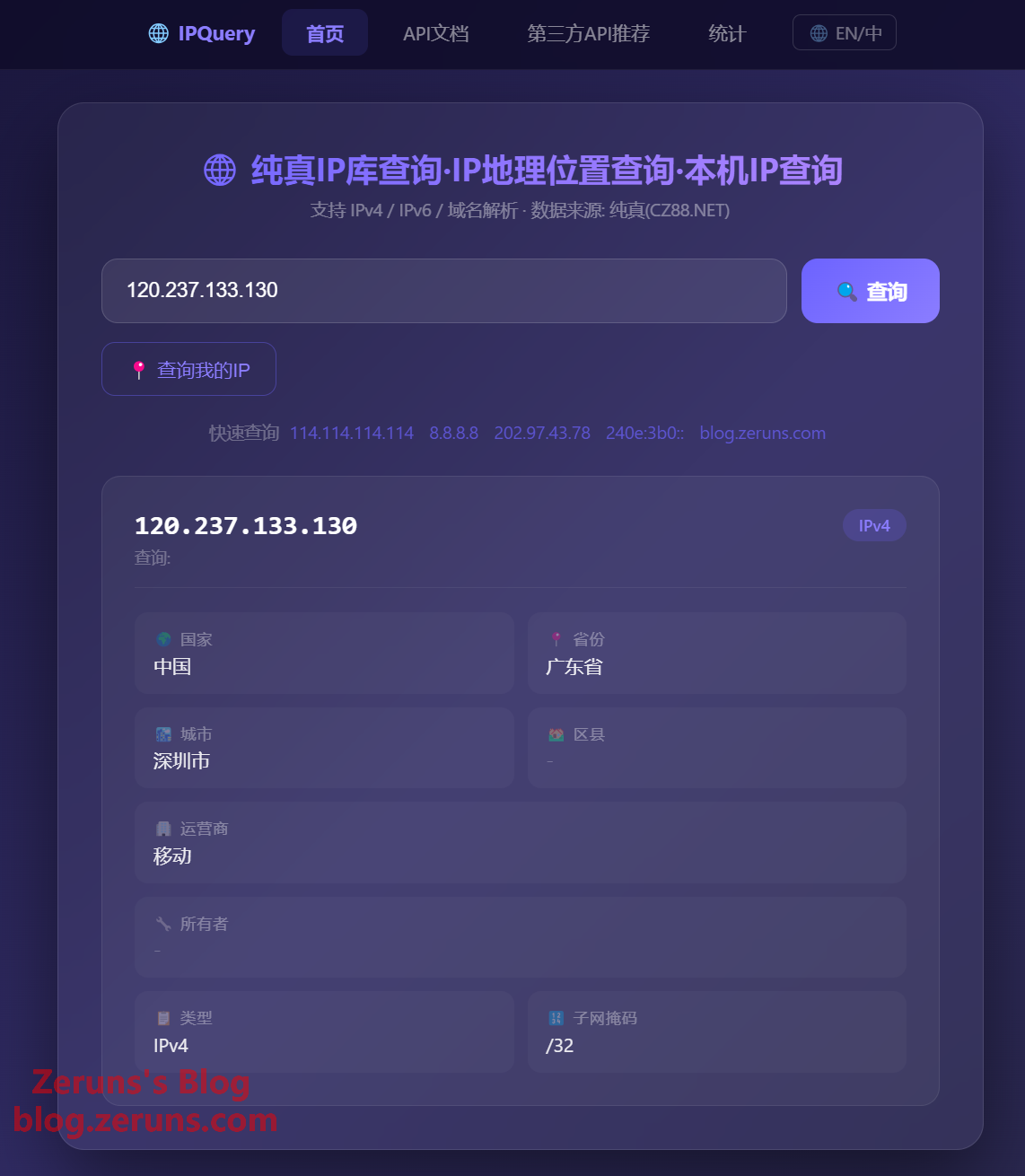
ip-query-web is an online IP geolocation query system built on the CZ88 (Pure) IP database (qqwry.ipdb). Here's what you can do with it:
- Query IP Geolocation — Enter any IPv4/IPv6 address to get country, province, city, district, and ISP info
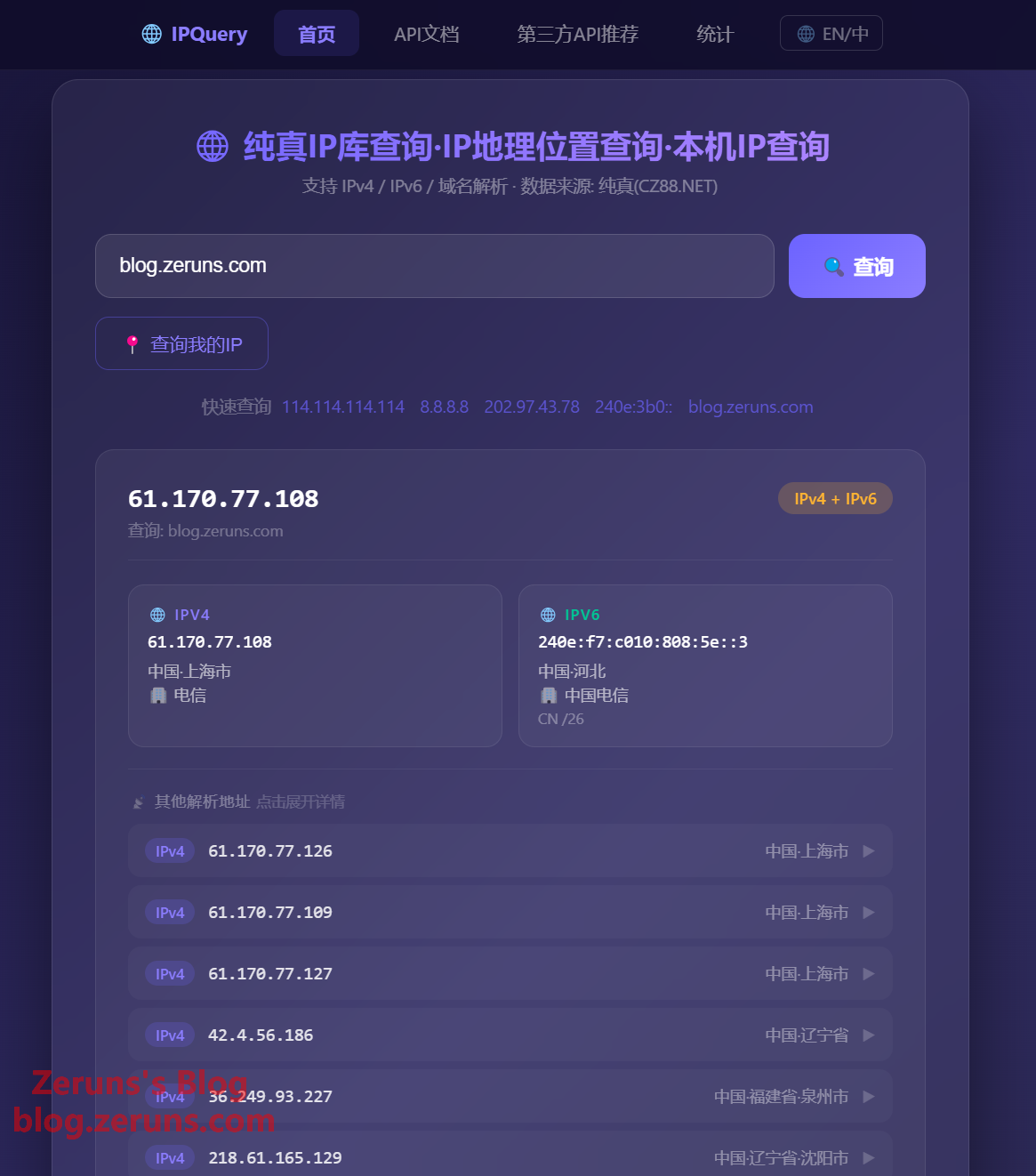
- Domain Resolution — Automatically resolve A/AAAA records and look up the geolocation of each resolved IP
- Get Client IP — Use
/api/myipor/api/mylocationto retrieve the visitor's real source IP - Batch Query — POST to
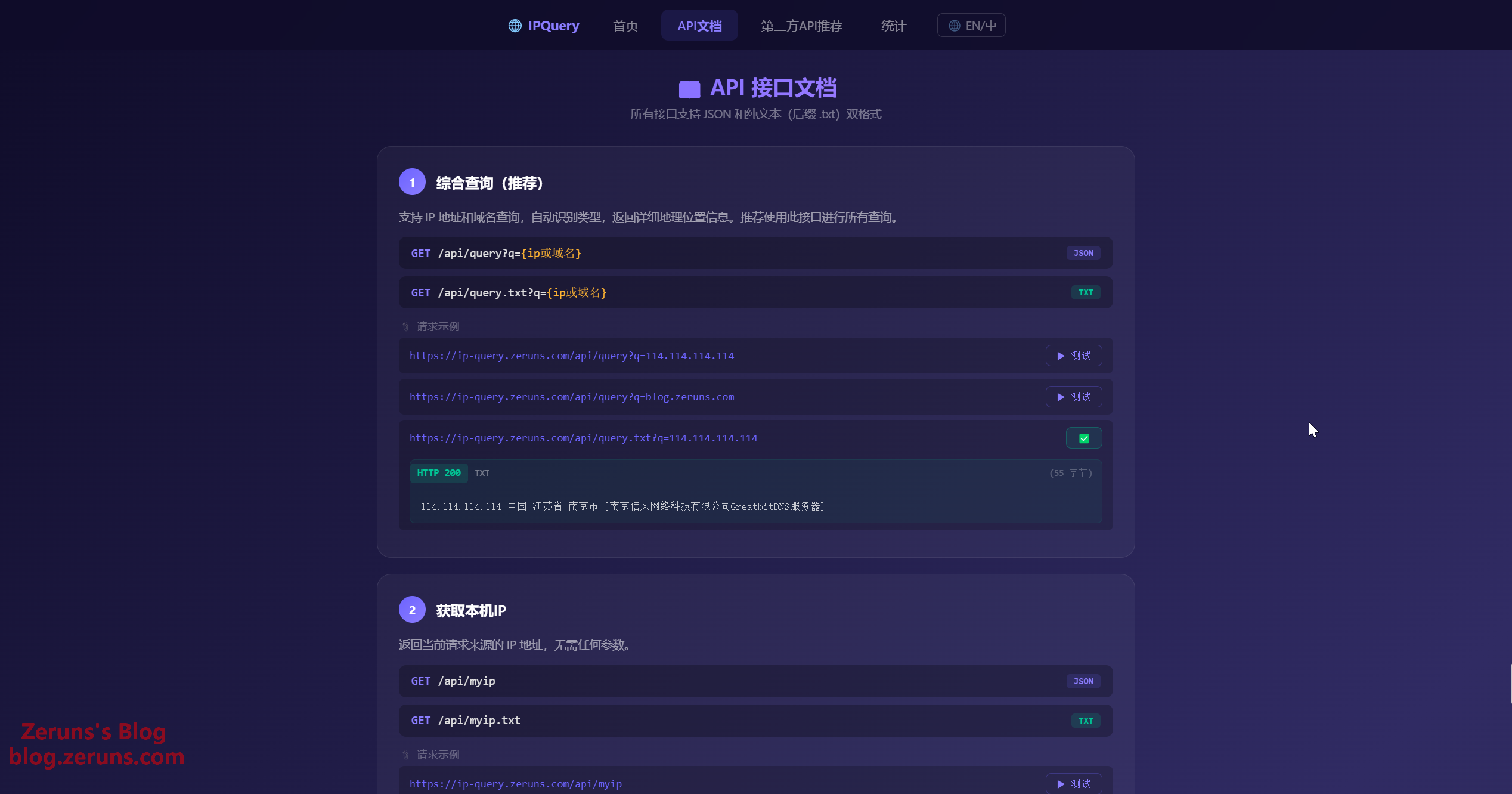
/api/batchfor up to 50 IPs in a single request - API Service — RESTful API with JSON and plain text output, easy to integrate into any application
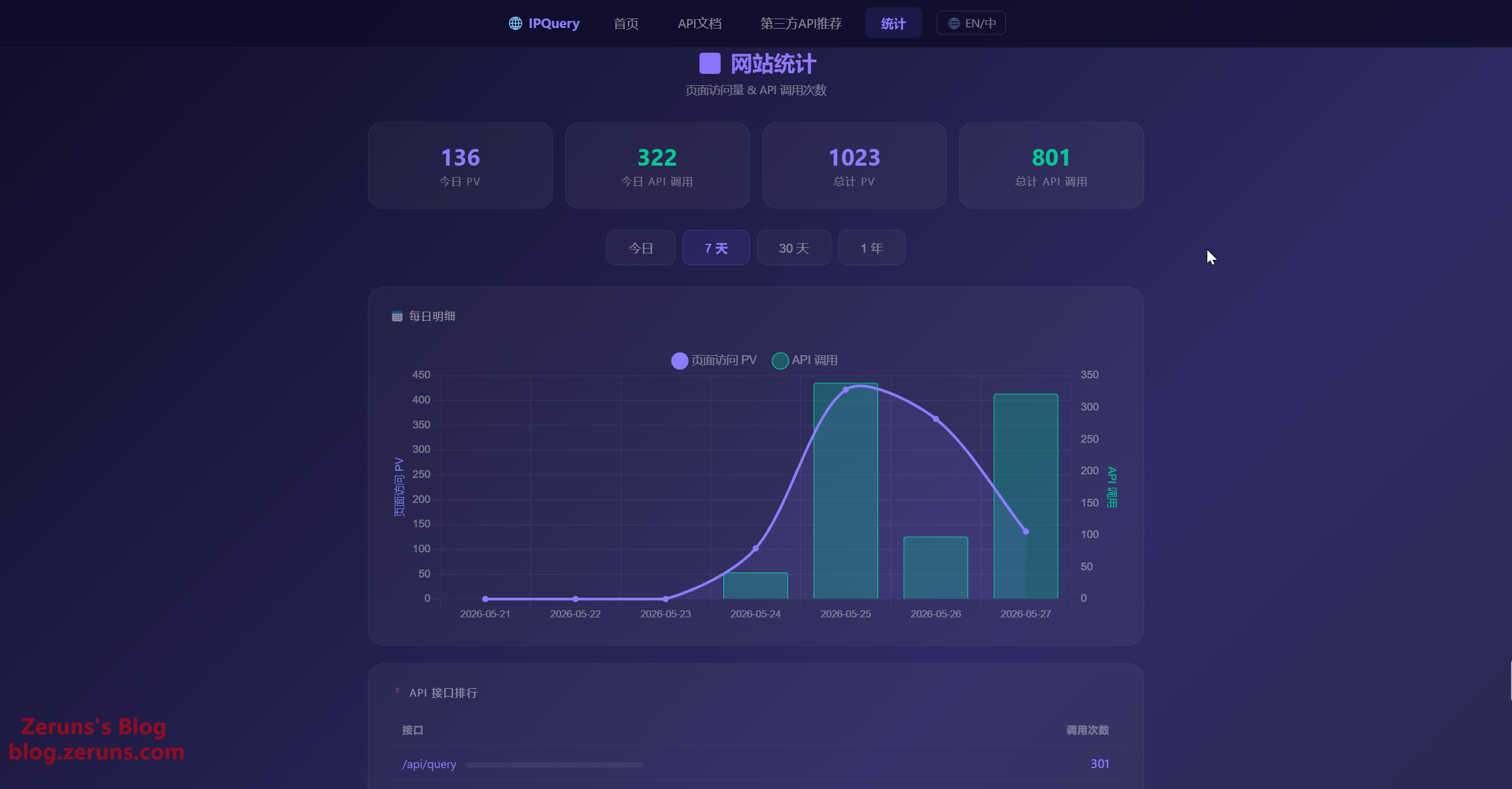
- Site Statistics — Built-in PV and API call stats panel powered by Chart.js (daily/weekly/monthly/yearly)
- Auto Update — Automatically pulls the latest Pure IP database from the GitHub repo every Monday at 3:00 AM
- Bilingual UI — Supports Chinese / English interface switching with automatic browser language detection
- CLI Tool —
node cli.js <IP/domain>for quick lookups
Use Cases
- See where your website visitors come from (supports real IP behind Nginx reverse proxy, Cloudflare, Alibaba Cloud CDN, etc.)
- Provide IP geolocation API for other applications
- Use as a custom lookup tool or integrate into automation scripts
- Learn Node.js/Express web development and project architecture
Installation & Deployment
Method 1: Bare Metal (Recommended)
# Requires Node.js 18+
git clone https://github.com/zeruns/ip-query-web.git
cd ip-query-web
npm install --production
cp .env.example .env
node server.js
Method 2: Docker
# Docker Compose V2 (Docker Desktop / Docker Engine 20.10+)
docker compose up -d --build

# Docker Compose V1 (older version with hyphen in command)
docker-compose up -d --build
Method 3: Baota Panel
Add a project in Baota's "Node Project Manager" with start command node server.js on port 6688.
Access
| Address | Description |
|---|---|
http://localhost:6688 |
Main query interface |
http://localhost:6688/api-docs.html |
API docs (online testing) |
http://localhost:6688/stats.html |
Site stats (Chart.js dashboard) |
Live Demo
🔗 https://ip-query.zeruns.com/
Features
- IPv4 / IPv6 Dual Stack, Dual Database — IPv4 uses the CZ88 Dat format (
qqwry.dat), IPv6 uses IPIP.net format (qqwry.ipdb) for greater accuracy - Domain Resolution — Automatically resolves A / AAAA records and looks up each IP
- Dual-Format API — JSON and plain text (
.txt) output for different scenarios - Dark Web UI — Built-in query page, API docs, and stats dashboard
- Bilingual Interface — Supports Chinese and English, auto-detects browser language preference
- CLI Tool —
node cli.js <IP/domain>for direct lookups - Auto IP Database Update — Pulls the latest CZ88 database every Monday at 3:00 AM (supports GitHub mirror acceleration)
- Site Statistics — PV and API call stats with Chart.js charts
- Three-Layer Security — CC protection + tiered rate limiting per endpoint (standard API 120 req/min, DNS 30 req/min, pages 120 req/min) + security headers
API Endpoints
All endpoints support JSON and plain text (append .txt or ?format=txt) output formats.
| Endpoint | Description | Rate Limit (req/min) |
|---|---|---|
GET /api/query?q= |
Comprehensive query (recommended) | 30 |
GET /api/myip |
Get client IP address | 120 |
GET /api/location?q= |
IP geolocation lookup (IP only) | 120 |
GET /api/mylocation |
Get visitor IP and geolocation | 120 |
GET /api/resolve4?q= |
Resolve domain to IPv4 address | 30 |
GET /api/resolve6?q= |
Resolve domain to IPv6 address | 30 |
GET /api/info |
Database version info | 120 |
GET /api/status |
Database status (with availability check) | 120 |
GET /api/stats?range=daily weekly monthly yearly |
Site statistics data | 120 |
POST /api/batch |
Batch IP query (≤50) | 120 |
GET /health |
Health check (unlimited) | ∞ |
Usage Examples
# JSON format — comprehensive query (supports IP and domain)
curl http://localhost:6688/api/query?q=8.8.8.8

# Plain text format
curl http://localhost:6688/api/query.txt?q=8.8.8.8

# Get client IP
curl http://localhost:6688/api/myip

# Batch query
curl -X POST http://localhost:6688/api/batch \
  -H "Content-Type: application/json" \
  -d '{"ips":["8.8.8.8","1.1.1.1","2001:4860:4860::8888"]}'
CLI Lookups
node cli.js 114.114.114.114     # Look up IP geolocation
node cli.js blog.zeruns.com     # Look up domain (resolve + geolocation)
node cli.js -6 ipv6.google.com  # Force IPv6
Configuration
All configuration is managed via environment variables or a .env file. The source config lives in src/config.js, and .env.example has a complete template.
cp .env.example .env   # Copy default config
vim .env               # Modify as needed
Server Config
| Variable | Default | Description |
|---|---|---|
PORT |
6688 |
Server port |
HOST |
:: |
Listen address: ::=dual-stack, 0.0.0.0=IPv4 only, 127.0.0.1=local only |
LOG_LEVEL |
info |
Log level: debug, info, warn, error |
Rate Limiting
| Variable | Default | Description |
|---|---|---|
RATE_LIMIT_MAX |
120 |
Standard API rate limit (req/min per IP) |
RATE_LIMIT_DNS |
30 |
DNS query endpoint rate limit (stricter due to DNS cost) |
RATE_LIMIT_PAGE |
120 |
Page/static resource rate limit (req/min per IP) |
CC Protection
| Variable | Default | Description |
|---|---|---|
CC_MAX_CONCURRENT |
20 |
Max concurrent connections per IP, auto-ban if exceeded |
CC_BURST_WINDOW |
2000 |
Burst detection window (ms) |
CC_BURST_MAX |
40 |
Max new connections allowed within the window |
CC_SLOW_TIMEOUT |
15000 |
Slow attack timeout (ms); incomplete requests beyond this are treated as attacks |
CC_BLOCK_DURATION |
60000 |
Auto-ban duration (ms), default 60 seconds |
CC_WHITELIST |
empty | Comma-separated IP whitelist — these IPs are never restricted |
CC_BLACKLIST |
empty | Comma-separated IP blacklist — these IPs are always blocked |
DNS & Network
| Variable | Default | Description |
|---|---|---|
PUBLIC_DNS |
8.8.8.8,8.8.4.4 |
Public DNS servers for domain resolution (comma-separated, tried in order) |
PUBLIC_IP_SOURCES |
https://ipinfo.io/ip,https://api.ipify.org,https://checkip.amazonaws.com |
Sources for public IP detection (comma-separated, fastest wins) |
IP Database Update
| Variable | Default | Description |
|---|---|---|
GITHUB_MIRROR |
https://gh-proxy.com/ |
GitHub mirror URL for acceleration. Required for servers in China; leave empty for direct access elsewhere |
DATA_DIR |
./data |
Directory for IP database and stats files |
HTTPS Configuration
| Variable | Default | Description |
|---|---|---|
SSL_KEY |
empty | SSL private key file path; set to enable HTTPS |
SSL_CERT |
empty | SSL certificate file path |
If you're using Nginx/Caddy as an SSL terminator, keep these two commented out.
Sample .env
# Server port
PORT=6688

# Recommended for servers in China
GITHUB_MIRROR=https://gh-proxy.com/

# Loosen rate limits (high concurrency scenarios)
RATE_LIMIT_MAX=300
RATE_LIMIT_DNS=60

# Loosen CC protection
CC_MAX_CONCURRENT=50
CC_BLOCK_DURATION=30000
Security
The system has a built-in three-layer defense chain — no extra config needed for public deployment:
| Layer | Implementation | Features |
|---|---|---|
| 1 | CC Protection (pure Node) | Concurrency limit + burst detection + slow attack defense + auto-ban + IP black/whitelist |
| 2 | express-rate-limit | Tiered rate limiting per endpoint type (standard / DNS) |
| 3 | Security Headers | X-Frame-Options, X-XSS-Protection, X-Content-Type-Options, Referrer-Policy, CORS control |
Nginx Reverse Proxy
It's recommended to put Nginx in front as an SSL terminator:
server {
    listen 443 ssl http2;
    server_name ip.example.com;

    ssl_certificate /etc/ssl/certs/example.crt;
    ssl_certificate_key /etc/ssl/private/example.key;

    proxy_set_header X-Real-IP $remote_addr;
    proxy_set_header X-Forwarded-For $proxy_add_x_forwarded_for;
    proxy_set_header Host $host;

    location / {
        proxy_pass http://127.0.0.1:6688;
        proxy_http_version 1.1;
        proxy_read_timeout 60s;
    }
}
CDN Compatibility
The system uses getClientIP() to intelligently identify the client's real IP. Priority from highest to lowest:
| CDN / Proxy | Header | Auto-detected |
|---|---|---|
| Cloudflare | CF-Connecting-IP |
✅ |
| Alibaba Cloud ESA | ali-real-client-ip |
✅ |
| Cloudflare / Alibaba Cloud / Google Cloud | True-Client-IP |
✅ |
| Alibaba Cloud CDN | Ali-CDN-Real-IP |
✅ |
| Nginx Reverse Proxy | X-Real-IP |
✅ |
| Generic | X-Forwarded-For (first IP) |
✅ |
When using a CDN, two things need configuration:
1. CDN side — enable real IP passthrough:
- Alibaba Cloud ESA (Method 1, recommended): ESA Console → Site → Rule Settings → Transform Rules → Managed Transforms → enable "Add Real Client IP Header", default header name
ali-real-client-ip.- Alibaba Cloud ESA (Method 2): Rule Settings → Transform Rules → add a new request header rule to pass the real client IP via
X-Forwarded-For.- Cloudflare: Enabled by default, no extra configuration needed.
2. Nginx side — trust the proxy IP:
server {
    set_real_ip_from 0.0.0.0/0;
    real_ip_header X-Forwarded-For;
    real_ip_recursive on;

    location / {
        proxy_pass http://127.0.0.1:6688;
        proxy_set_header X-Real-IP $remote_addr;
        proxy_set_header X-Forwarded-For $proxy_add_x_forwarded_for;
        ...
    }
}
Cloudflare users should change
real_ip_headertoCF-Connecting-IP.
Recommended Third-Party APIs
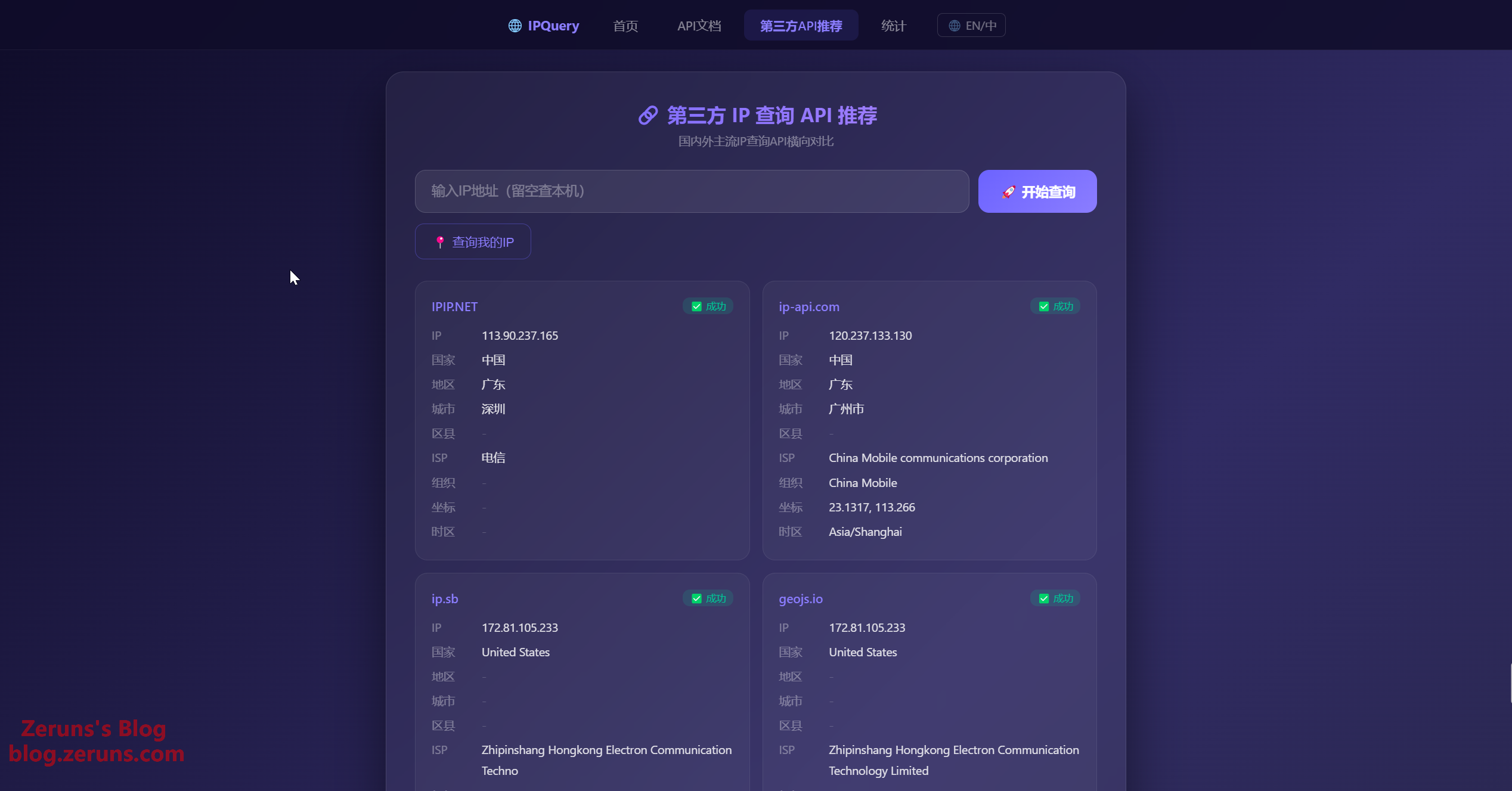
Besides self-hosting, you can also use these third-party IP query APIs: Third-Party API Recommendations
Project Structure
├── server.js              # Express server entry point
├── cli.js                 # CLI query tool
├── package.json           # Project config and dependencies
├── .env.example           # Environment variable template
├── LICENSE                # GPL-3.0 License
├── src/
│   ├── config.js          # Unified configuration layer
│   ├── ipdb.js            # IP database query engine
│   ├── updater.js         # Auto database updater (mirror acceleration supported)
│   ├── ccProtection.js    # CC protection middleware
│   ├── stats.js           # Site statistics module
│   └── classifier.js      # Smart field classifier
├── public/
│   ├── index.html         # Main query page (dark theme)
│   ├── api-docs.html      # API docs (online testing)
│   ├── api-recommend.html # Third-party API comparison
│   ├── stats.html         # Stats dashboard (Chart.js)
│   ├── i18n.js            # Bilingual switch (Chinese/English)
│   ├── favicon.ico        # Site icon
│   ├── favicon.png        # Site icon
│   └── components/        # Header/footer components
└── data/                  # IP database & stats data
Requirements
- Node.js 18+
- Memory 256MB+
- Storage ~150MB (including ~40MB for the IP database)
- OS Linux / macOS / Windows (WSL)
Data Source
IP geolocation data comes from the Pure IP Database (CZ88.NET), distributed via the npm package qqwry.ipdb. Auto-updates every Monday at 3:00 AM.
Recommended Reading
- Affordable VPS/Cloud Server Recommendations: https://blog.zeruns.com/archives/383.html
- Minecraft Server Hosting Guide: https://blog.zeruns.com/tag/mc/
- Cross-Border E-Commerce & WordPress Foreign Trade Site Guide: https://blog.zeruns.com/archives/889.html
- Hermes Agent Deployment Guide — Build Your First AI Assistant: https://blog.zeruns.com/archives/939.html
- Alibaba Cloud ESA (CDN) Review — Free & Unlimited Traffic, Global Nodes (including China): https://blog.zeruns.com/archives/920.html
- Discourse Forum Setup Guide — Deploy Discourse from Scratch: https://blog.zeruns.com/archives/919.html
评论