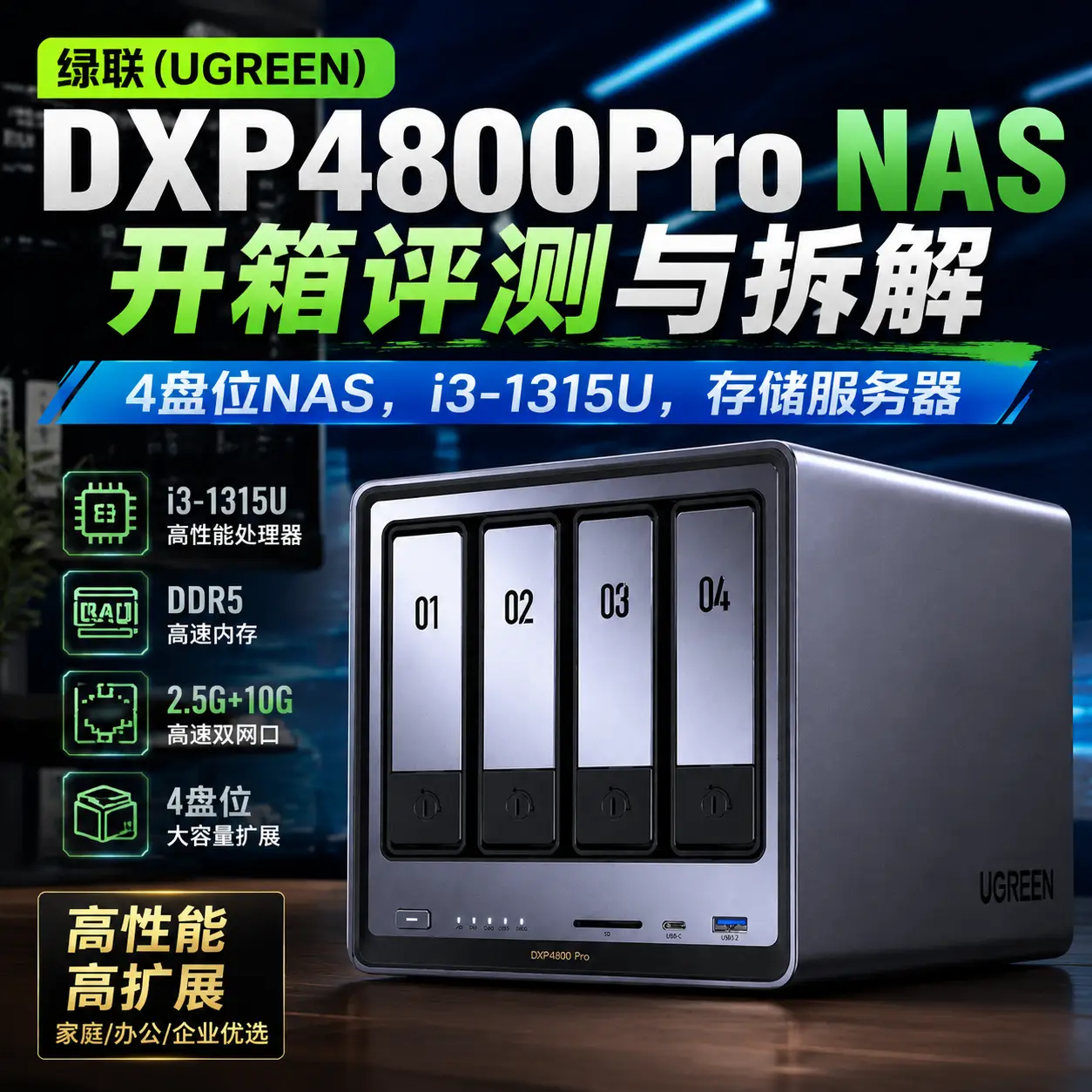
Ugreen DXP4800Pro 4-bay NAS (Network Attached Storage) unboxing, review, and teardown — powered by an Intel i3-1315U (6 cores, 8 threads).
Foreword
My previous QNAP NAS (TS-466C) was starting to feel a bit sluggish — QNAP's QTS system just doesn't seem to be optimized all that well (or maybe the system has just grown bloated), so I decided to switch. I upgraded to Ugreen for stronger performance and better value for money. While Ugreen's UGOS Pro system isn't fully polished yet (fewer apps, fewer features), it's open enough and highly customizable — many of the missing apps can be replaced with Docker containers.
- QNAP TS-466C NAS unboxing and review, 4-bay NAS, N6005: https://blog.zeruns.com/archives/777.html
- QNAP TS-551 NAS unboxing and review, a 5-bay NAS for 1,500 yuan: https://blog.zeruns.com/archives/611.html
This time, in addition to swapping the NAS, I also bought four used 6TB mechanical hard drives (since they're not the same brand as my old ones, I couldn't just migrate the drives directly). Storage prices are genuinely insane right now — used mechanical drives cost two to three times what they used to. I picked up these used 6TB drives for about 780 yuan (~$108) each.
The NAS I bought is the DXP4800Pro with 8GB of RAM. When I purchased it (June 15, 2026), it was 3,158 yuan (~$440) — actually a bit more expensive than at launch, strangely enough.
I also added a 24GB DDR5 memory module myself — a Lexar DDR5 5600 24GB standard SO-DIMM. I bought it on June 16, 2026 for 1,189 yuan (~$165). Memory prices are absurdly high right now too; back in September 2025, I bought two 32GB DDR5 SO-DIMMs for only 1,158 yuan (~$161) total...
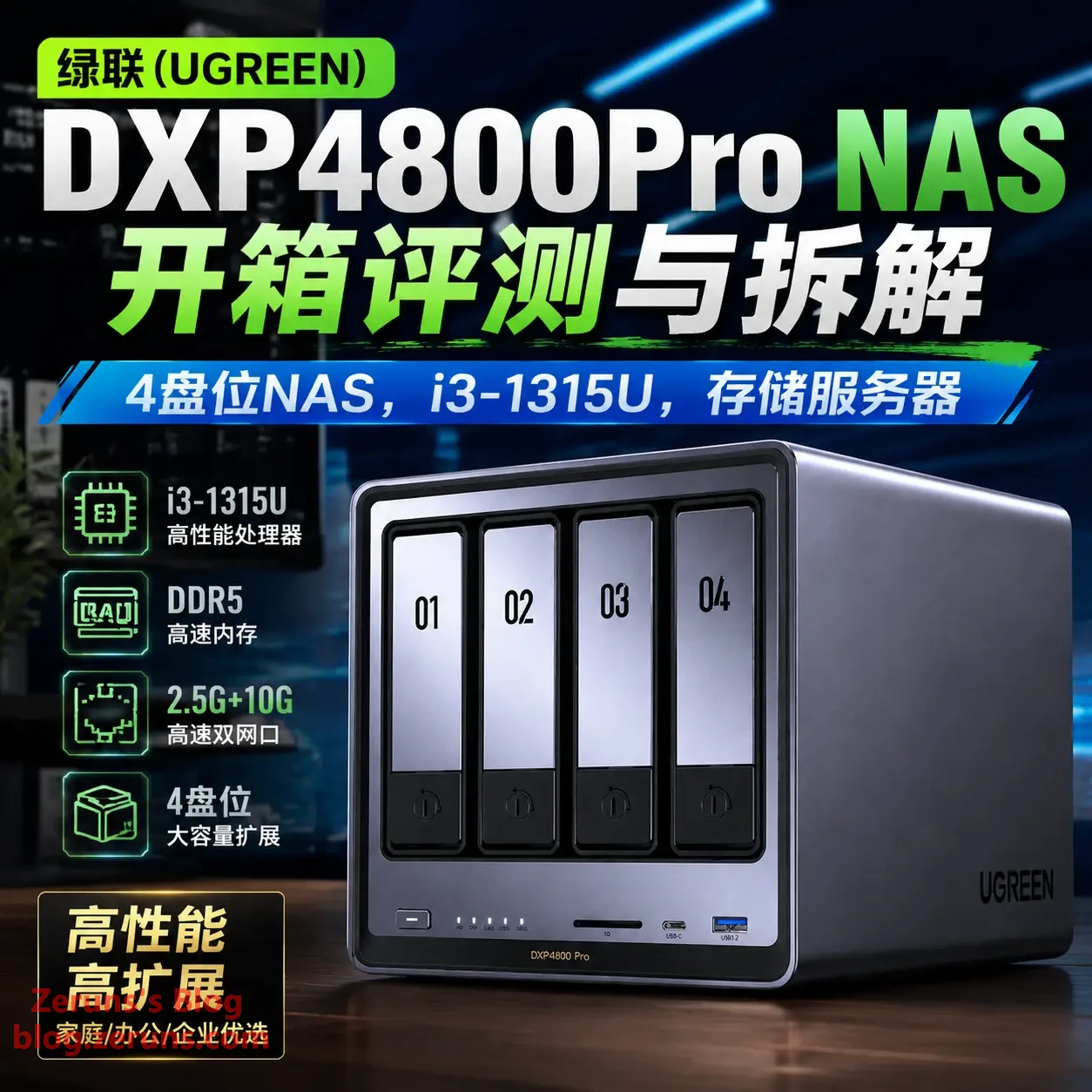
DXP4800 Pro Overview
The DXP4800 Pro is powered by an Intel i3-1315U 6-core, 8-thread processor, delivering plenty of compute headroom for multitasking. Its dual network port configuration — 10GbE × 1 + 2.5GbE × 1 — handles high-throughput data transfers with ease. The port selection covers virtually every use case: HDMI 2.1 (4K@60Hz), USB 3.2 Gen 2, Type-C, and an SD card slot are all on board. Thanks to its robust hardware, flexible storage options, and ultra-fast networking, it serves equally well as a personal data hub or a lightweight enterprise data center solution.
What is a NAS?
Simply put, a NAS is essentially your own private mini-server that stores all your files, photos, and videos. It can automatically back up your phone and computer, and doubles as a home theater and photo library.
Most importantly, it allows remote access from anywhere, at any time — with no speed throttling and no dependence on cloud services. You don't need to carry a hard drive with you or prepare data in advance. You can think of it as a "cloud drive that will never disappear" or a "high-capacity hard drive you carry with you," but it's safer, more efficient, and more flexible than either of those alternatives.
Specifications:
| Item | Specification |
|---|---|
| CPU | Intel i3-1315U (6 cores / 8 threads, 2P+4E, max turbo 4.5GHz, Intel 7 process, 15W–55W TDP) |
| Memory | DDR5 5200MHz 8GB/16GB (single module, dual memory slots) |
| Graphics | Intel® UHD Graphics for 13th Gen Intel® Processors (integrated) |
| System Drive | 128GB |
| SATA Ports | 4 × 2.5"/3.5" drive bays, SATA 3.0, up to 30TB × 4 |
| M.2 Slots | 2 × 2280 slots, M-key, NVMe, up to 8TB × 2 |
| Network | 2 × RJ45 ports, 2.5GbE + 10GbE |
| Other Ports | USB 3.2 Gen2 / Type-C Gen2 / USB 3.2 Gen1 / 2 × USB 2.0 / SD 3.0 / HDMI |
Official product page: https://url.zeruns.com/DXP4800Pro
Ugreen NAS client software download links (Windows, Android, Android TV, iOS, macOS, Apple TV): https://url.zeruns.com/ugnas_software
Unboxing
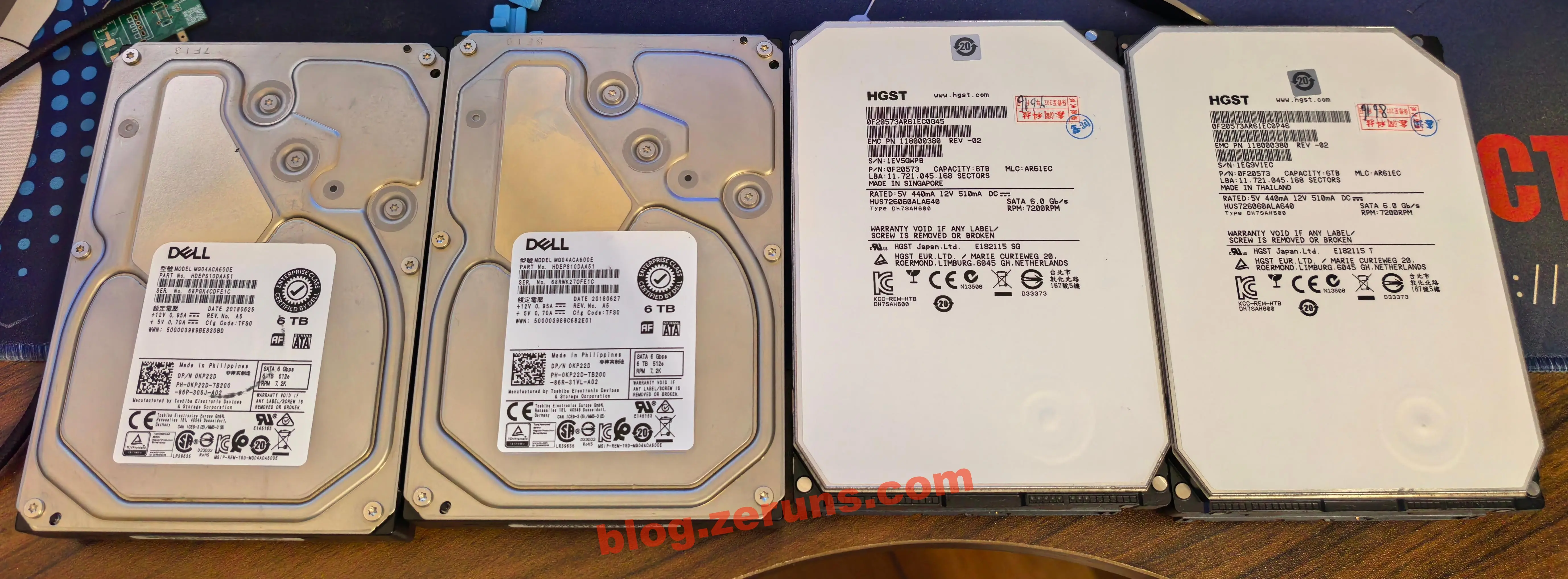
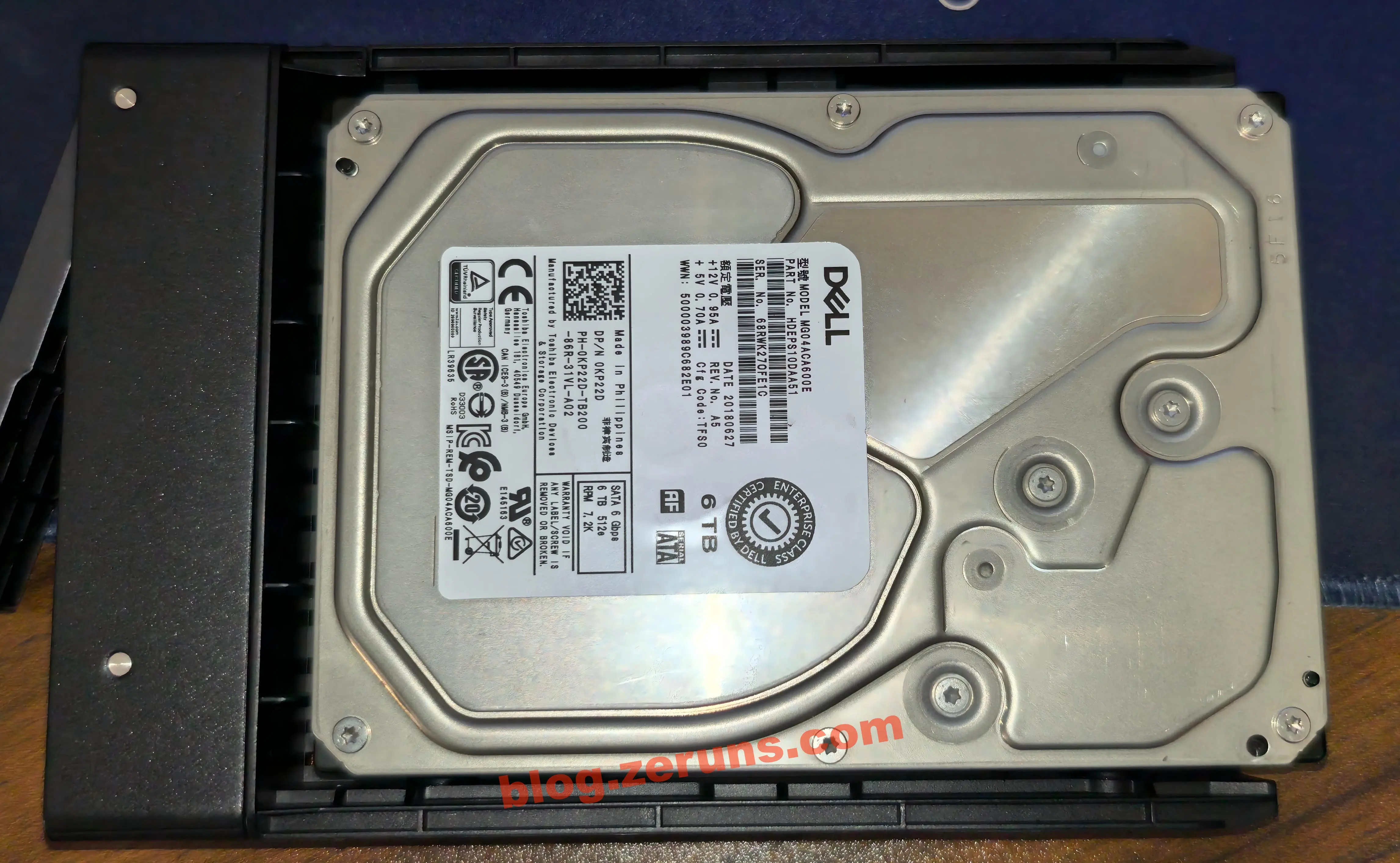
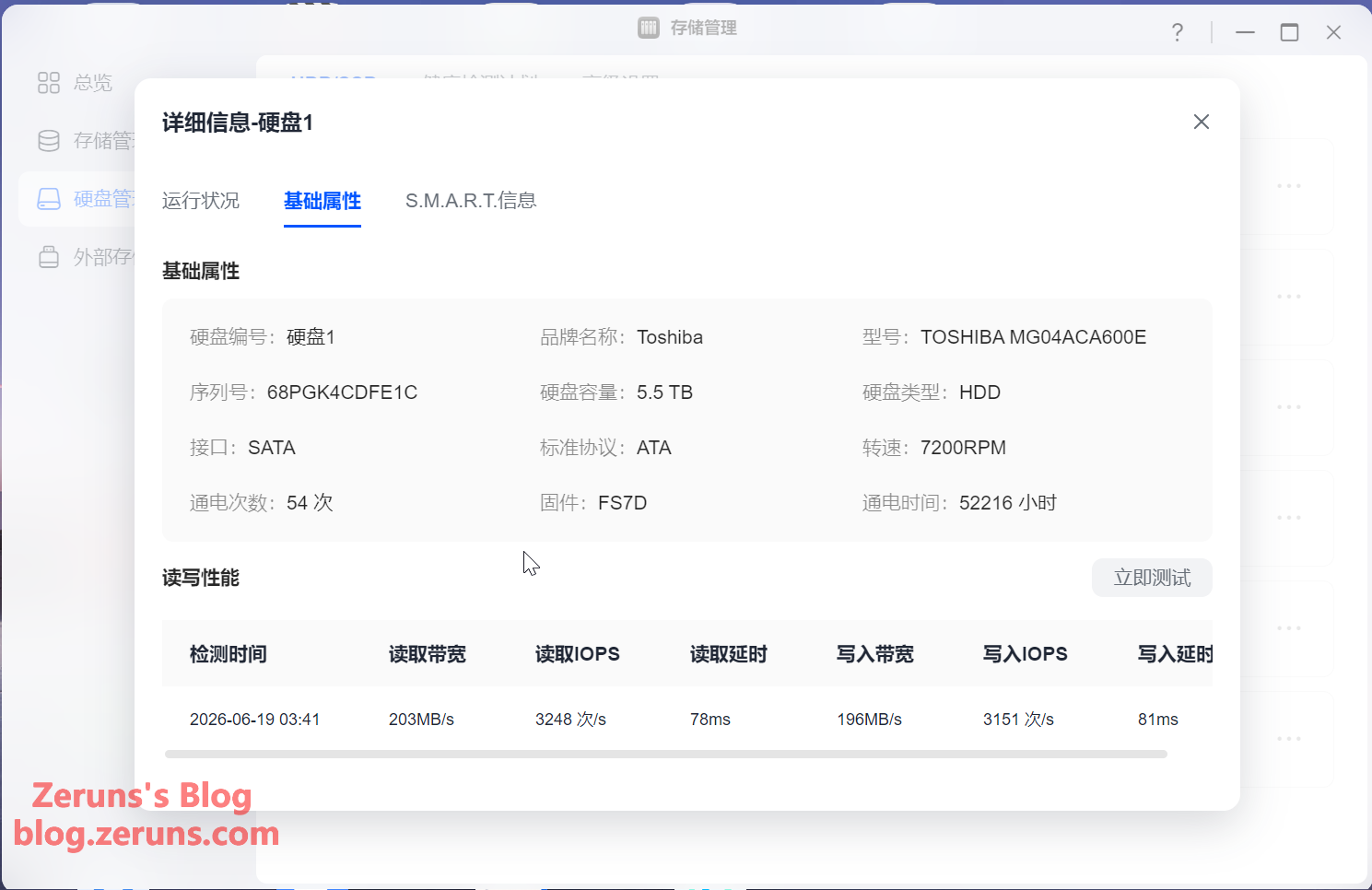
First up, the four used 6TB mechanical hard drives I bought: two Dell enterprise drives (manufactured by Toshiba, model Toshiba MG04ACA600E, with 52,000+ power-on hours) plus two Hitachi helium drives (model HGST HUS726060ALA640, power-on hours reset to 0).
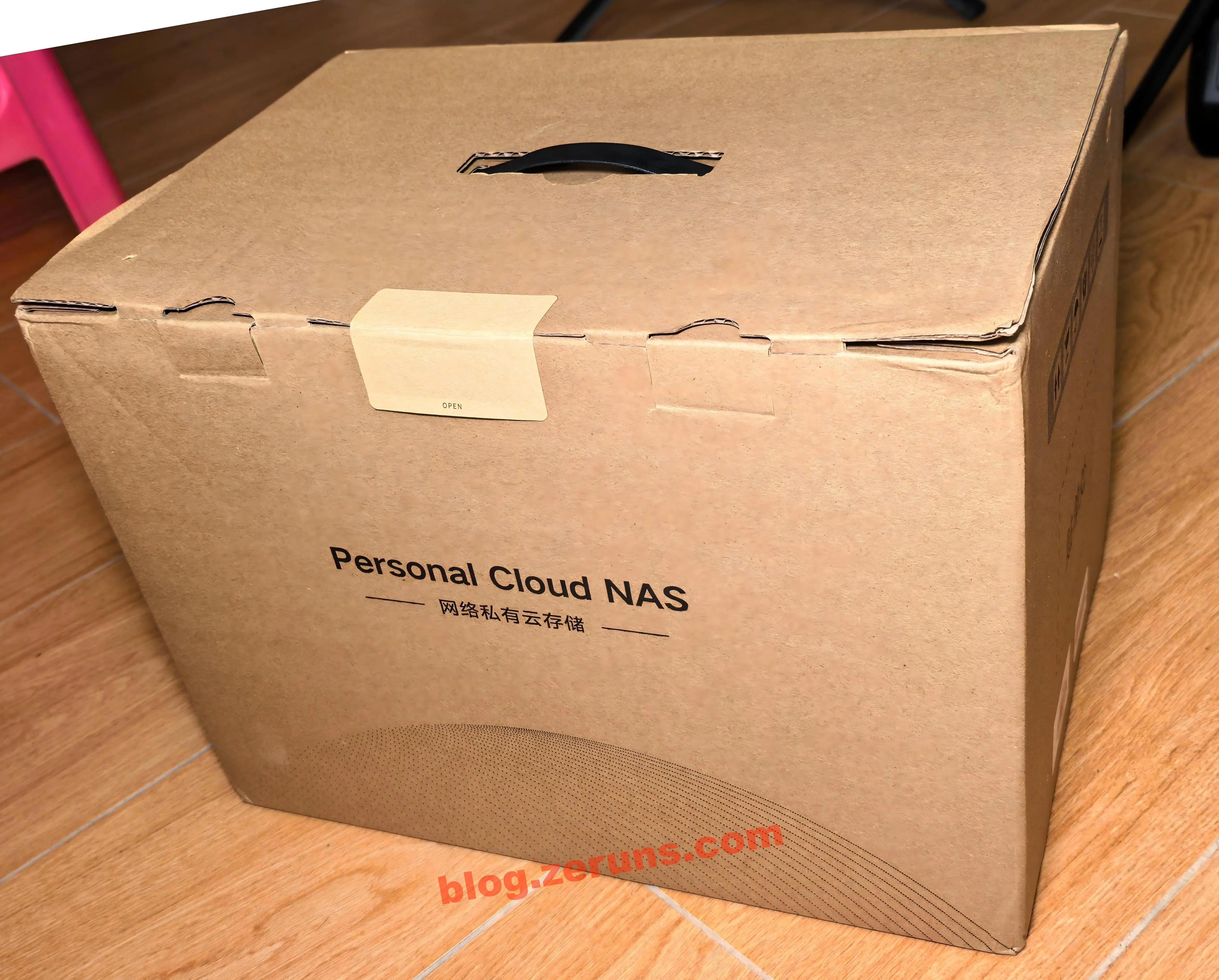
The front of the outer packaging, printed with the text "Personal Cloud NAS."
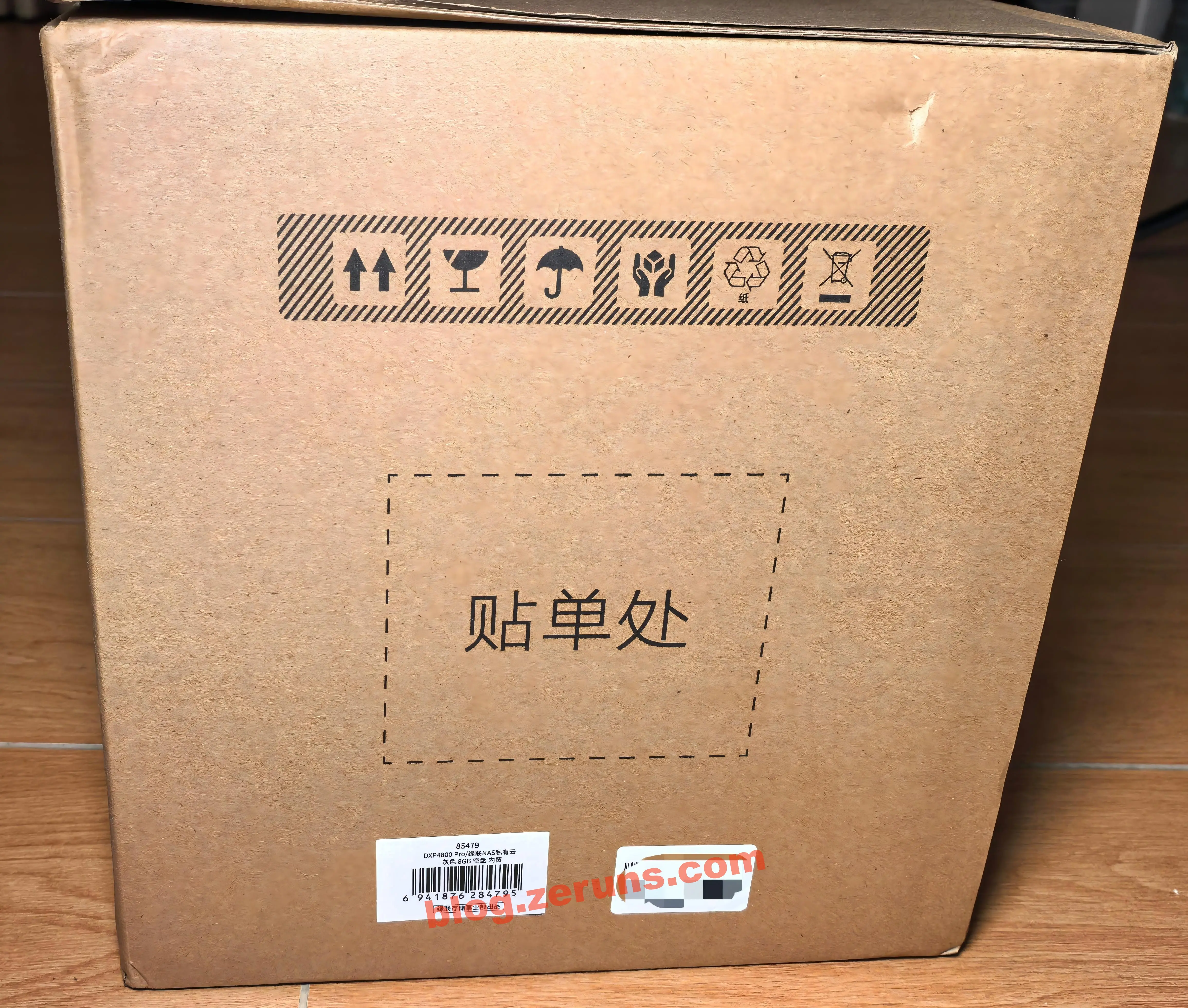
The side of the outer packaging, with product model and barcode labels, plus an SN code label.
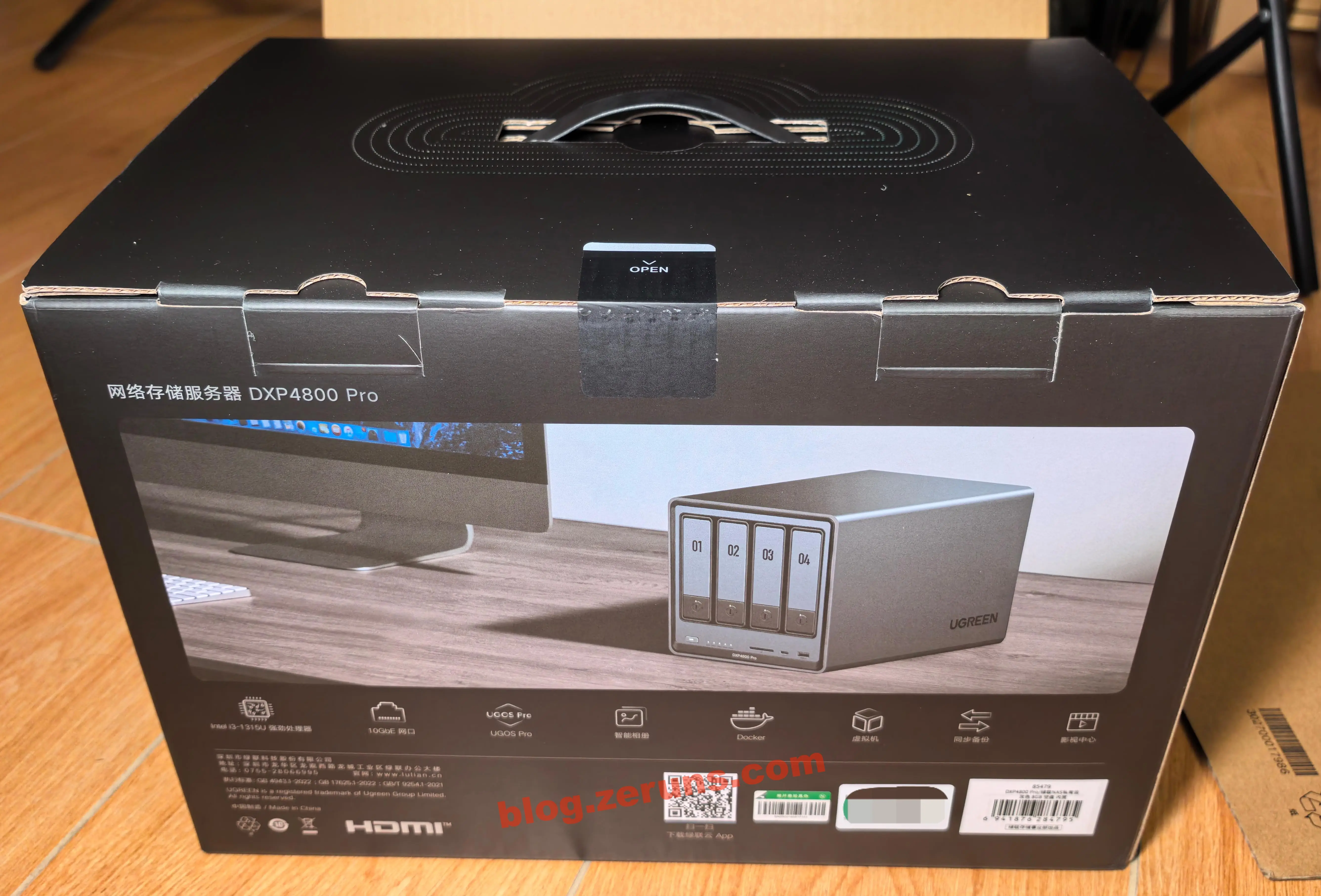
After opening the box, there's another layer of color-printed packaging inside — the front of the inner box.
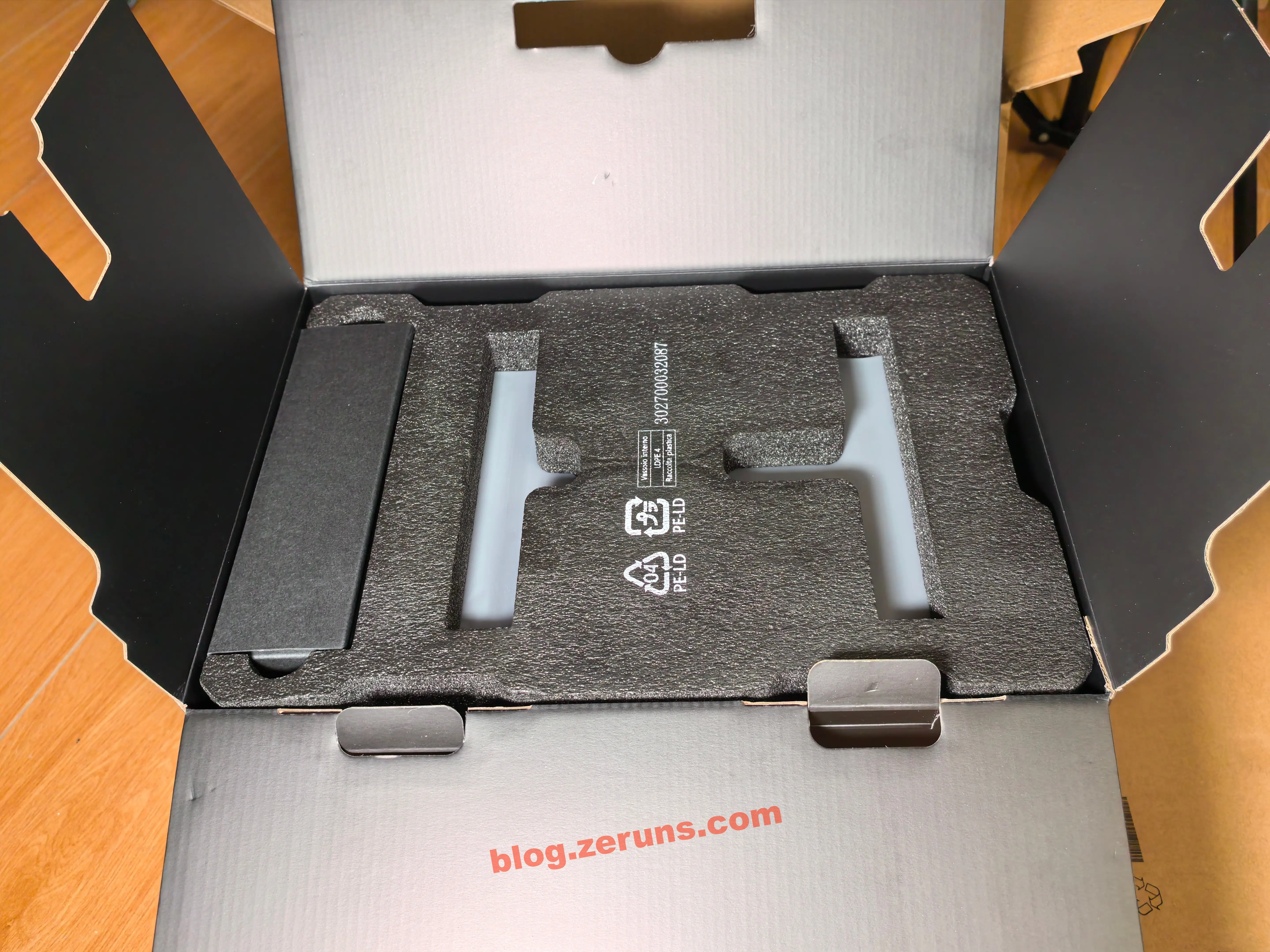
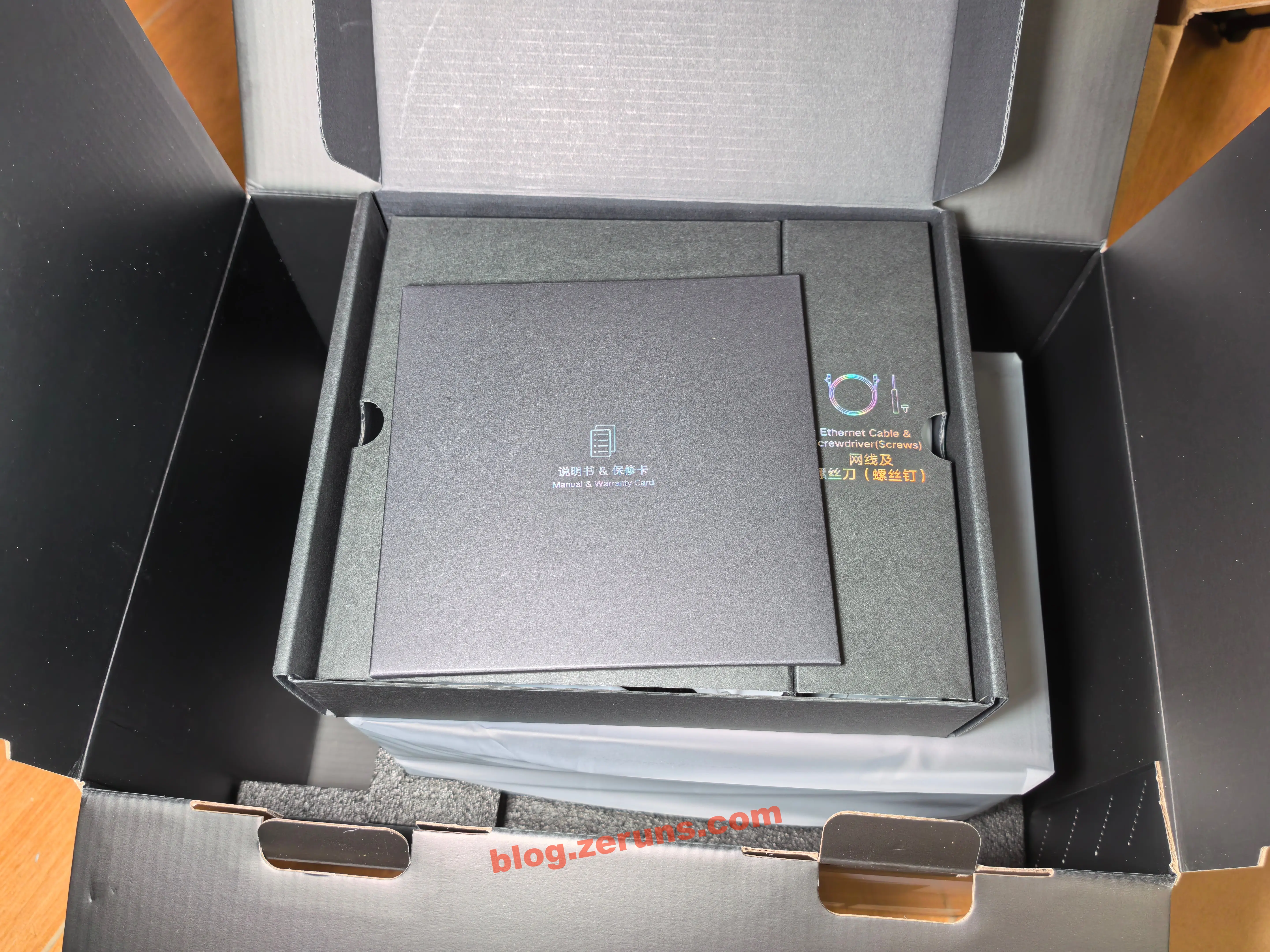
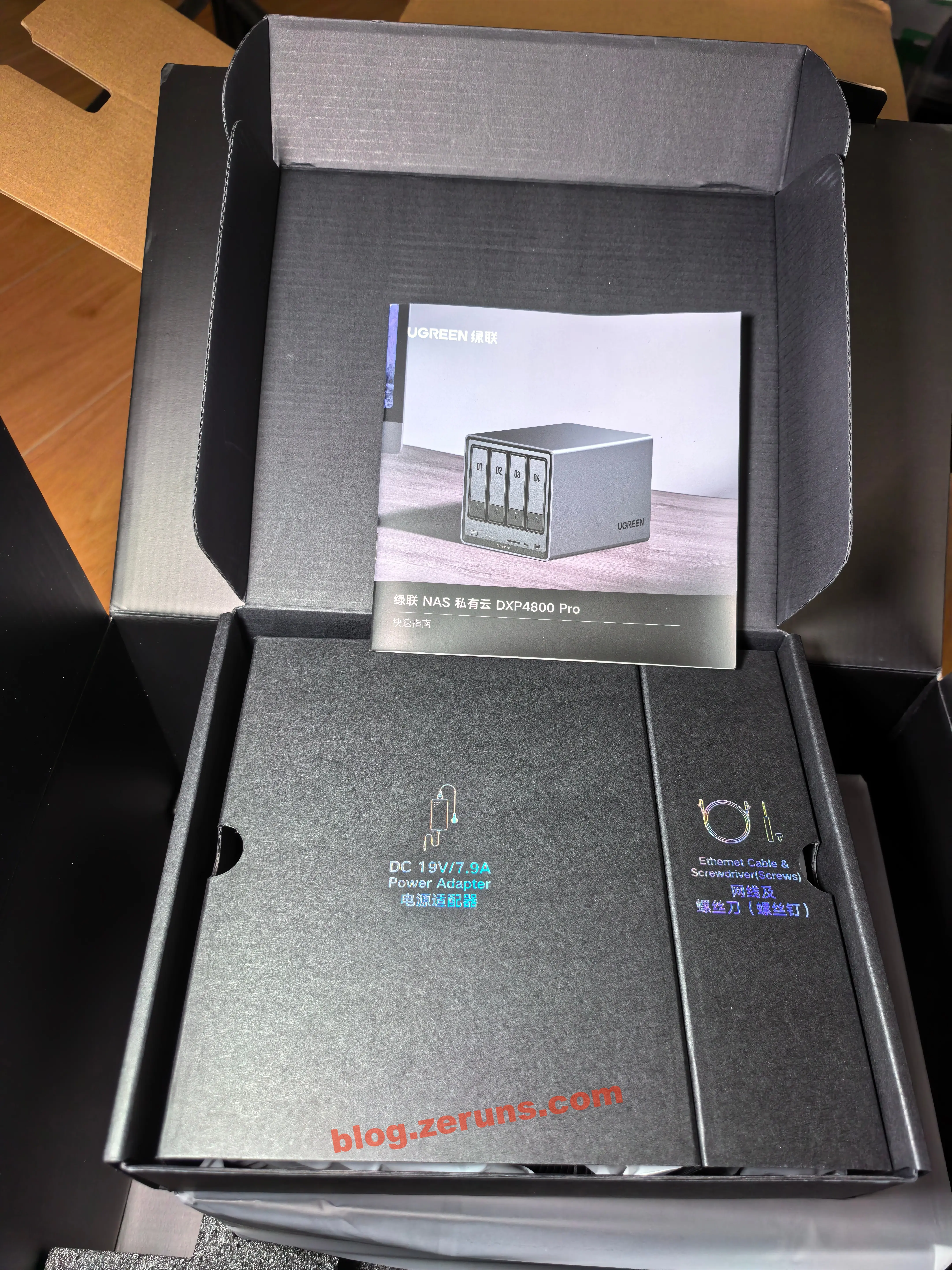
Continuing the unboxing — the internal layout is meticulously organized. The NAS unit itself is surrounded by thick foam shock-absorbing material, while the power adapter, ethernet cable, manual, and other accessories are housed in a separate box on the left side. The unboxing experience is orderly throughout, with no rummaging required.
Opening the accessory box reveals the manual, power adapter, ethernet cable, screwdriver, screws, thermal silicone pads, and drive bay lock keys. Each accessory is individually bagged in anti-static PE pouches.
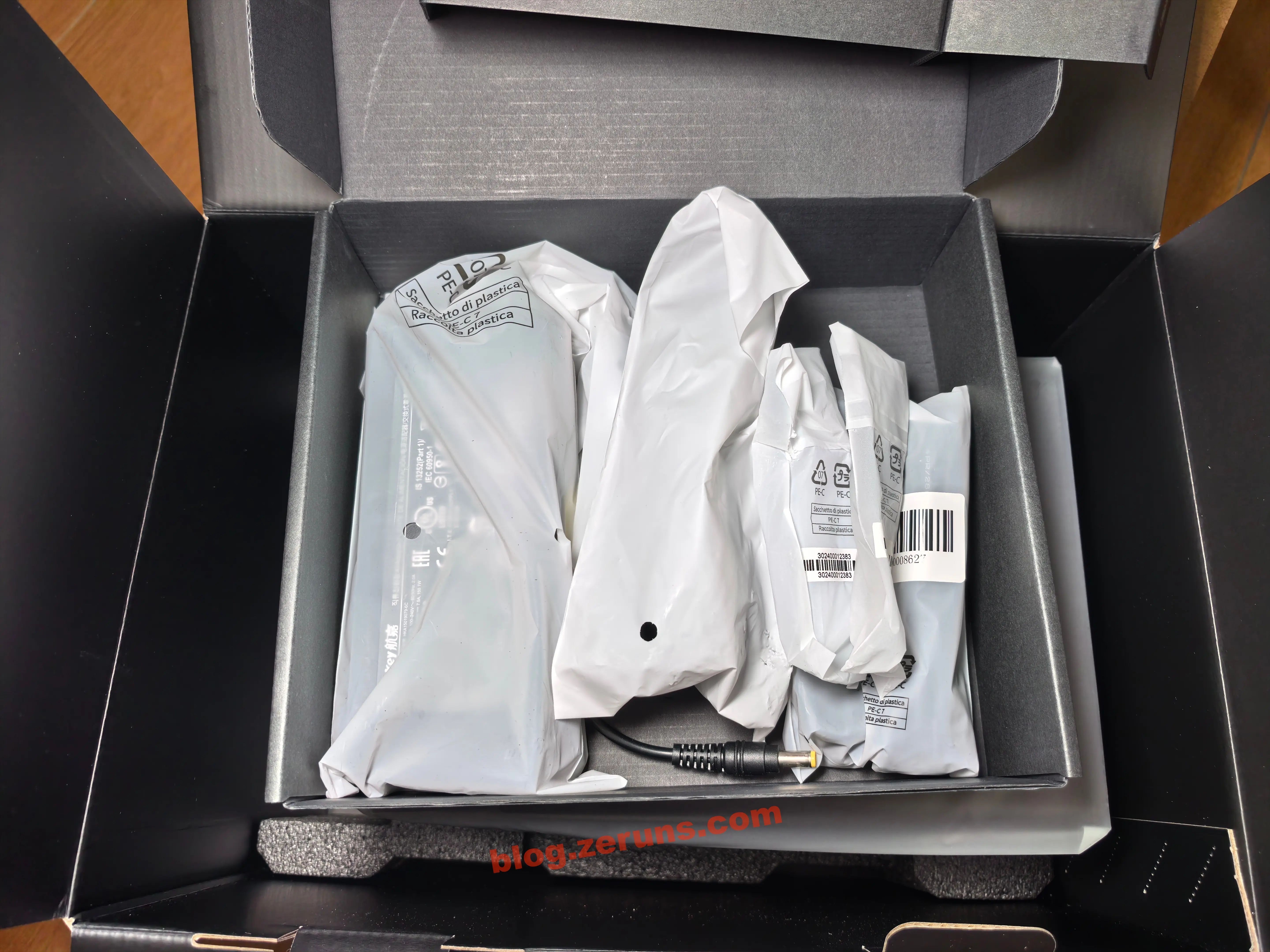
The power adapter's input end uses a three-prong cloverleaf connector, and the output port is DC5525.
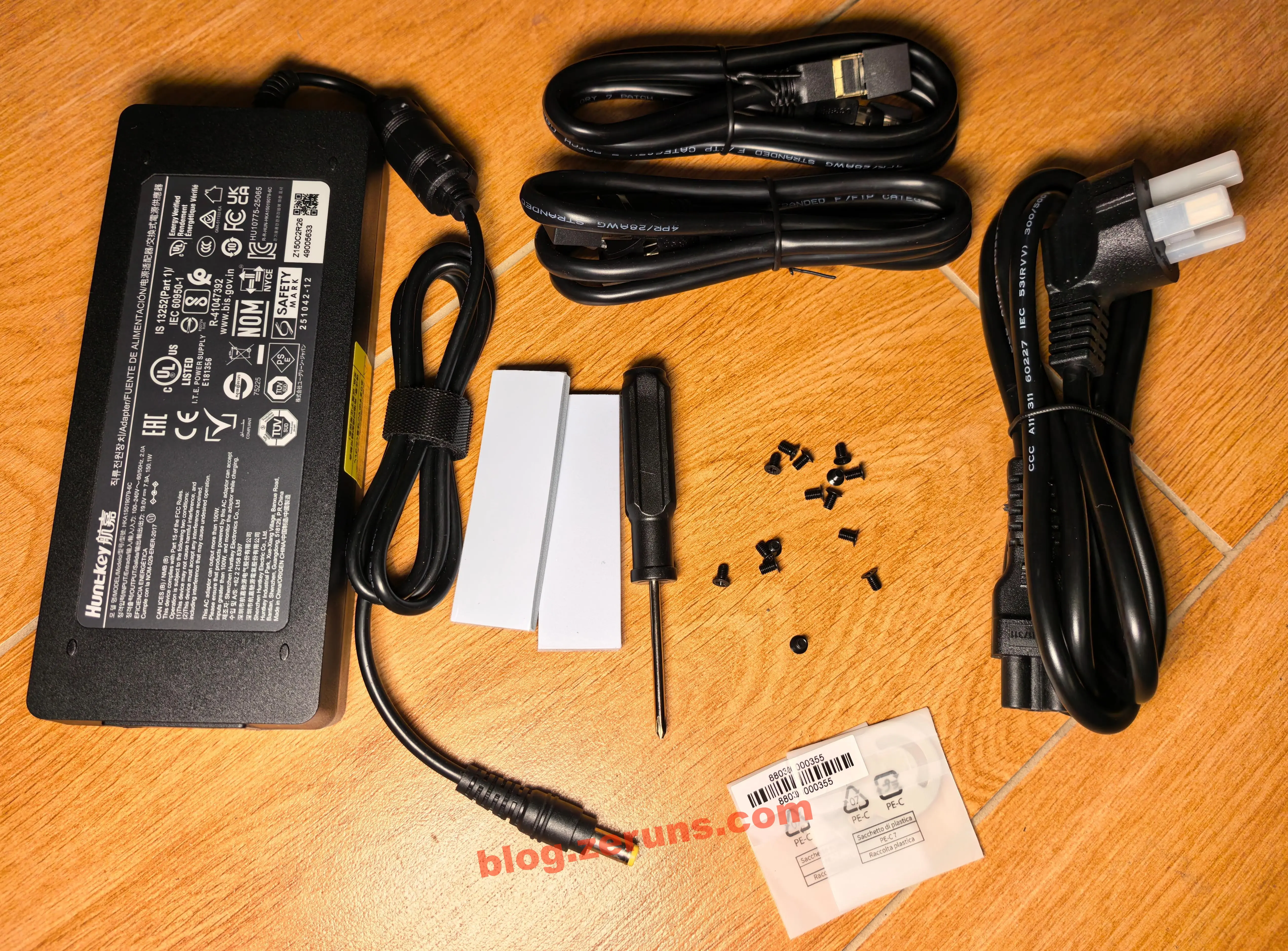
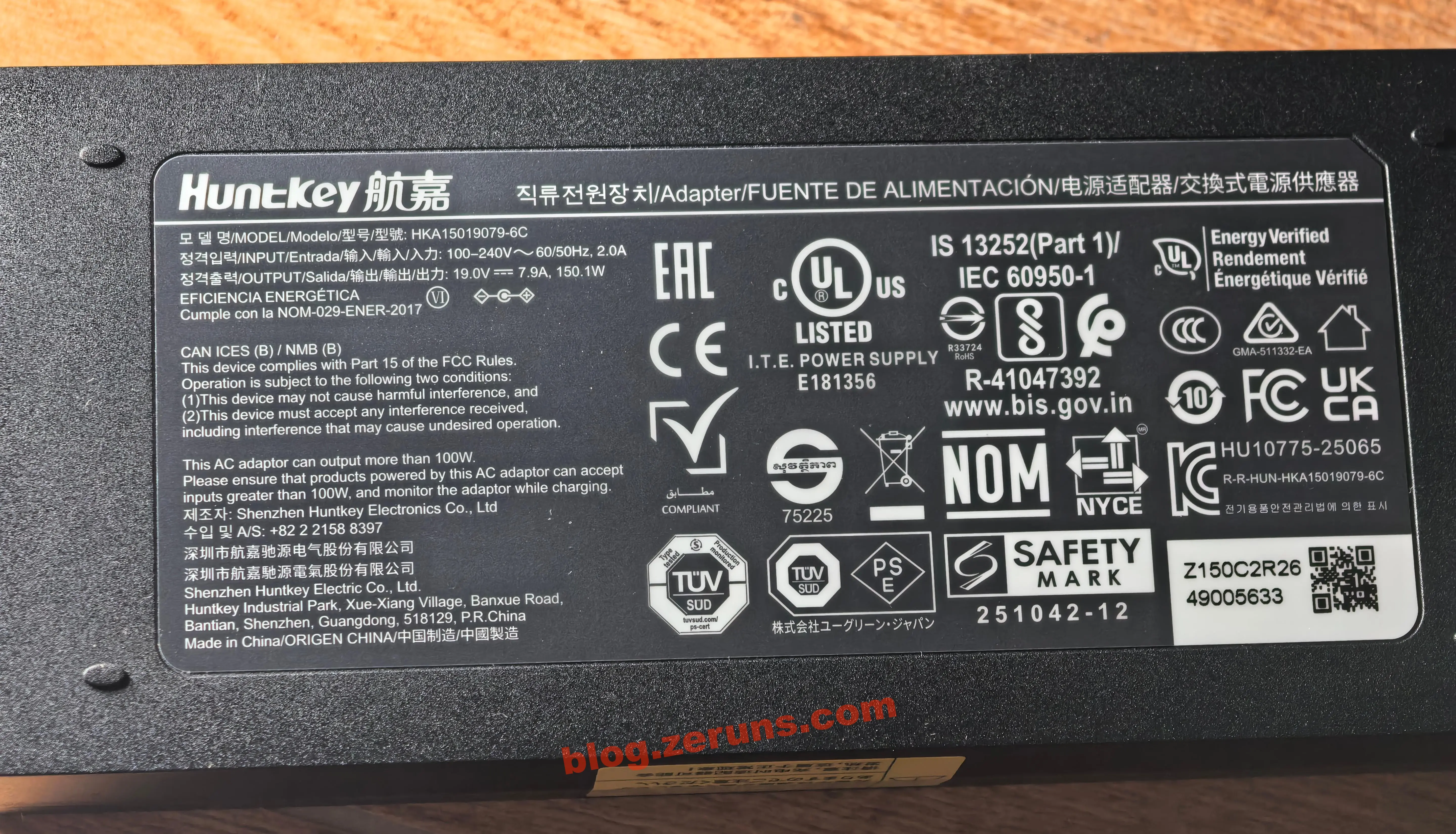
The power supply is a Huntkey 19V 7.9A switching power supply, model HKA15019079-6C, supporting 100–240V wide voltage input. My previous QNAP NAS also used a Huntkey power supply — it's a solid brand.
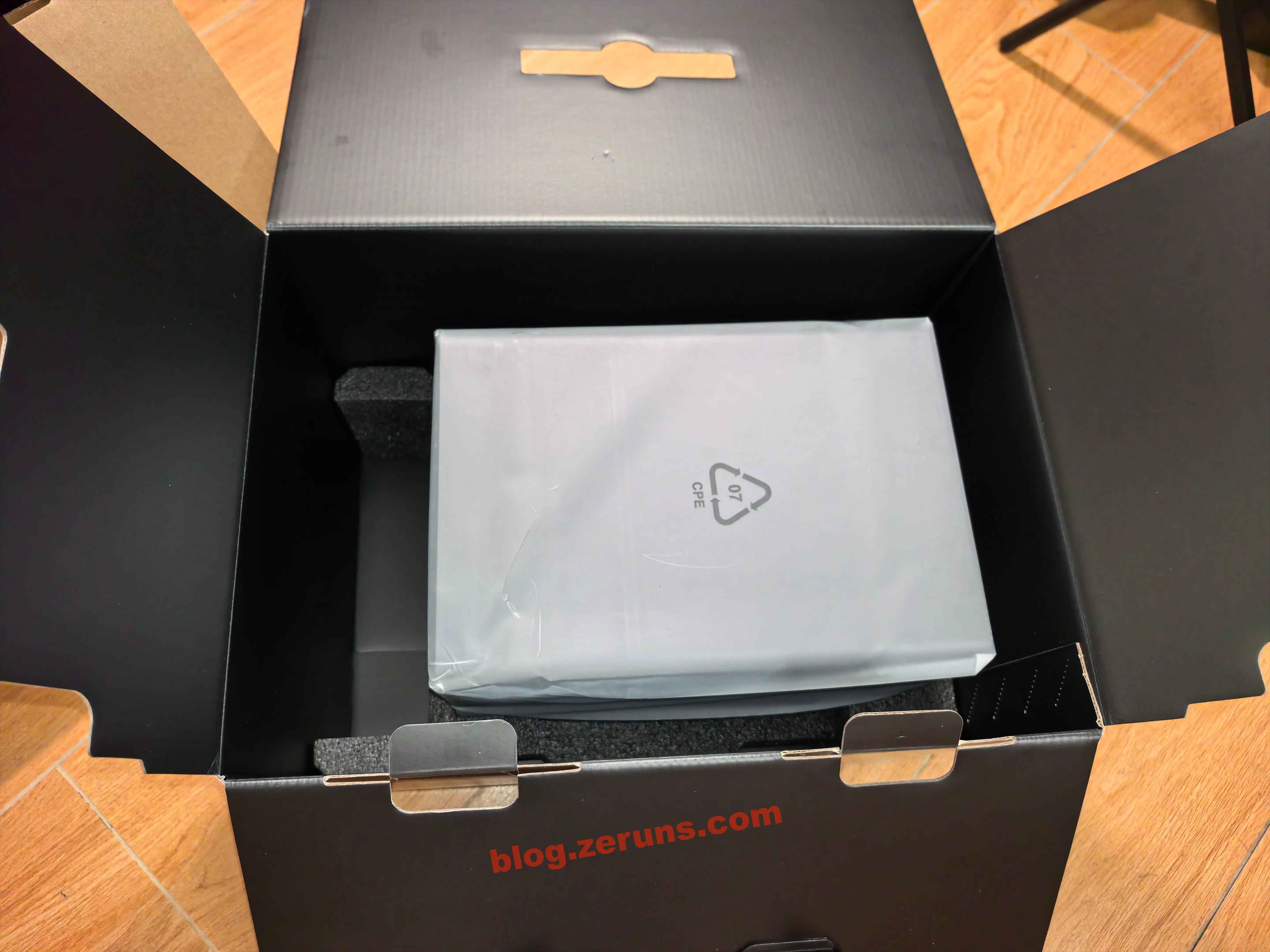
The NAS unit itself is also wrapped in an anti-static PE bag.
Device Appearance
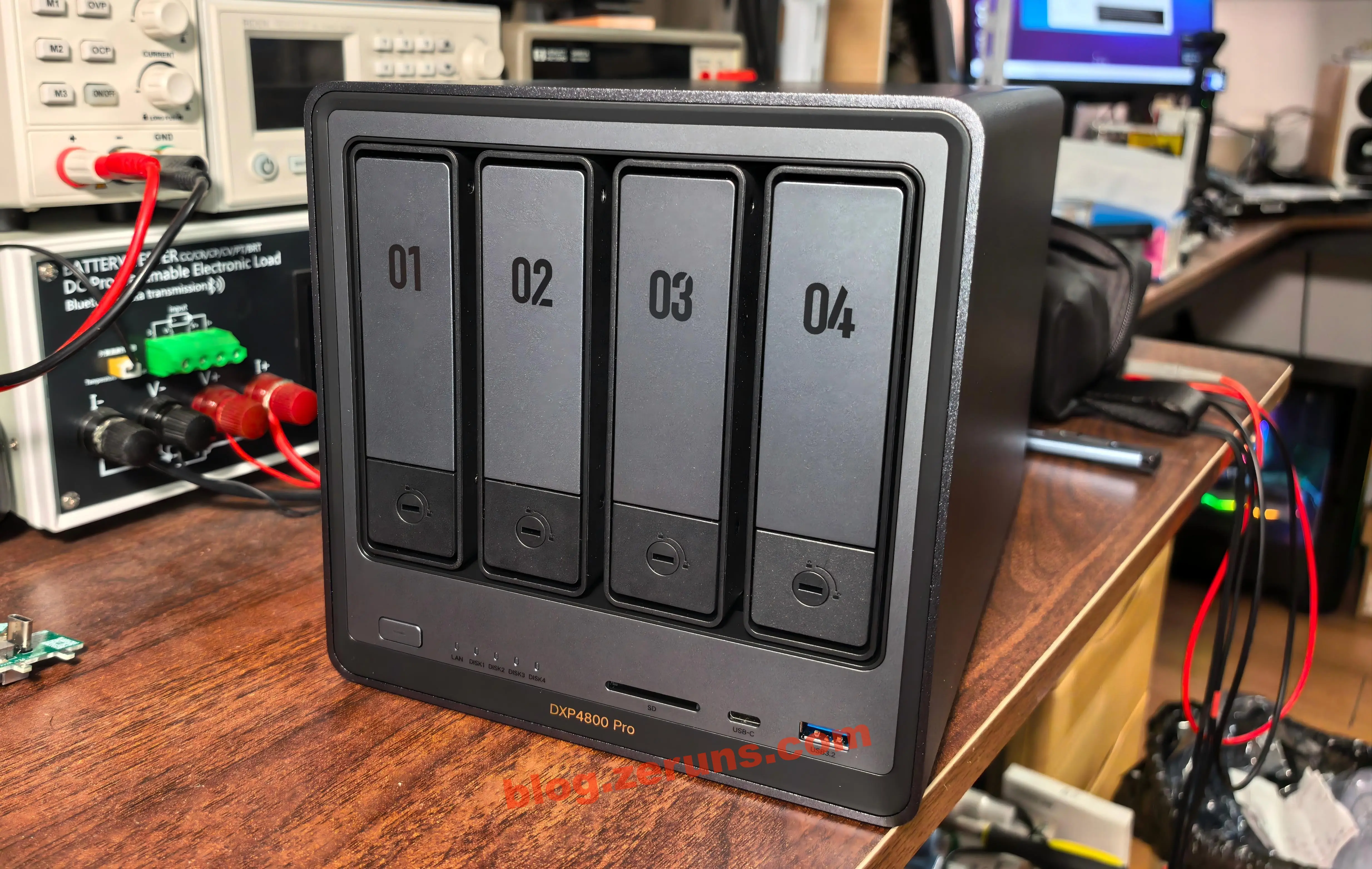
The front of the NAS — the metal chassis gives it an unmistakable premium feel. The device has a uniform weight distribution and a solid tactile quality, with none of that cheap, flimsy vibe. The body lines are clean and minimalist, and the front panel uses an ultra-clean design with no extra cover panels or complicated button layouts. It retains only the essentials: indicator LEDs, the power button, and the most important ports — USB-A (USB 3.2 Gen2), USB-C (Gen2), and the front-mounted SD 3.0 card slot that creators will love.
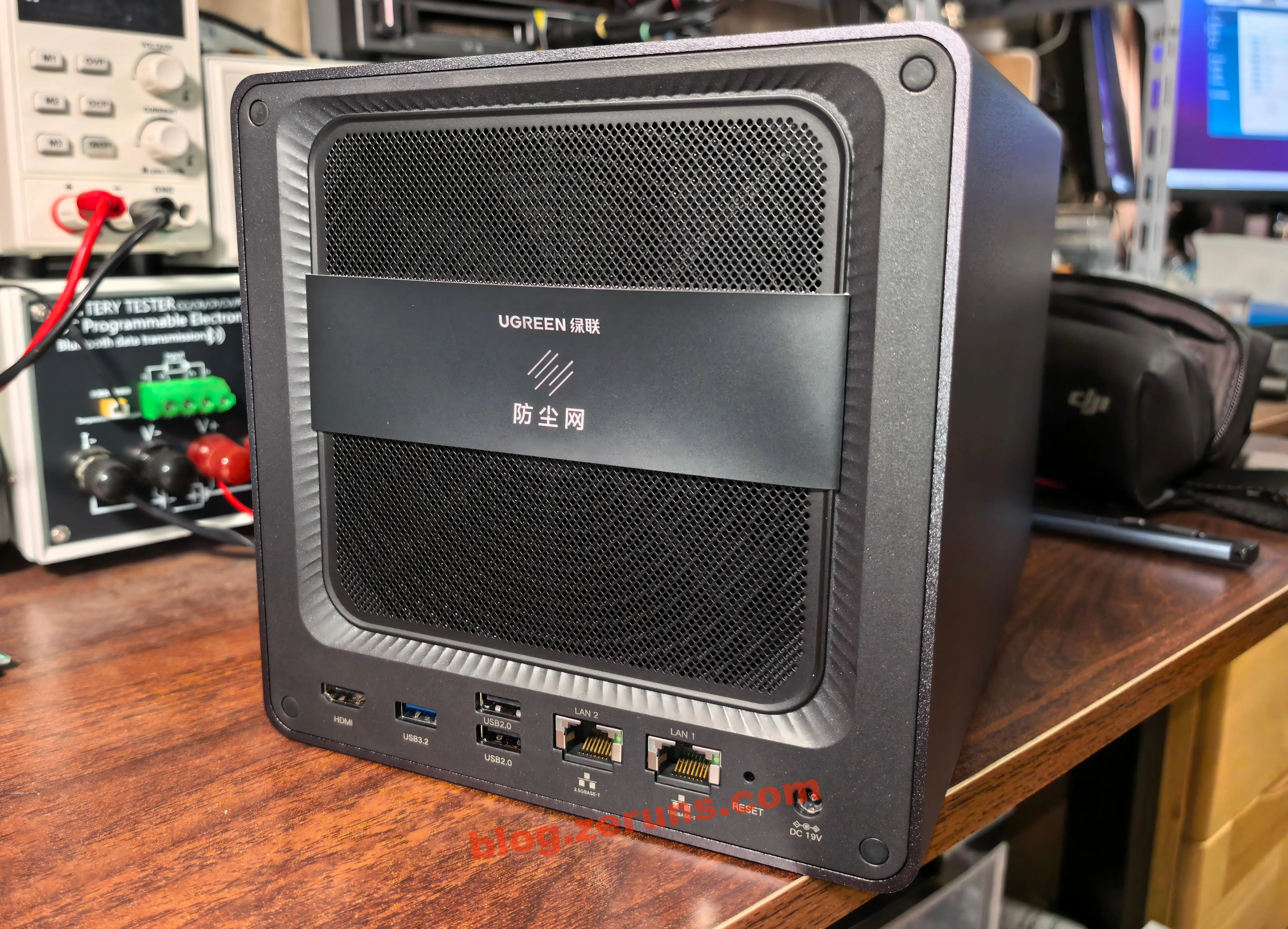
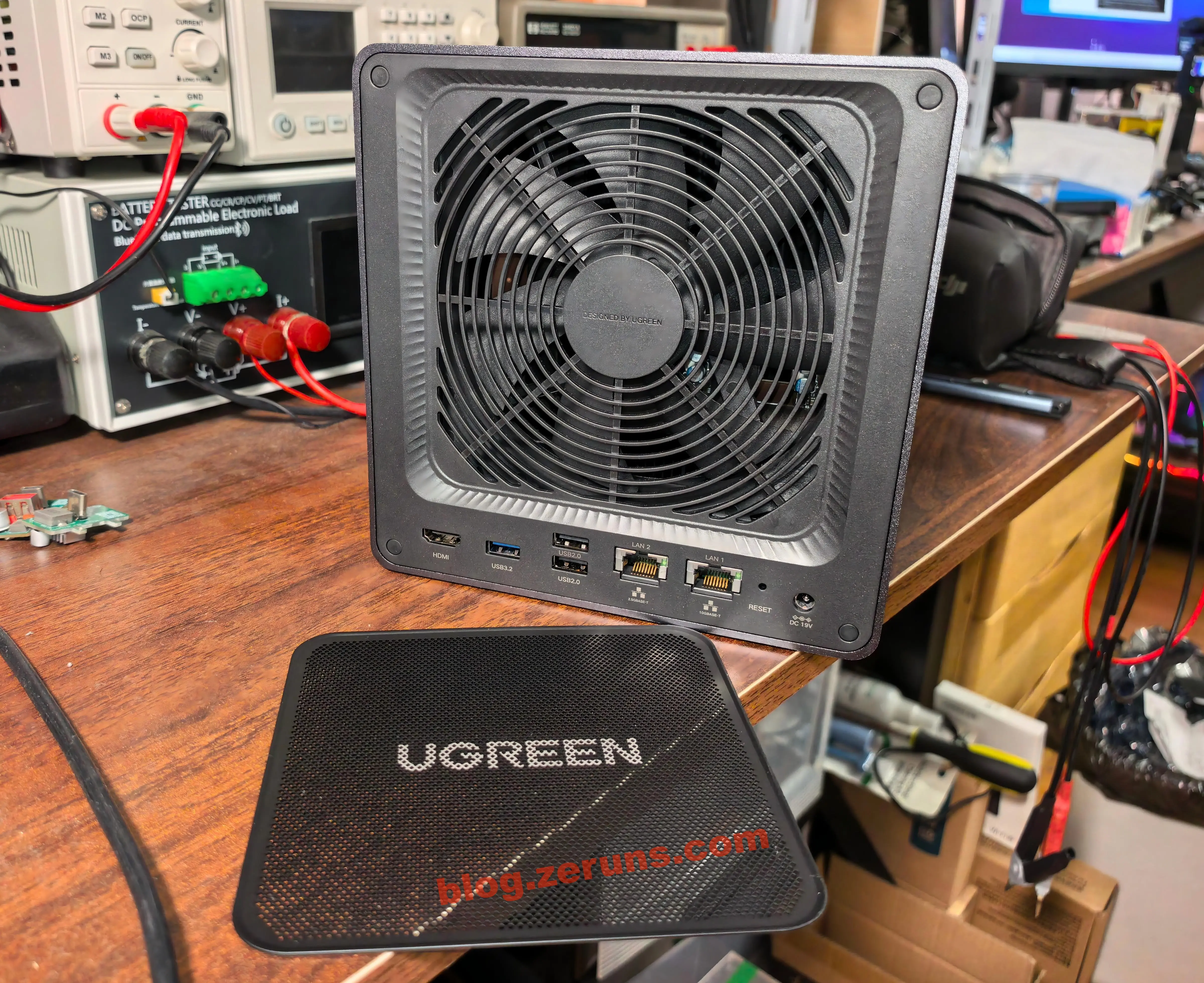
The back of the NAS — the cooling fan intake has a magnetic dust filter that's easy to remove for cleaning. Nice touch.
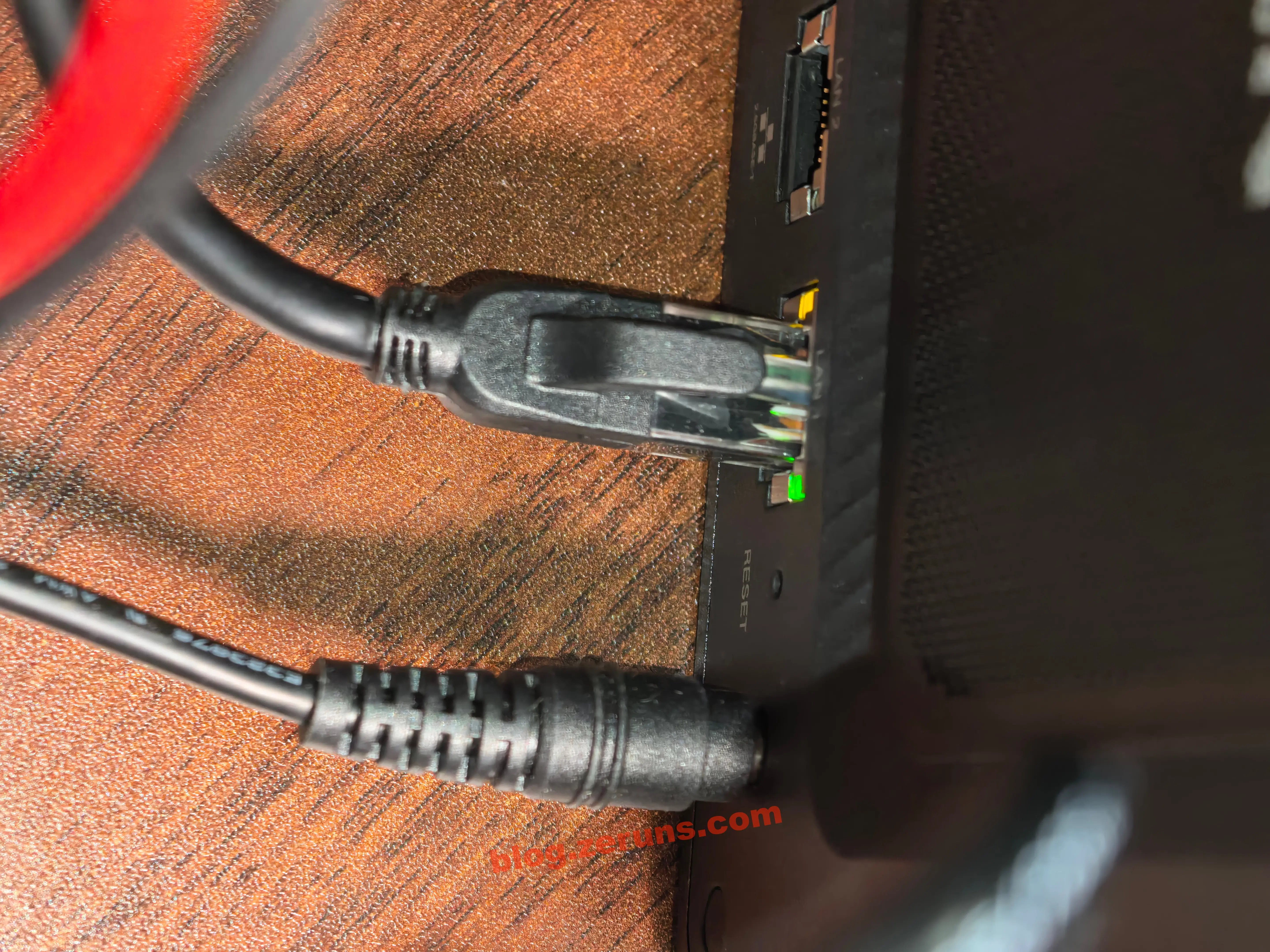
The bottom rear ports are: HDMI, USB-A (one USB 3.2 Gen1 + two USB 2.0), 2.5GbE port, 10GbE port, reset button, and DC power input.
Remember to remove that cardboard sleeve on the dust filter — otherwise it'll block part of the airflow.
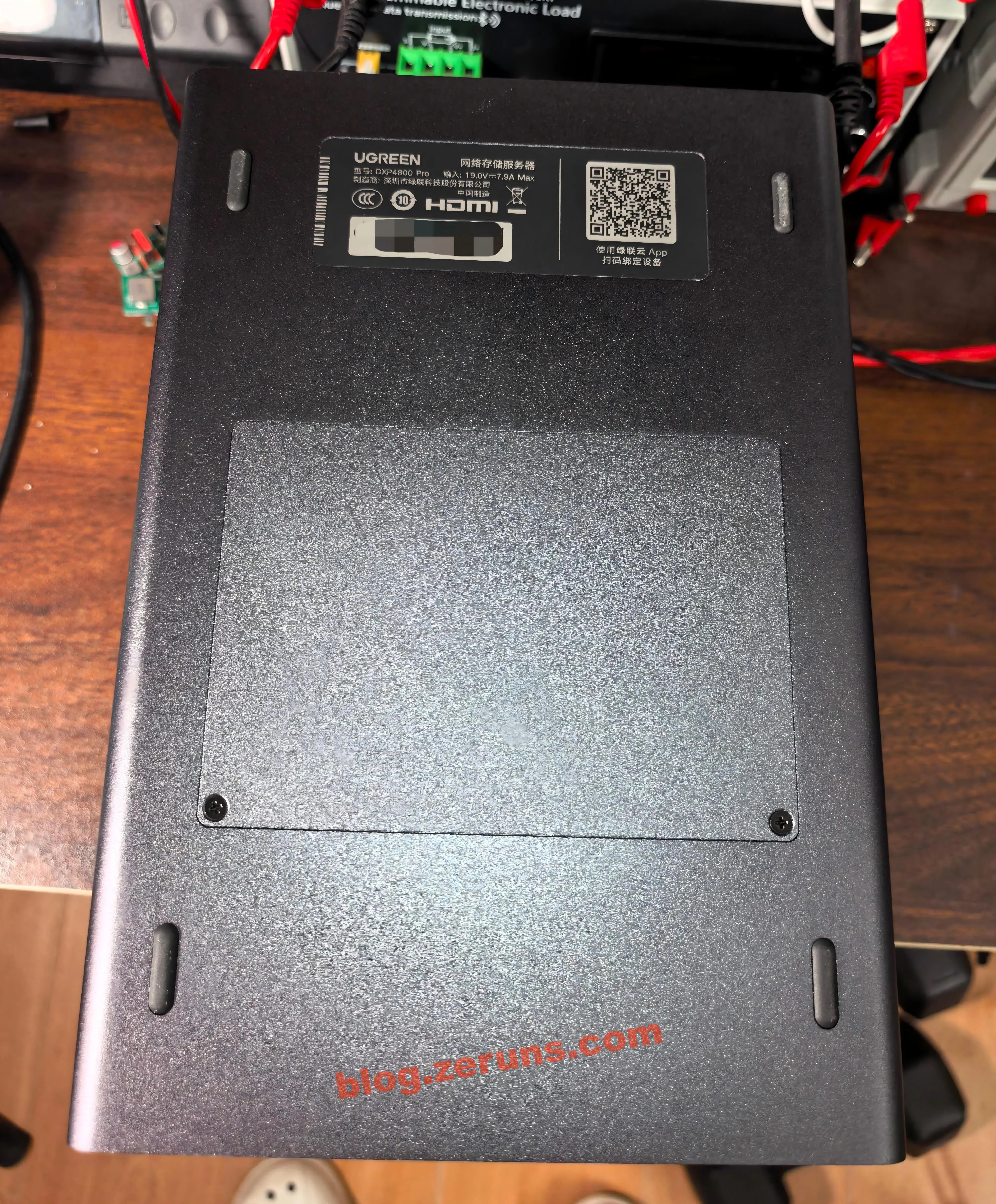
The bottom of the NAS features four anti-slip feet, plus a label with the brand logo, device model, and SN code. In the middle, there's a cover plate with a slightly different color, secured by two screws. Remove the screws and the cover plate to access the memory and M.2 SSD upgrade slots.
Internal Hardware and Upgrades
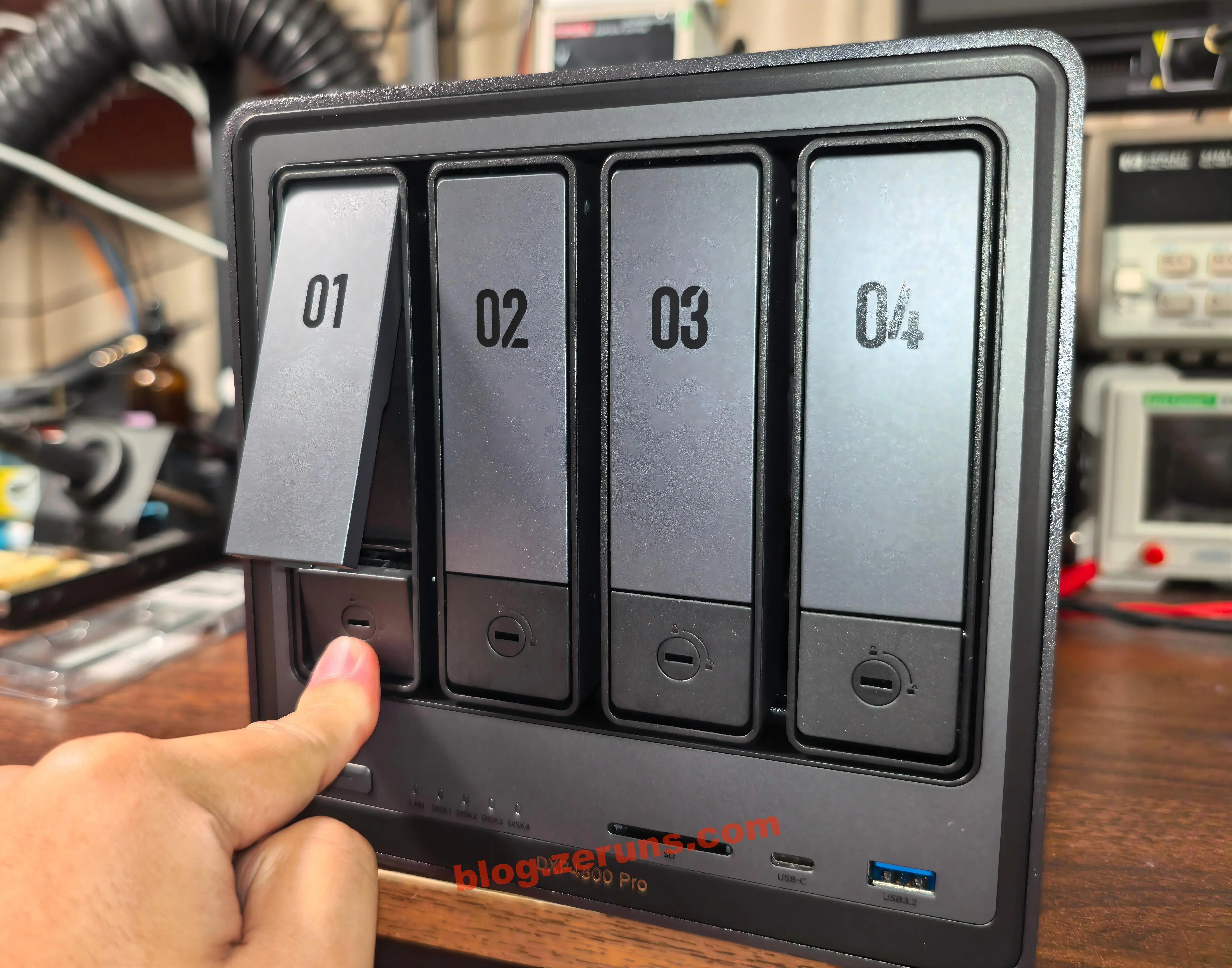
On the front of the NAS, press the child-lock latch at the bottom of a drive tray to pop out the handle, then pull the handle outward to remove the tray. The drive trays have a lock mechanism — use the included keys to lock the trays and prevent accidental removal.
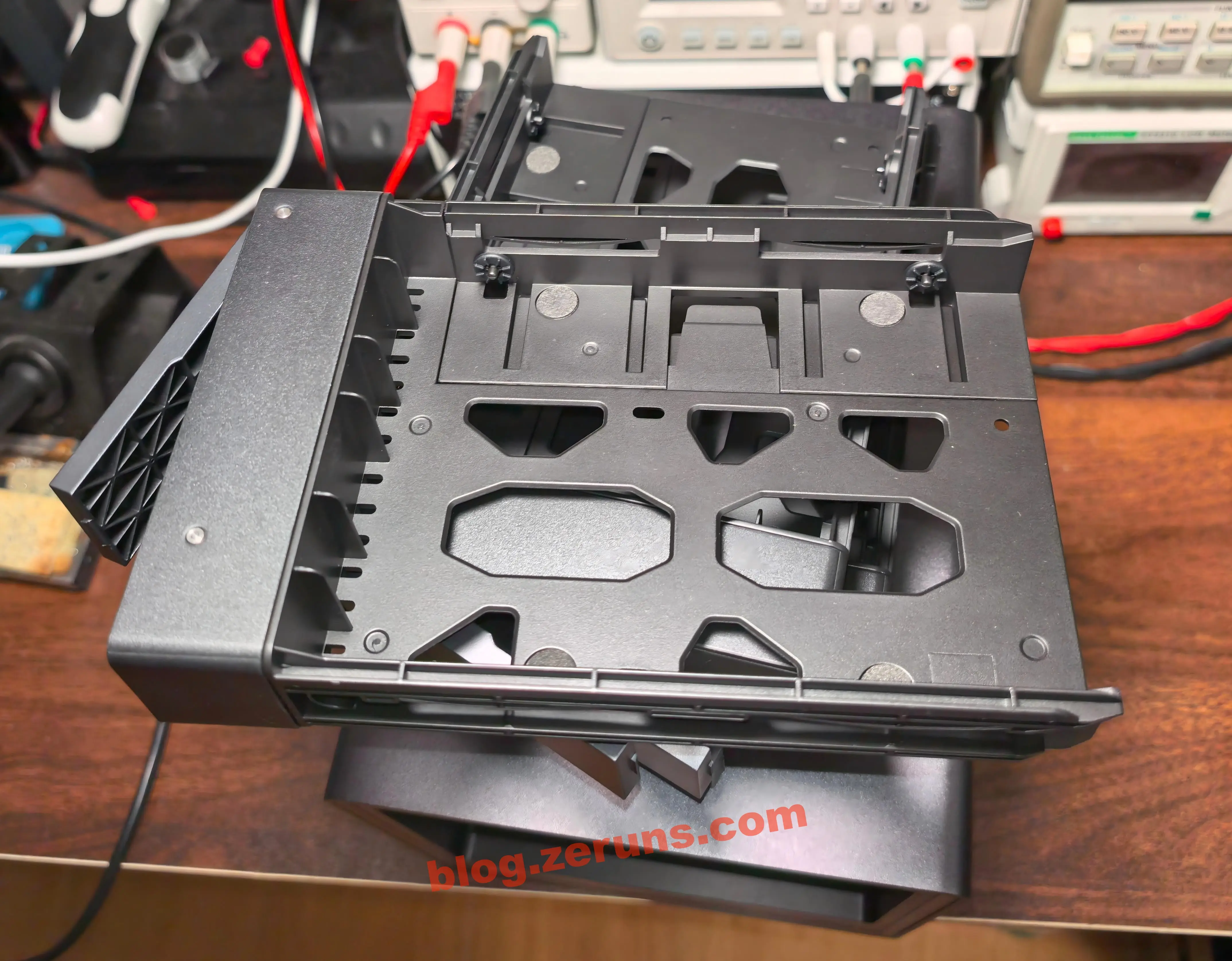
The drive tray design allows tool-free installation of 3.5" drives. If you want to install 2.5" drives, you'll need screws (included in the accessory pack).
On the back of the drive tray, press the area marked "Press" (shown in the red circle below) and pull outward, then snap the drive in and push the clip back to secure it. The quick-release design is very convenient.
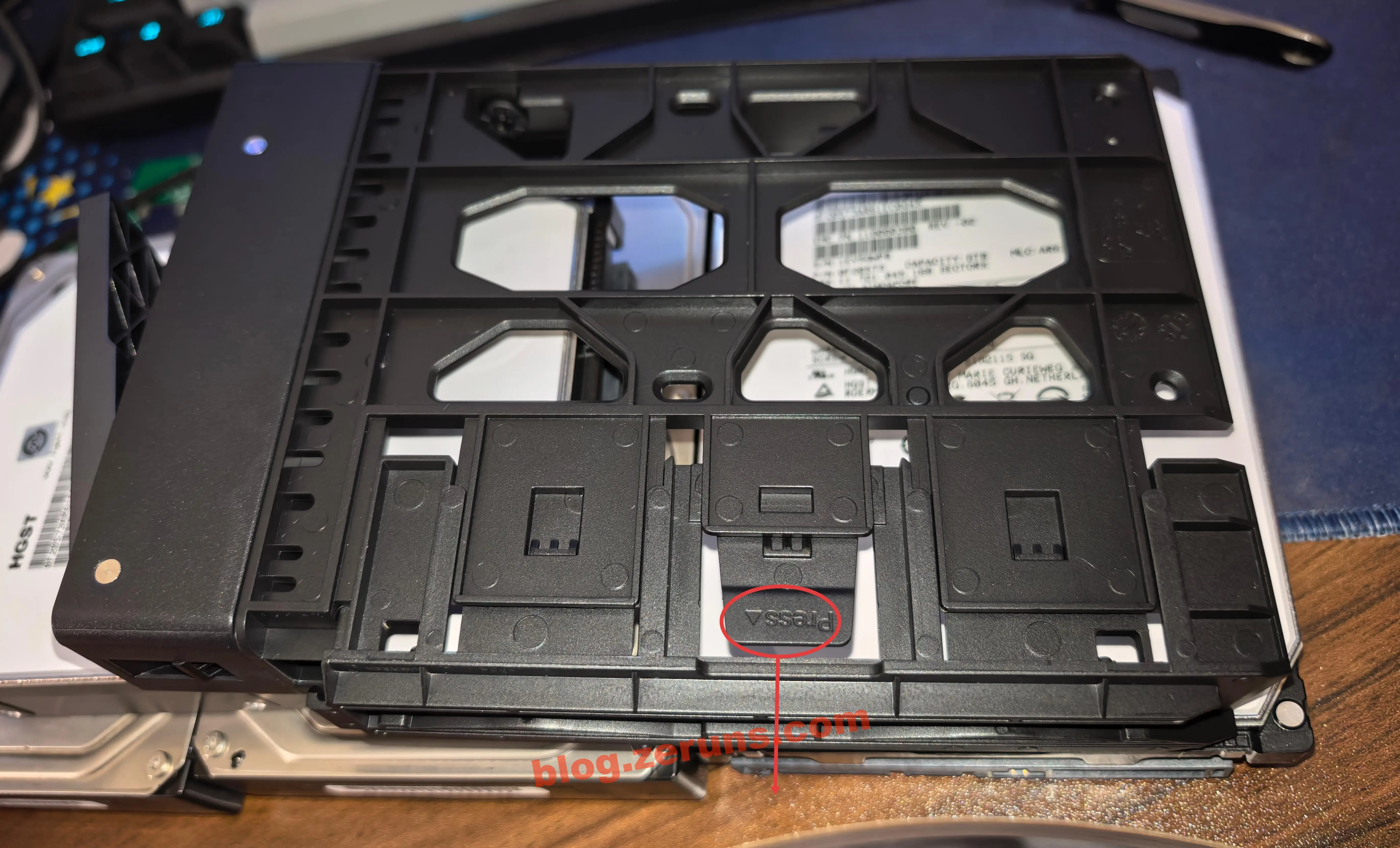
The drive tray with a drive installed.
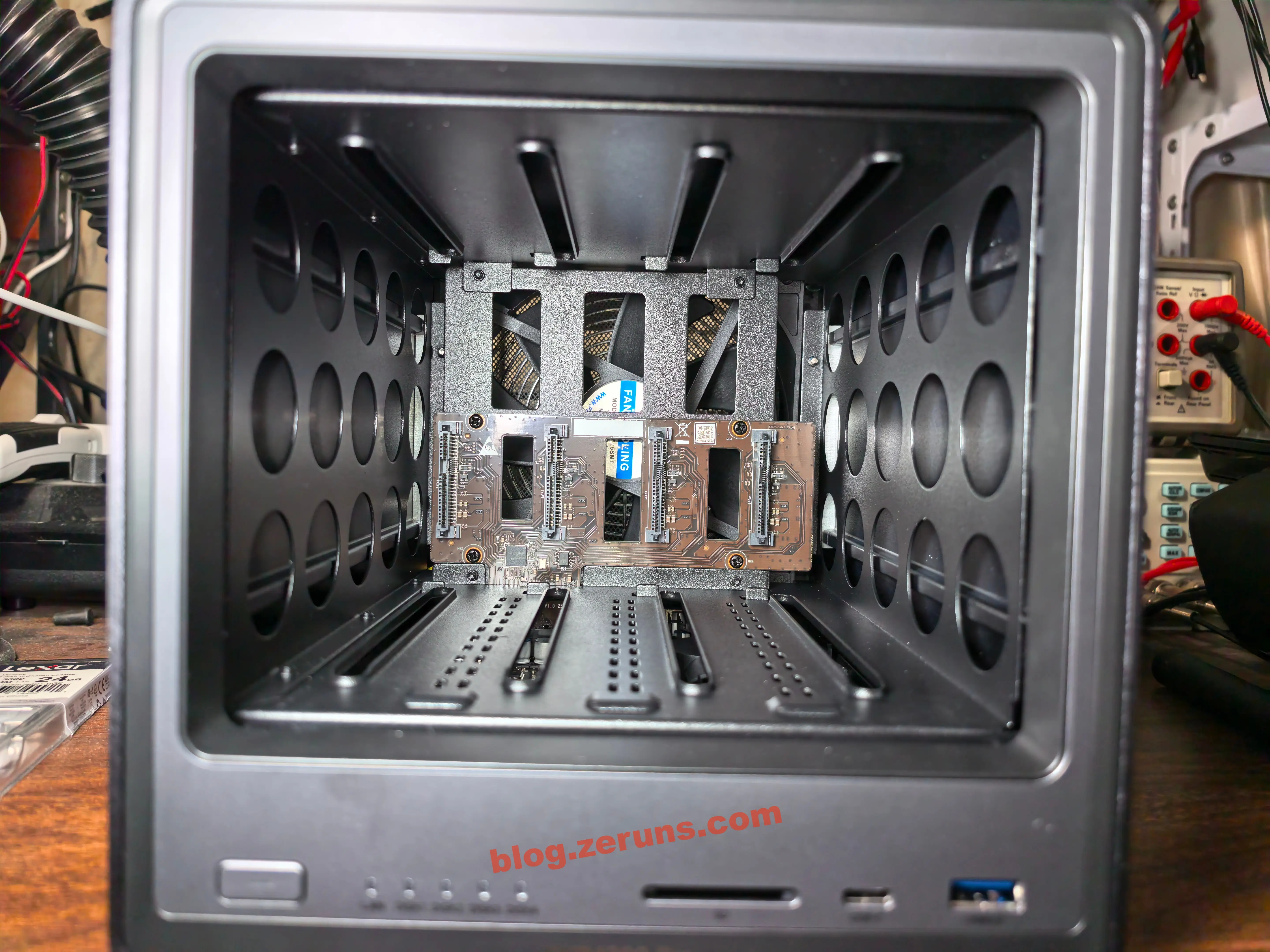
The internal frame of the NAS with all four drive trays removed.
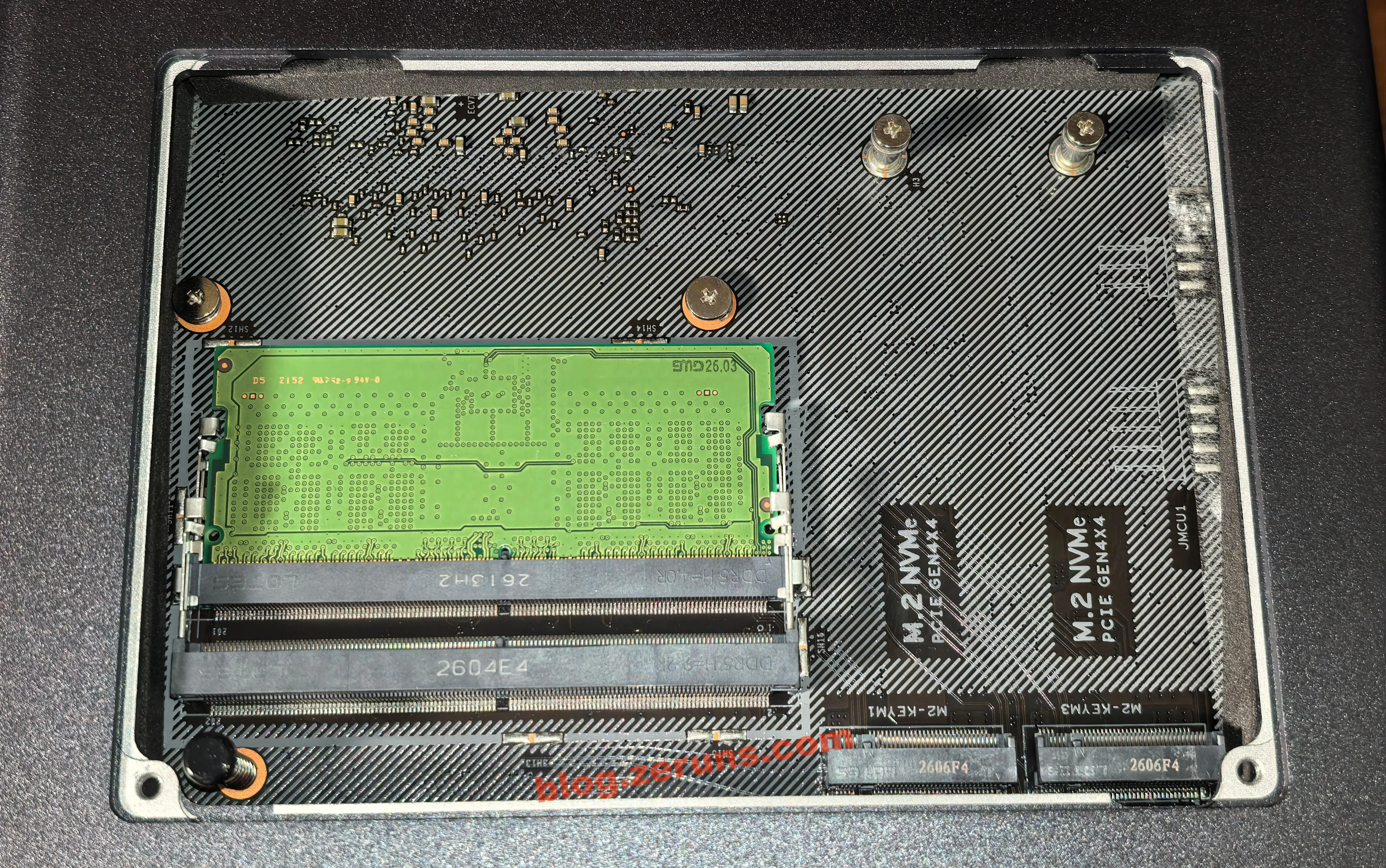
Remove the small cover plate on the bottom of the NAS to access the memory and SSD upgrade slots. My unit is the 8GB version, which comes with a single 8GB DDR5 module installed and one empty memory slot. There are also two empty M.2 SSD slots, both labeled as PCIe Gen4x4, 2280 form factor. The mounting screw holes on the SSD slots already have screws pre-installed, so you can just unscrew and reuse them. There's a small spring in the lower-left corner of the memory slot area — it pops the cover plate open after you unscrew it, so you don't have to pry it open. A nice detail.
To install an SSD, unscrew the two screws on the SSD slot, insert the M.2 SSD at an angle into the slot, then screw it back down. Finally, peel the protective film off both sides of the two thermal silicone pads from the accessory box and apply one to each SSD.
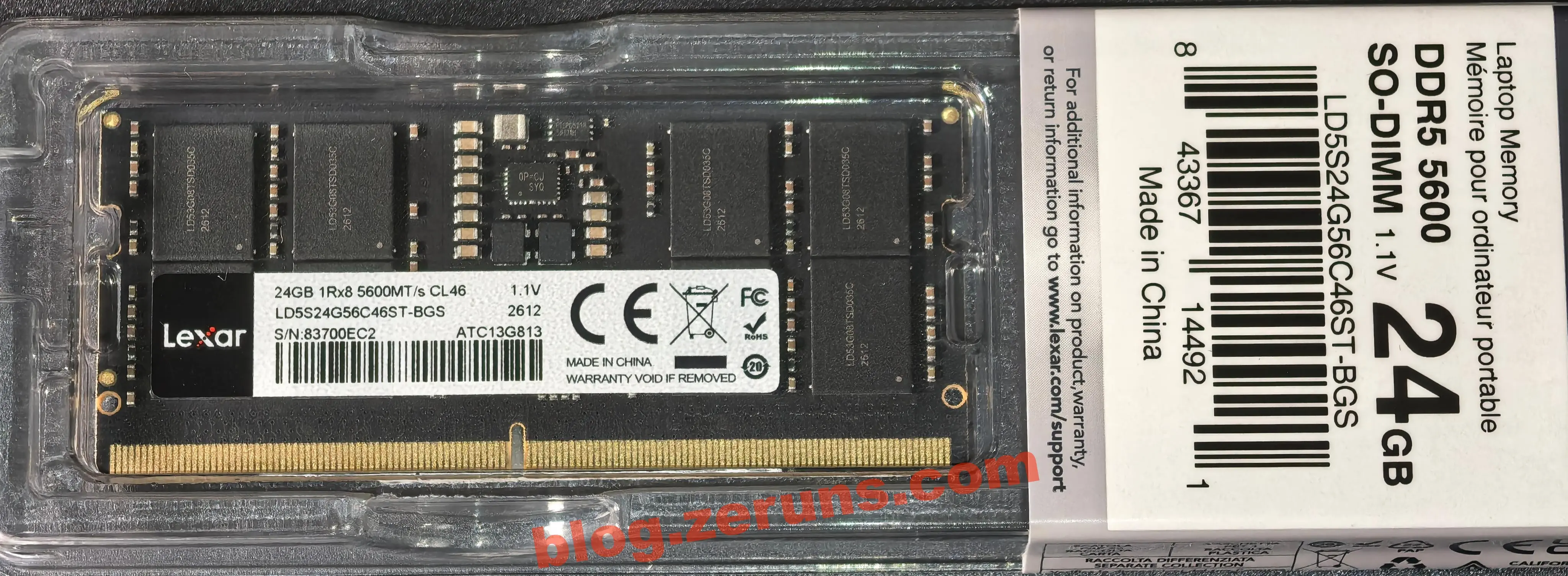
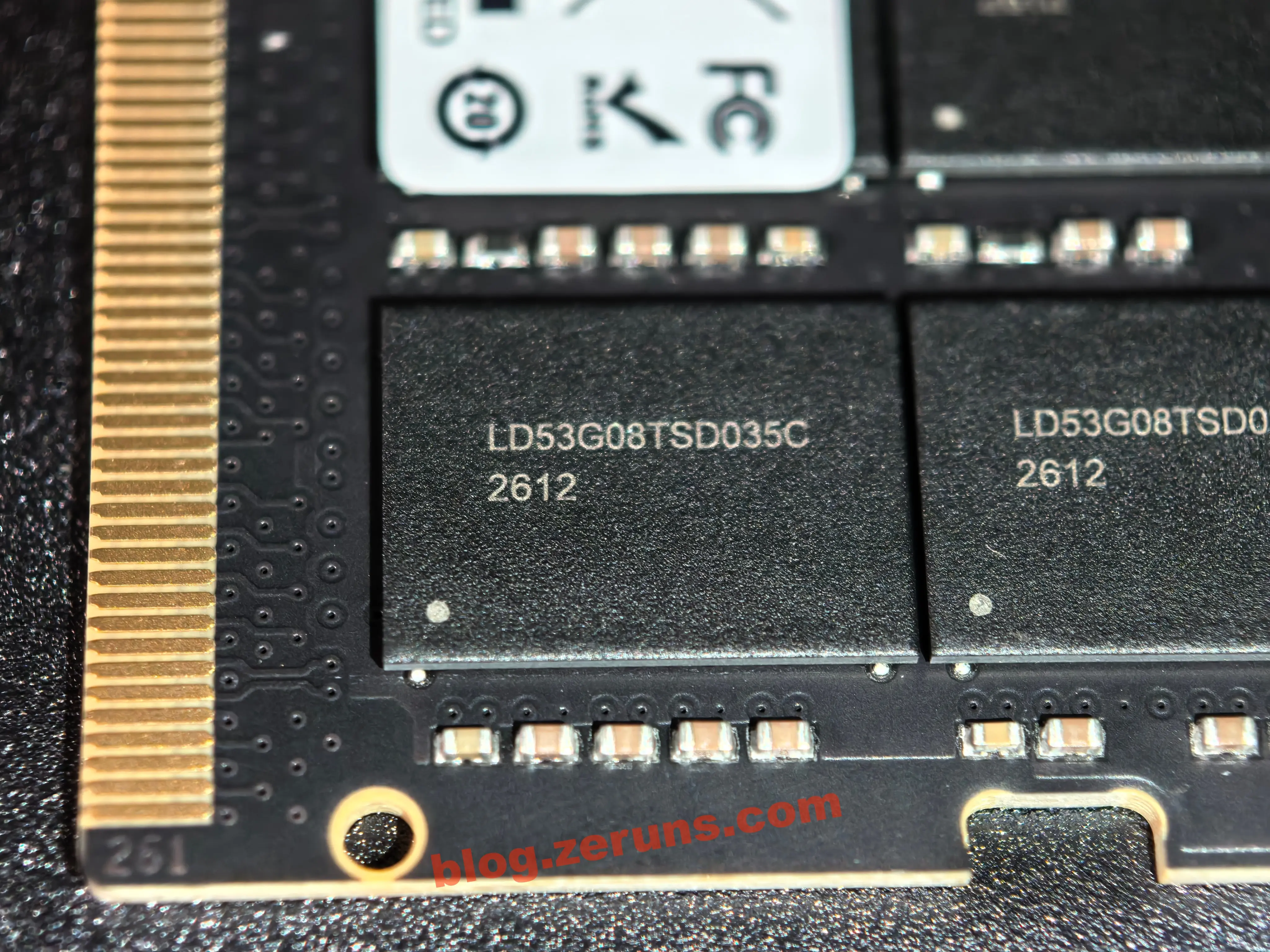
I added a Lexar DDR5 memory module — 24GB, 5600MT/s, CL46, model LD5S24G56C46ST-BGS.
The memory chips on this module are model LD53G08TSD035C, with a per-chip capacity of 24Gbit (3GB). Eight chips make up the total 24GB capacity. Production batch: 2612 (likely week 12 of 2026), consistent with the module's overall production timeline.
AI Analysis:
The
LDprefix on the chip marking is the self-packaged chip identifier of Longsys, Lexar's parent company. The wafer cores are mainstream CXMT (ChangXin Memory Technologies) domestic DDR5 DRAM wafers — a typical mass-produced application of Chinese-made memory chips.These are positioned as standard consumer-grade chips, tuned for stability and compatibility. They strictly follow the JEDEC 5600MHz specification and aren't designed for overclocking, making them compatible with the native memory frequencies of most laptops, NAS devices, and mini PCs.
The process node is standard DDR5 1.x nm class (16–19nm), with a 1.1V low-voltage design that balances performance with power efficiency for mobile devices.
I forgot to take a photo after installation was complete.
Purchase Links
- [Taobao] Ugreen DXP4800Pro purchase link: https://s.click.taobao.com/JXFOiWk
- [JD.com] Ugreen DXP4800Pro purchase link: https://u.jd.com/XGkdH8K
- [JD.com] Lexar DDR5 5600 24GB memory module: https://u.jd.com/XOUxtsQ
- [Taobao] Lexar DDR5 5600 24GB memory module: https://s.click.taobao.com/Pq2ugNk
- [Taobao] Hitachi 6TB enterprise hard drive: https://s.click.taobao.com/8ZE1iWk
- [JD.com] Western Digital 8TB Red Drive (NAS hard drive): https://u.jd.com/XOkL4mO
- [JD.com] Thermalright TL-B14B EXTREM cooling fan: https://u.jd.com/XakCpFH
- [Taobao] Thermalright TL-B14B EXTREM cooling fan: https://s.click.taobao.com/KrtYgNk
- [JD.com] Ugreen DXP6800Pro (6-bay) purchase link: https://u.jd.com/XGU5Gwx
- [JD.com] Shanz SFP+ 10GbE copper module: https://u.jd.com/XrUehoT
- [JD.com] ZTE LUMA006 10GbE switch (2 × 10GbE + 4 × 2.5GbE ports): https://u.jd.com/XgktUXV
- [Taobao] Intel Optane M10 SSD (with current high drive prices, you can use this as an SSD cache drive — 30 yuan (~$4) for 16GB): https://s.click.taobao.com/eUMLcMk
Teardown
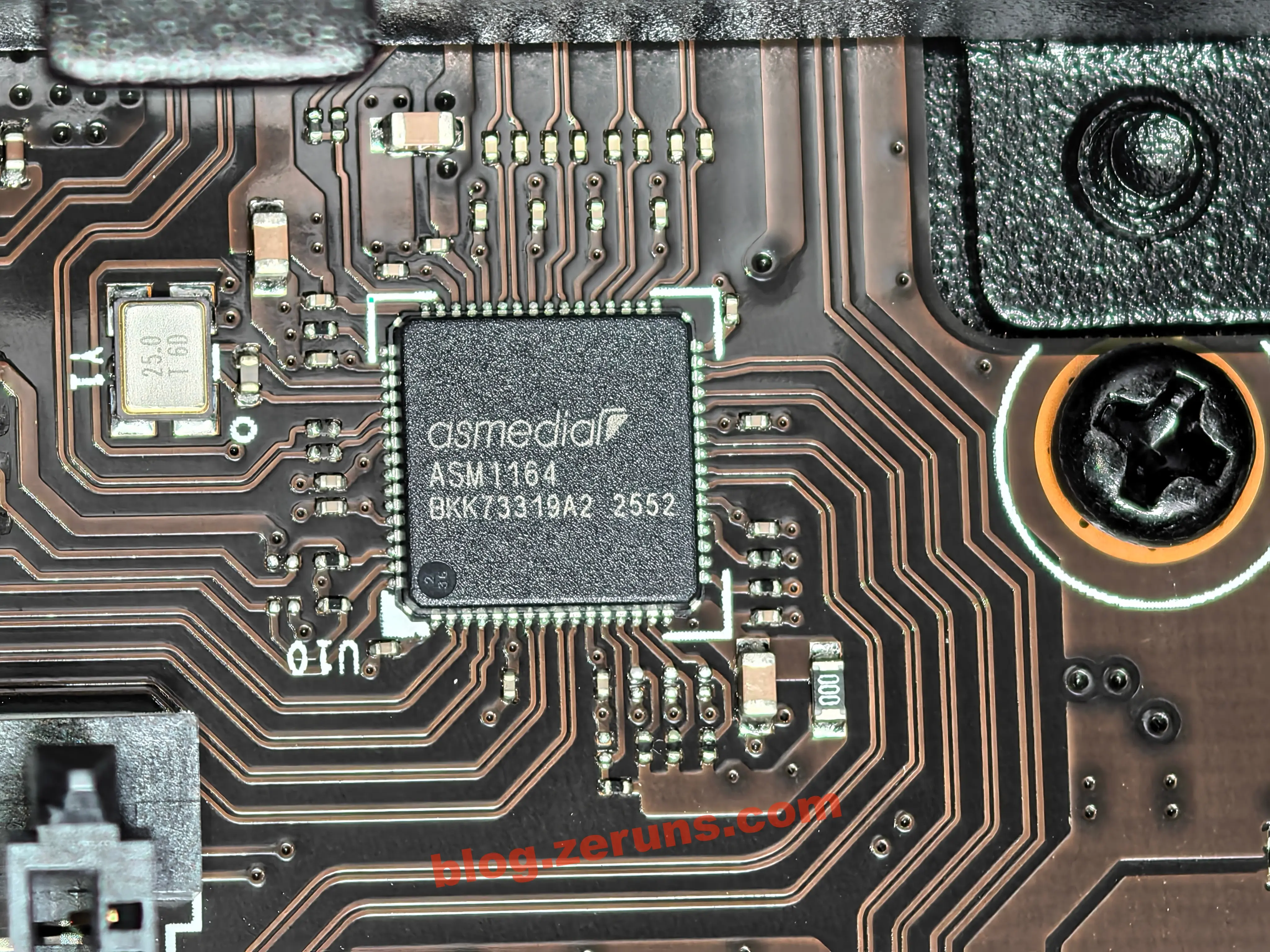
First, let's look at the main controller chip on the hard drive backplane — model ASM1164, a PCIe-to-4-port SATA expansion controller made by ASMedia (a subsidiary of ASUSTeK, based in Taiwan). (My old QNAP TS-466C NAS used the same chip.)
ASM1164 Key Specifications (AI-generated):
- Upstream interface: PCIe 3.0 x2 dual-lane, theoretical total bandwidth of approximately 2GB/s, supports automatic lane configuration detection at boot
- Downstream interface: 4 independent SATA 3.0 (6Gbps) ports, AHCI 1.4 compliant
- Feature support: Native Command Queuing (NCQ), hot-plug, SATA activity LED indication, port multipliers, DEVSLP low-power sleep
- Package/batch: Compact QFN package, silkscreen
2552indicates production week 52 of 2025 — a very recent mass-production batch- Market positioning: Mainstream commercial-grade 4-port SATA expansion solution, one of the most commonly used mature controllers in NAS and desktop expansion cards
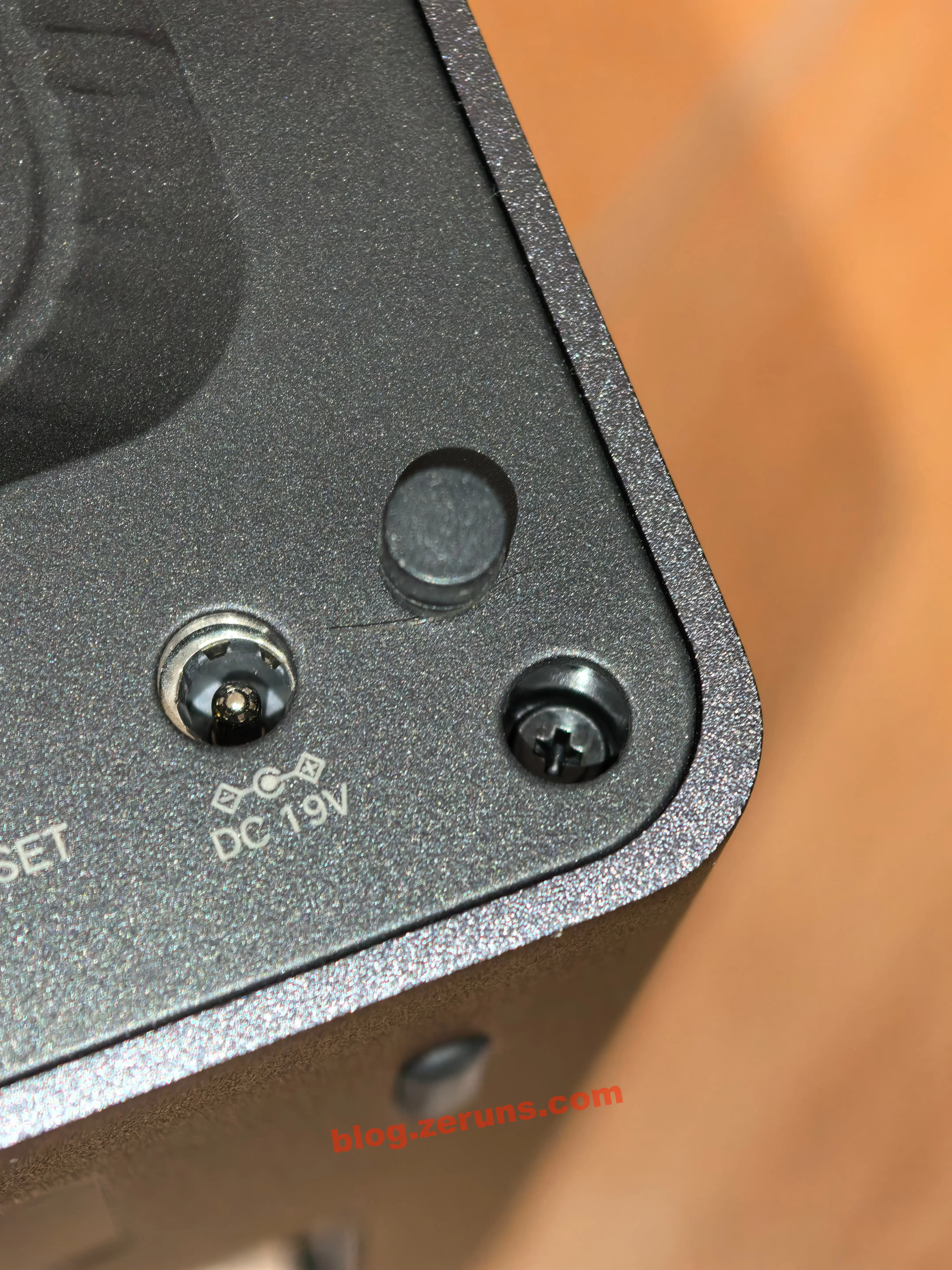
Now onto the teardown. First, use tweezers to pry out the four rubber plugs in the corners on the back of the NAS, then unscrew the screws to remove the back panel. All screws are standard Phillips head — no proprietary screws.
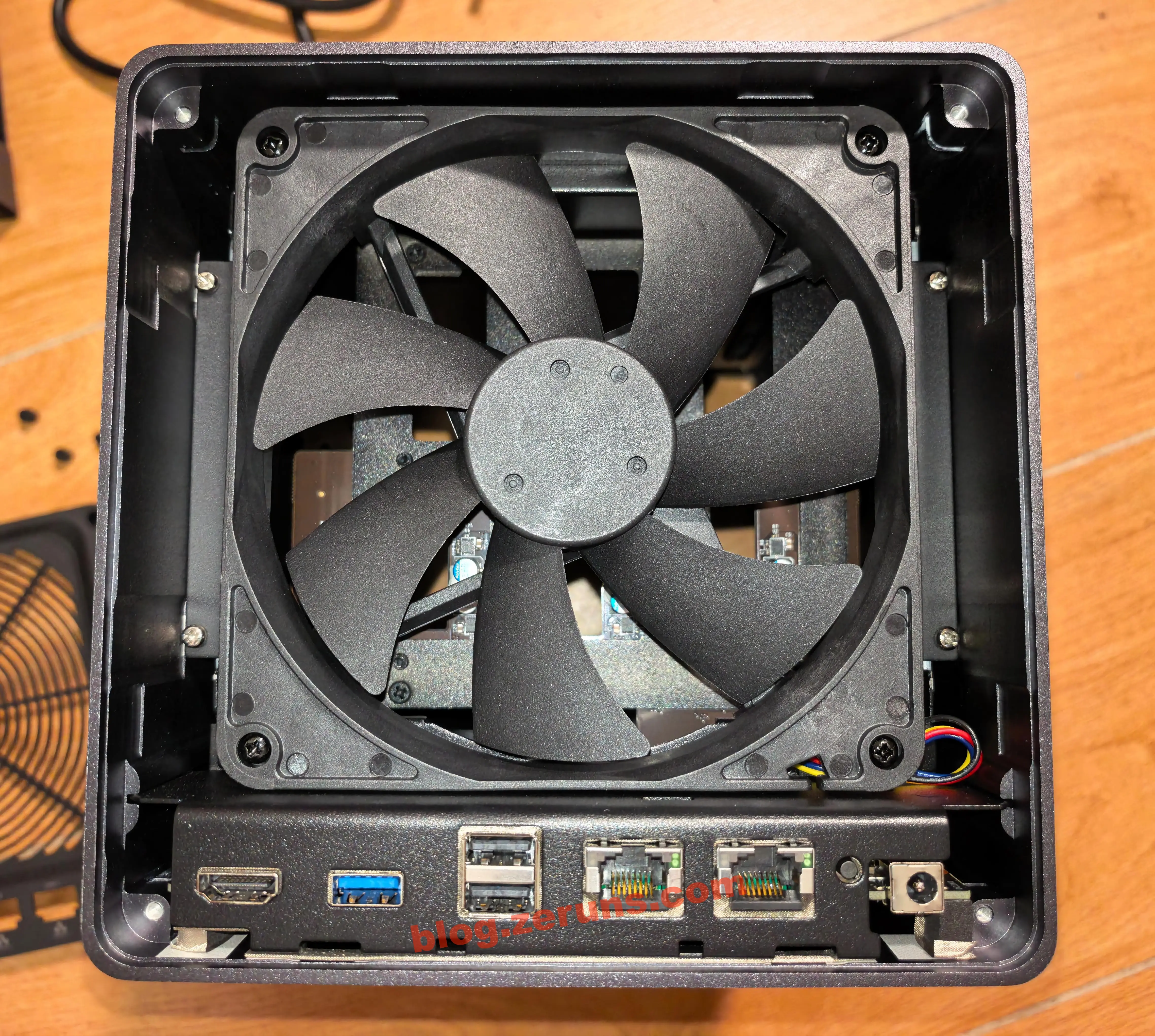
After removing the back panel, you can see the cooling fan. The fan draws air in from the rear and blows it over the drives, exhausting out the front (my old QNAP blew air toward the rear, which meant dust piled up in the front gaps). Next, unscrew the cooling fan.
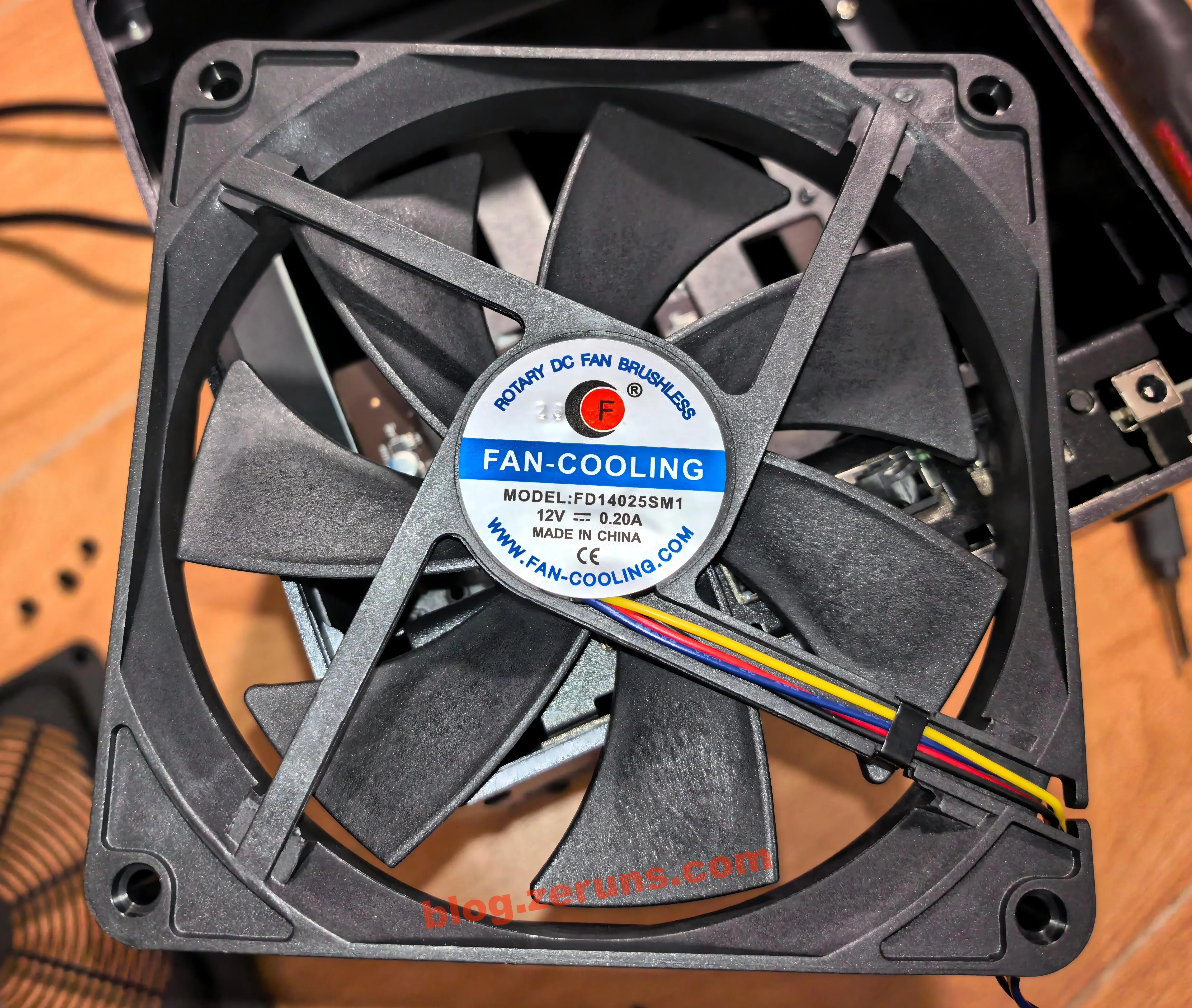
Then unplug the fan's 4-pin connector and remove the fan. The model is FD14025SM1, a 14cm DC brushless PWM fan made by FAN-COOLING (Shenzhen Fengpuli Electronics Technology Co., Ltd.), a common and mature cooling solution widely used in 4-bay NAS designs.
FD14025SM1 Key Specifications (AI-generated):
- Dimensions: 140×140×25mm (industry shorthand: "14025 fan"), standard chassis mounting holes, large blades designed for low-RPM, high-airflow operation — ideal for NAS quiet-cooling needs
- Electrical specs: Rated 12V DC, rated current 0.20A, max power draw only 2.4W — low-power design suited for 24/7 NAS operation
- Speed control: 4-wire PWM smart speed control, supports dynamic RPM adjustment based on drive and CPU temperature, with tachometer feedback
- Motor type: DC brushless motor, low wear, long service life, stable enough for continuous storage-device operation
- Compliance/origin: CE certified, made in China, commercial-grade cooling component
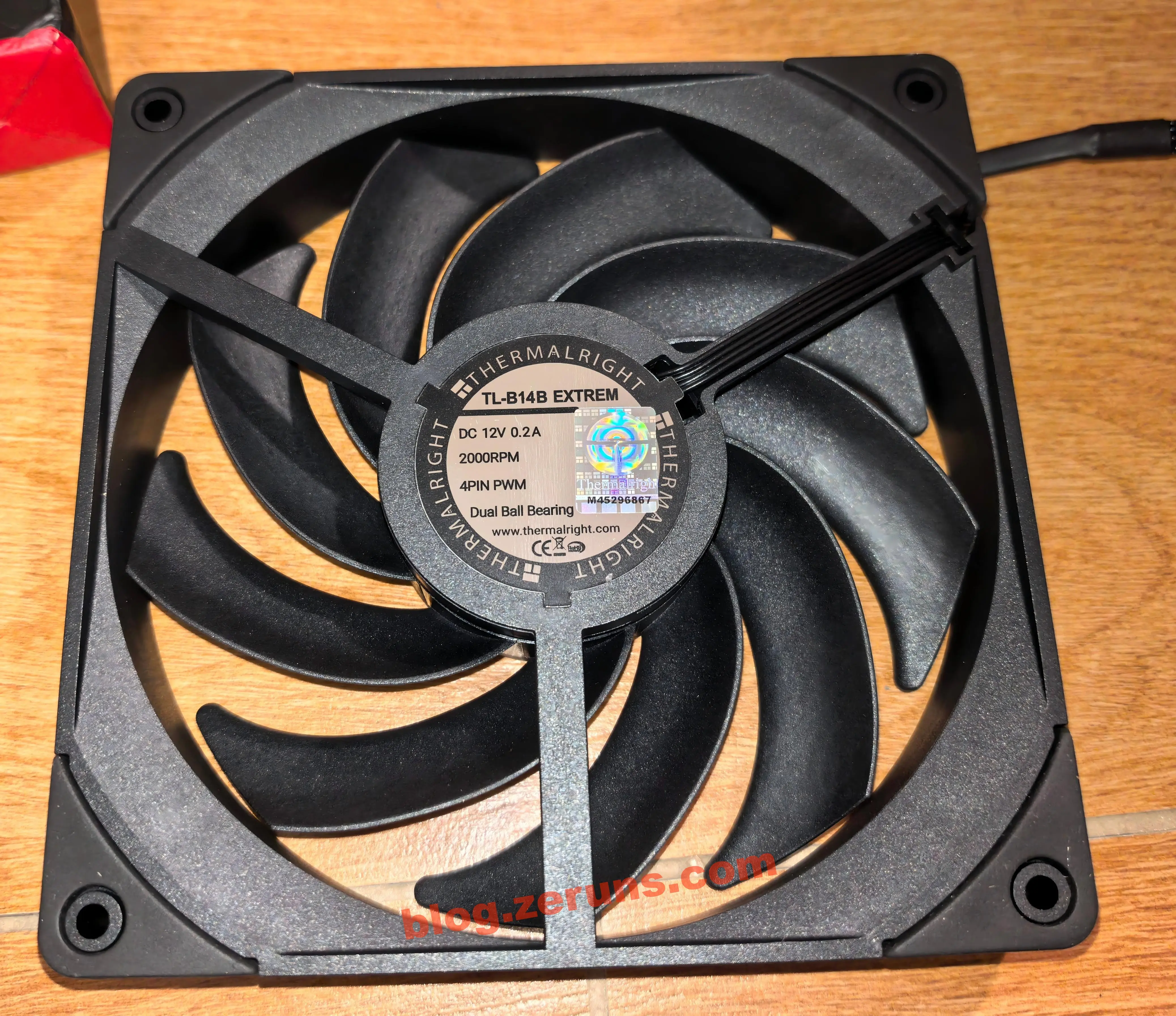
I swapped in a Thermalright fan myself — model TL-B14B EXTREM, a 14cm high-performance dual-ball-bearing PWM fan from the Chinese cooling brand Thermalright.
TL-B14B EXTREM Key Specifications (AI-generated + store-listed specs):
- Dimensions: 140×140×25mm standard 14025 form factor, mounting holes match the stock fan exactly — a direct, drop-in replacement
- Electrical specs: Rated 12V DC, rated current 0.2A, max power draw only 2.4W — won't add any meaningful load to the NAS power supply
- Speed control: Max 2000 RPM, 4-pin PWM smart speed control, dynamically adjusts with system temperature — balances high-load cooling with low-load quiet operation
- Bearing type: Dual ball bearing, compared to the sleeve bearing commonly used in stock fans, it offers longer service life and less RPM degradation over time — better suited for 24/7 NAS operation
- Airflow orientation: Air-pressure-oriented fan, stronger penetration, better at pushing air through dust filters and drive bay gaps, effectively improving overall cooling efficiency in multi-bay drive enclosures
- Airflow: 110.4 CFM (MAX)
- Noise: ≤ 31.4 dBA
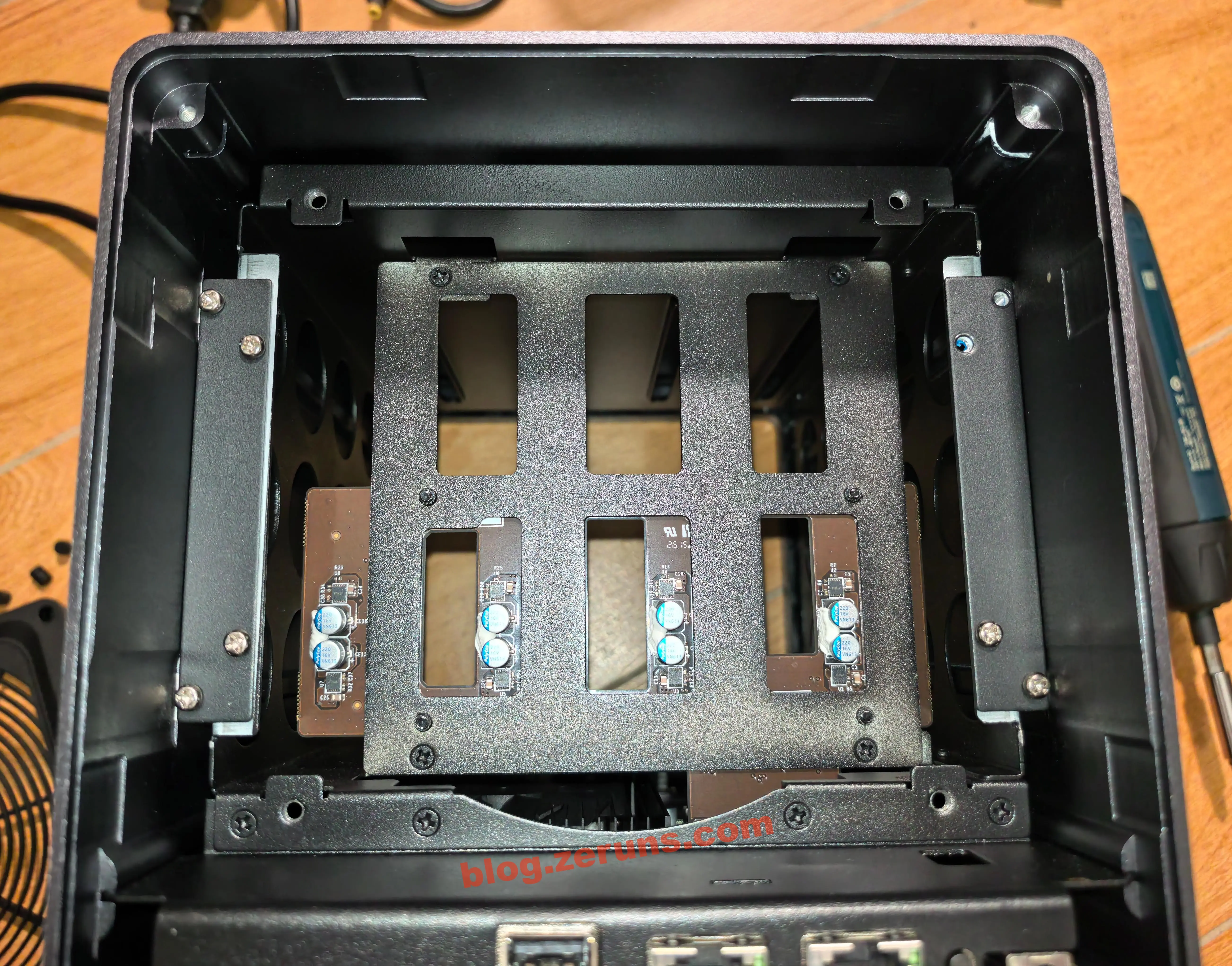
After removing the fan, unscrew the 8 silver screws (not the black ones) on both sides of the middle of the frame.
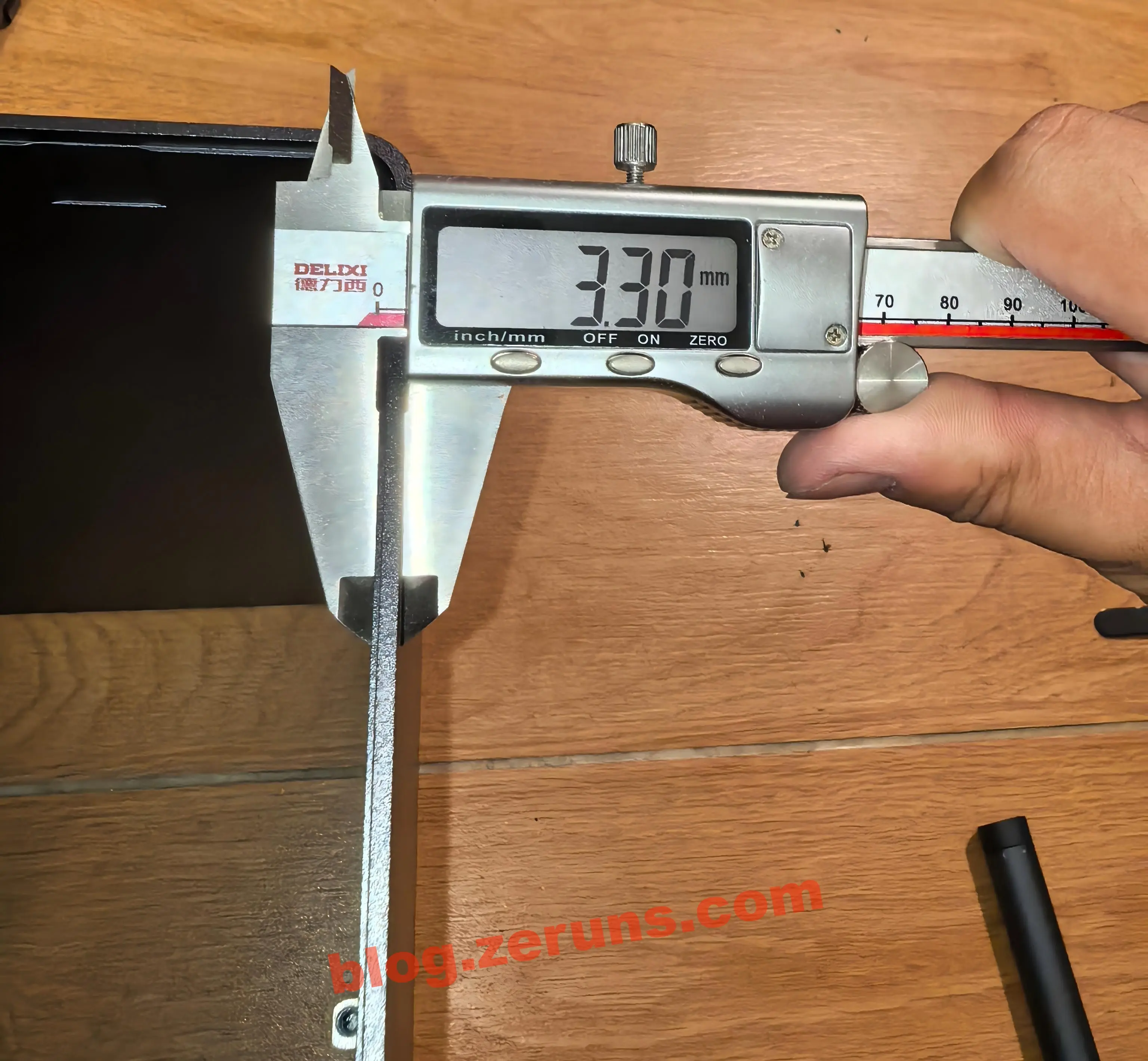
The aluminum alloy frame is 3.3mm thick — quite solid.
The per-drive power control chip on the hard drive backplane, silkscreen code JTHuA, is a high-side power load switch chip from Joulwatt, a Chinese semiconductor company. Each drive bay is equipped with 2 of these chips — 8 in total across all 4 bays — independently controlling the 12V and 5V SATA power rails for the corresponding bay.
JTHuA Power Switch Chip Key Specifications (AI-generated):
- Core function: Single-channel high-side power switch, integrating soft-start, overcurrent limiting, over-temperature shutdown, and input undervoltage lockout; 2 chips per bay manage the 12V main supply and 5V auxiliary supply respectively, enabling independent on/off control and independent protection for both rails
- Channel characteristics: Built-in low-Rds(on) power MOSFET, low conduction voltage drop, low self-heating, can handle the inrush current at the moment a mechanical hard drive spins up, fully supports hot-plug operation
- Protection value: When a short circuit or overcurrent fault occurs on a single rail, the corresponding channel quickly cuts power — fault isolation granularity down to single-drive, single-rail, preventing the fault from spreading and damaging the motherboard or other drives
- Package: SOP-8 surface-mount package, compact, suitable for high-density backplane layouts
- Application positioning: Mainstream mature solution for NAS and server hard drive backplanes, a core component for implementing complete SATA hot-plug and tiered power protection
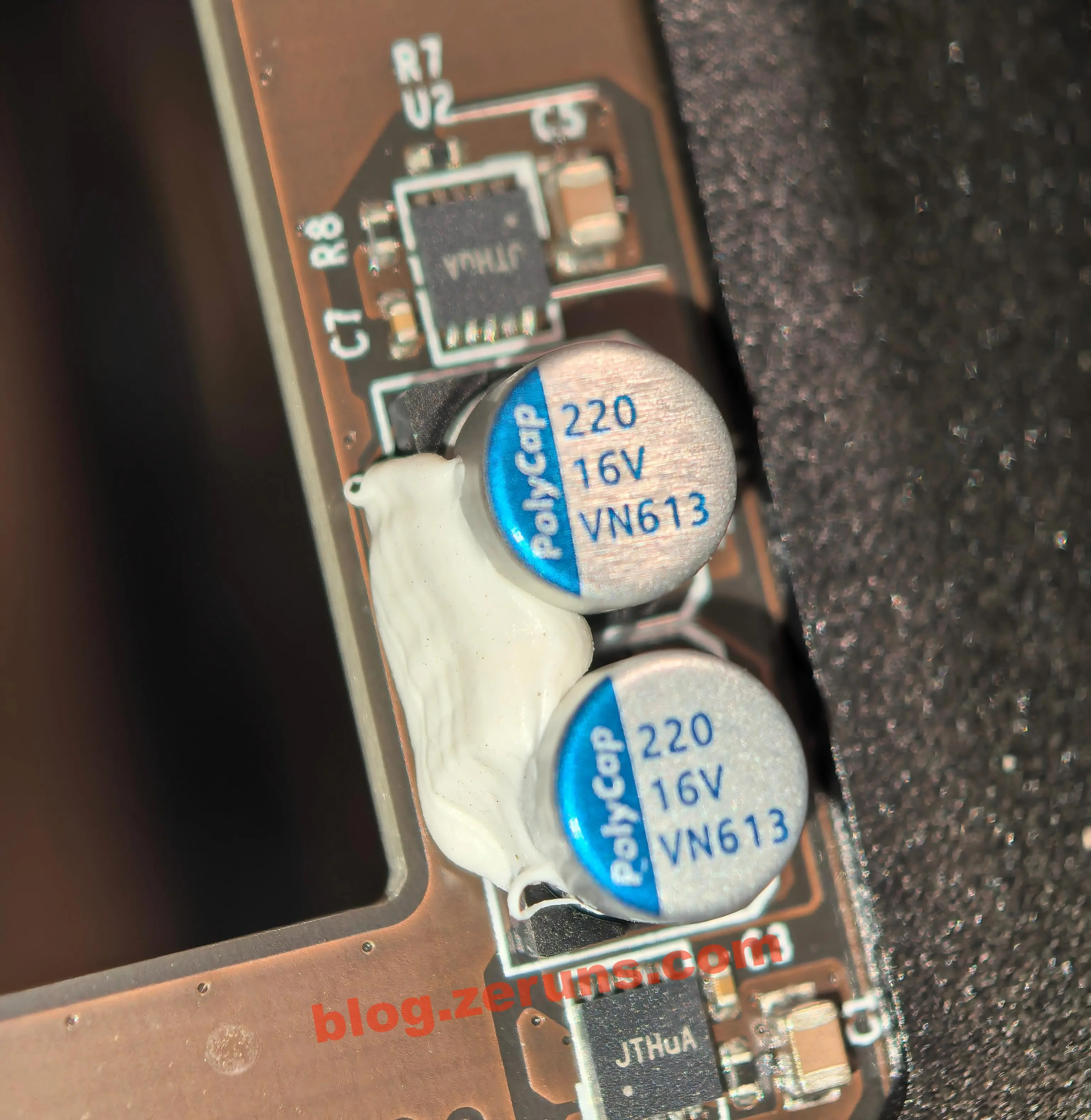
The accompanying power filter capacitors are PolyCap (Shenzhen Bairuikai Electronic Technology) polymer aluminum electrolytic solid-state capacitors, paired one-to-one with the switch chips — 2 per bay, handling local filtering for the 12V and 5V rails respectively.
PolyCap VN613 Filter Capacitor Key Specifications (AI-generated):
- Electrical specs: 220μF capacitance, 16V voltage rating, ample headroom for the ripple suppression needs of 12V/5V drive power
- Function: Local energy storage, voltage ripple smoothing, absorbs current spikes during drive spin-up and high-speed read/write operations, stabilizes supply voltage, reduces the probability of drive read/write errors
- Material: Polymer electrolyte structure, longer lifespan and better high-temperature stability than standard liquid electrolytic capacitors, suitable for 24/7 NAS operation
- Structural reinforcement: Capacitor leads are reinforced with white silicone adhesive, mitigating stress from shipping and vibration, preventing lead desoldering or cold solder joints
The independent dual-rail design with dual switches + dual capacitors per bay fully complies with the SATA power specification. The finer fault isolation granularity, hot-plug compatibility, and power stability are all superior to single-chip solutions — this is the standard reliable design for mid-to-high-end NAS backplanes.
Another likely reason is to enable staggered spin-up of the four drives at boot, avoiding a simultaneous power-on peak (mechanical drives draw significant inrush current when their motors spin up).
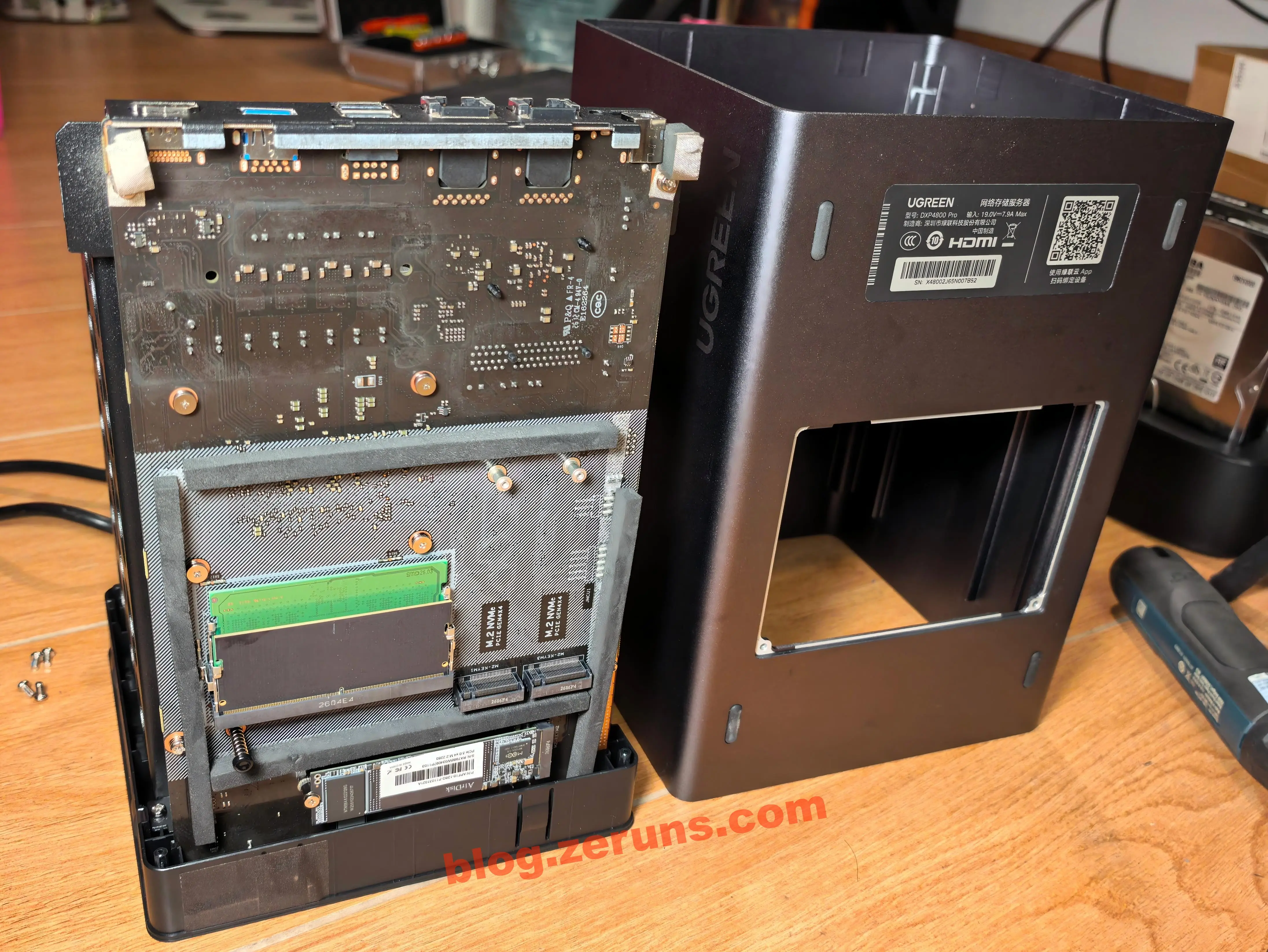
Next, lift the NAS outer frame from the back to remove the entire frame (if you've already opened the bottom cover plate, make sure to press that spring down, otherwise it'll get stuck). After removing the frame, you can see the back of the motherboard. You'll notice the cover plate area is surrounded by foam — this prevents foreign objects from getting inside when the small cover plate is removed.
The back of the motherboard has a slightly whitish residue — appears to be leftover flux that wasn't fully cleaned.
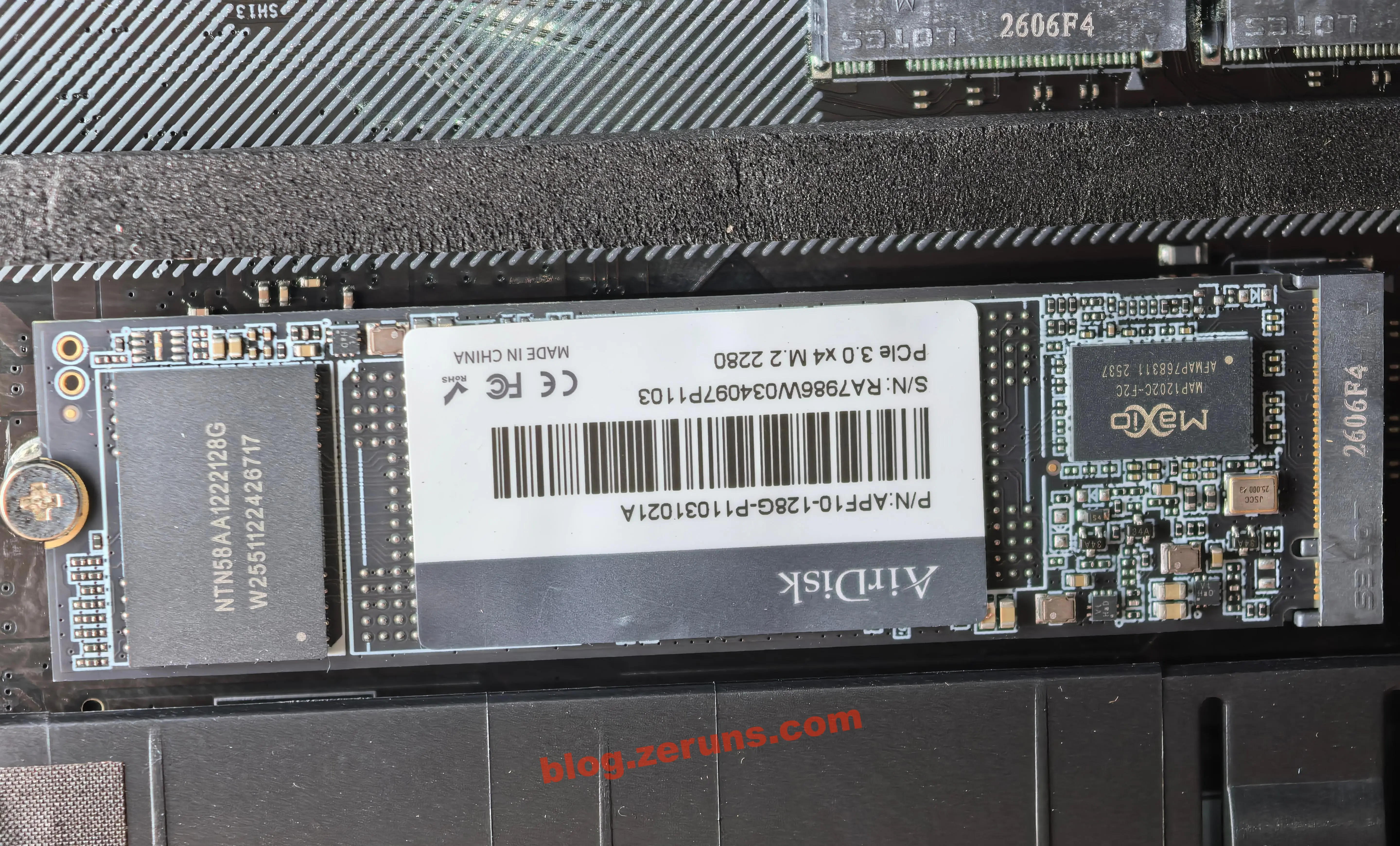
The NAS comes with a pre-installed system SSD, model APF10-128G-P11031021A, a PCIe 3.0 NVMe M.2 SSD from AirDisk (a brand under Longsys), serving as the factory-installed system drive for the Ugreen DXP4800 Pro, carrying the NAS operating system. (My old QNAP NAS used eMMC for its system drive, which made boot times painfully slow.)
AirDisk 128GB NVMe System Drive Key Specifications (AI-generated):
- Interface: PCIe 3.0 x4 NVMe 1.4, standard M.2 2280 form factor, directly connected to the CPU PCIe lanes — 4K random latency far lower than traditional SATA SSDs
- Capacity: 128GB, sized precisely for the NAS system use case, with enough room for the OS, Docker plugins, log files, and temporary cache
- Controller: Maxio MAP1202C-F2C, DRAM-less design with HMB (Host Memory Buffer) support, low power, strong compatibility — a mature controller for entry-level NVMe SSDs
- NAND flash: Longsys self-packaged 3D TLC NAND, silkscreen model NTN58AA1222128G, single-die production batch week 51 of 2025; 2 dies total make up the 128GB capacity, endurance suited for the light-write long-term system drive workload
- Positioning: Optimized specifically for light-load system-drive scenarios, prioritizing 24/7 stability over peak sequential read/write speeds
For a NAS, the system drive's latency matters more for daily usability than sequential speed. This PCIe SSD noticeably improves system boot, web UI responsiveness, and Docker container loading speeds. The 128GB capacity also avoids the cost waste of a larger SSD — a very pragmatic standard configuration for a 4-bay NAS.
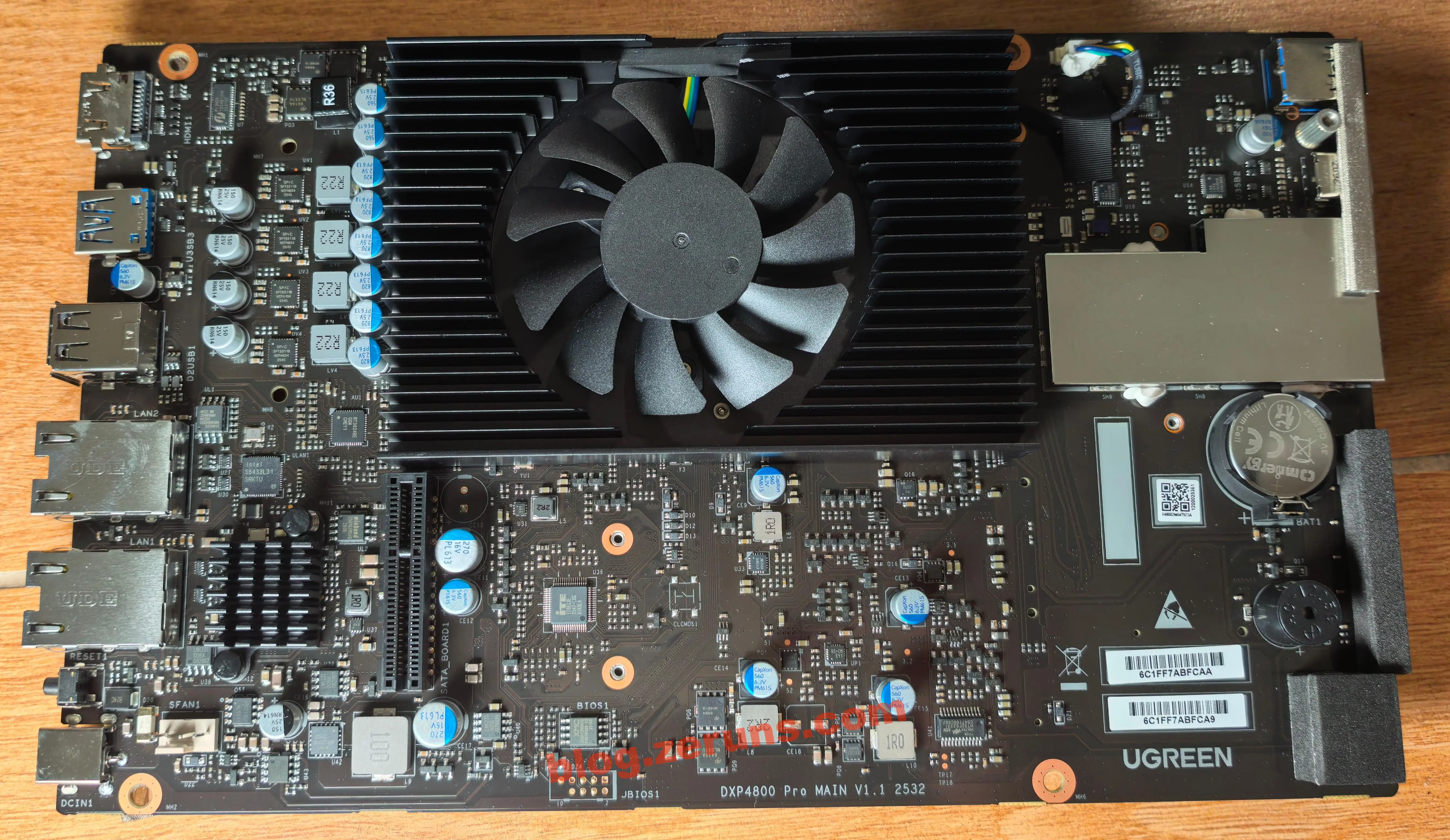
Removing the motherboard — the front of the board, with board number DXP4800 Pro MAIN V1.1, production batch 2532 (week 32 of 2025). It's a custom x86 motherboard designed specifically for 4-bay NAS units. Built around an Intel low-power processor, it highly integrates networking, storage, I/O, and power circuitry in a compact, tidy layout, with stability optimizations for 24/7 NAS operation.
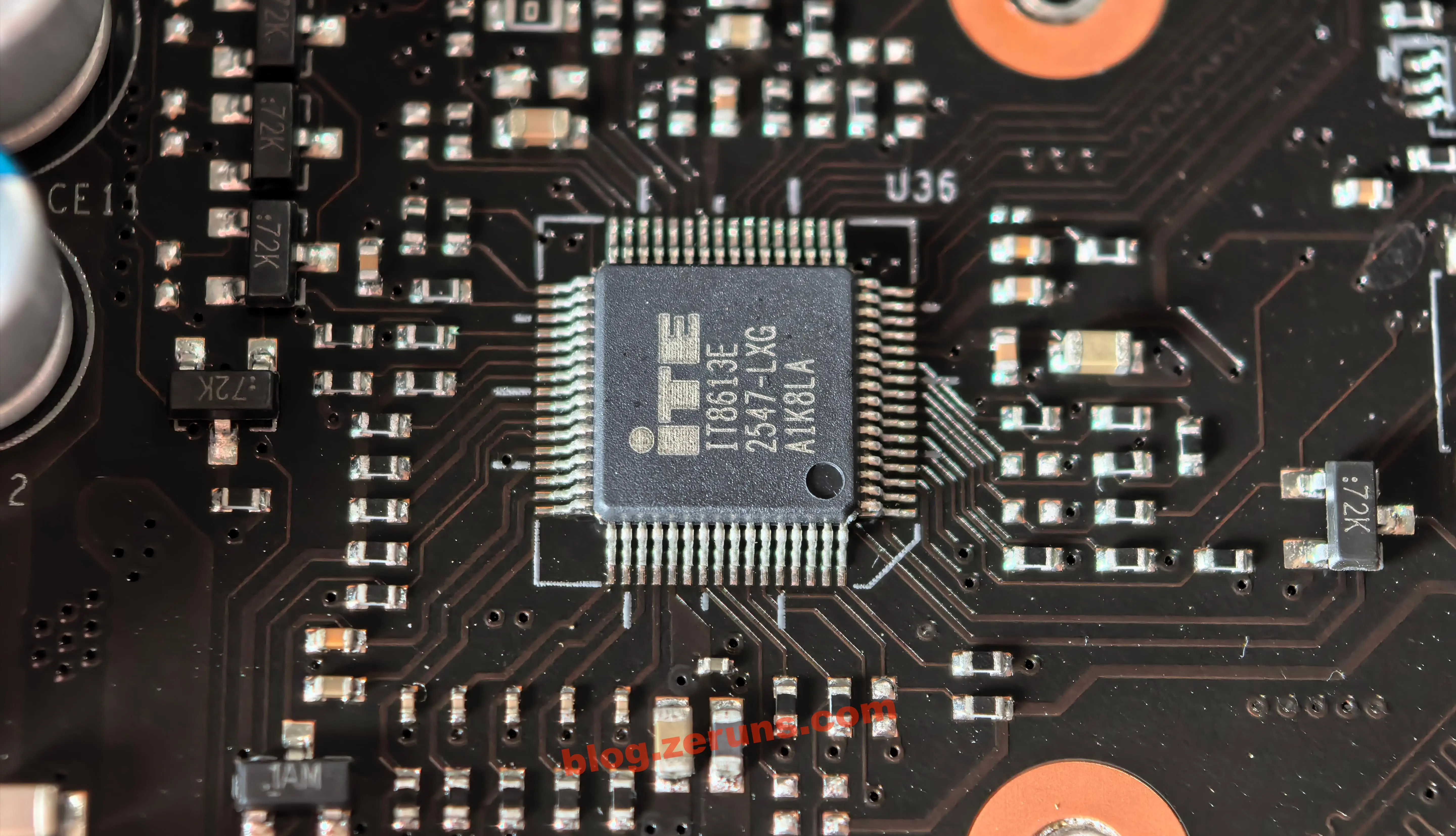
The embedded controller (EC) chip on the motherboard, model IT8613E, is a Super I/O / EC embedded controller from ITE Tech (Taiwan). It's the core auxiliary management chip on x86 motherboards, responsible for low-level hardware monitoring and control.
IT8613E Key Specifications (AI-generated):
- Core function: Integrates Super I/O and embedded controller functions, managing power-on sequencing, hardware status monitoring, smart fan speed control, button and LED logic, and standby/sleep/wake management
- Monitoring: Supports real-time sensing of multiple temperature, voltage, and fan speed channels, can collect temperature data from CPU, motherboard, and drive bays, working with the system for over-temperature protection, fault alerts, and dynamic thermal control
- Peripheral management: Centrally controls the front-panel power button, reset button, power/drive status LEDs, fault buzzer and other low-speed peripherals, while managing the RTC clock and some standby power rails
- Package/batch: LQFP surface-mount package, silkscreen
2547indicates production week 47 of 2025 — a relatively recent mass-production batch- Application positioning: Widely used in NAS, industrial motherboards, mini PCs and other x86 platforms, the low-level hardware steward that operates independently of the OS, suited for 24/7 operation
In the DXP4800 Pro, this chip is the core low-level hardware manager. Even when the main CPU is off or asleep, it remains in standby, responding to remote wake-on-LAN and scheduled power-on commands. It's also the core execution unit for fan speed control, dynamically adjusting CPU and chassis fan speeds based on real-time temperature to balance cooling efficiency with everyday acoustic performance.
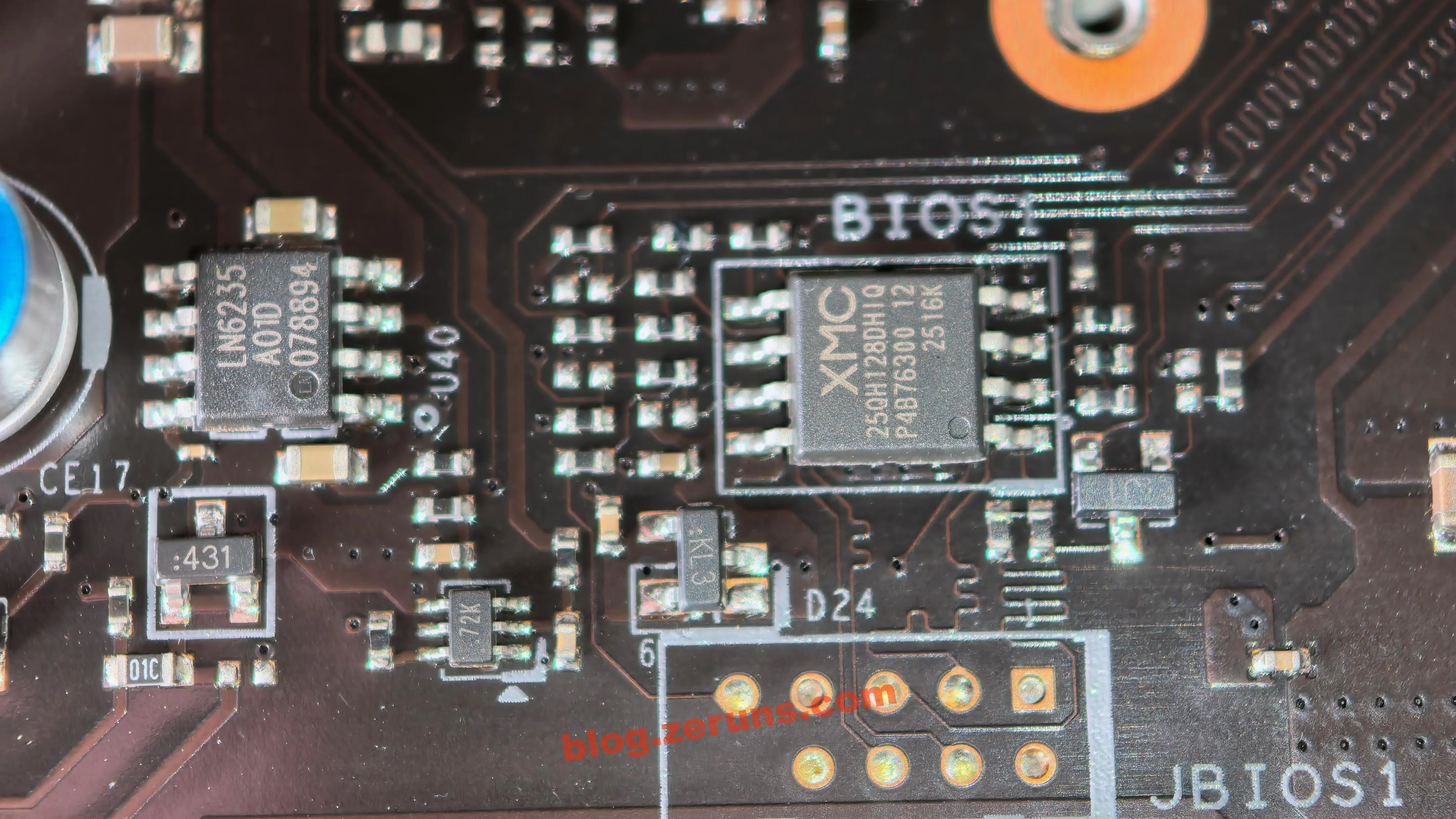
The motherboard BIOS firmware storage chip, model XMC 25QH128DHIQ, is an SPI NOR flash chip from XMC (Wuhan Xinxin Semiconductor), located at the BIOS1 silkscreen position on the board. It stores the entire UEFI BIOS firmware and is the core carrier for x86 platform boot-up.
XMC 25QH128DHIQ Key Specifications (AI-generated):
- Capacity: 128Mbit (16MB), ample for storing the complete UEFI BIOS code, boot logo, hardware initialization routines, and vendor-customized features
- Interface: Standard 4-wire SPI serial interface, supports high-speed read/write modes; at power-on, the CPU reads the firmware via the SPI bus to complete hardware initialization
- Chip type: 3.3V industrial-grade NOR flash, long data retention, high erase/write reliability, suited for 24/7 long-term NAS operation
- Production batch: Silkscreen
2516K, corresponding to production week 16 of 2025 — a relatively recent mass-production batch- Supporting design:
JBIOS1programming pads are reserved on the board, allowing direct offline firmware read/write with a programmer — convenient for BIOS recovery, firmware modification, and upgrade debugging
The chip with silkscreen LN6235 next to it is an accompanying LDO (low-dropout) linear regulator, converting the motherboard standby voltage to a stable 3.3V for the BIOS flash and surrounding standby circuitry, ensuring firmware data safety during power-off standby and stable reads at power-on.
In the DXP4800 Pro, this chip stores Ugreen's customized UEFI BIOS firmware, including drive boot, hardware initialization, and power tuning configurations. The reserved programming pads also improve long-term maintenance convenience — a standard reliable design for x86 NAS motherboards.
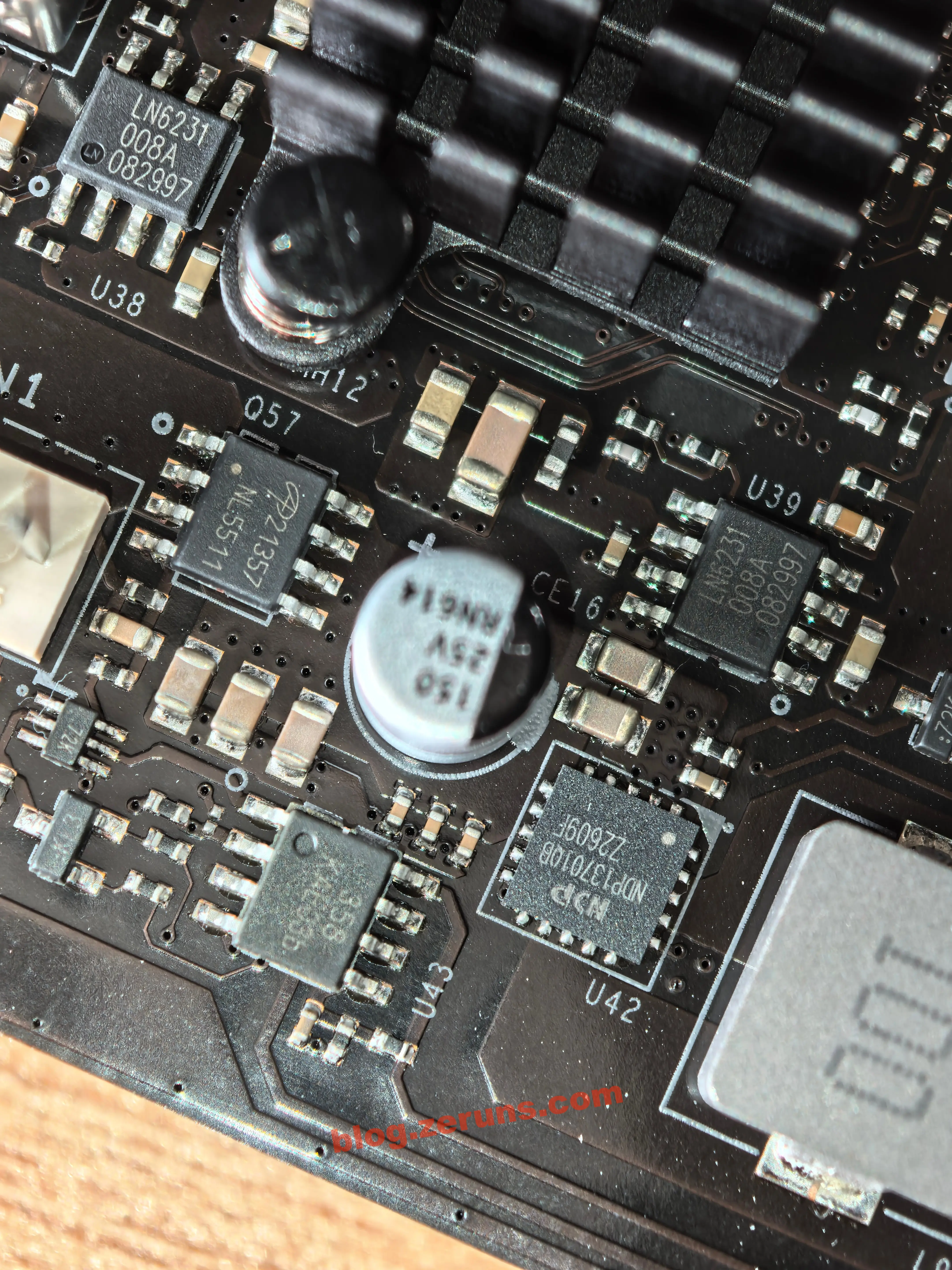
Next to the DC power input connector — the motherboard's high-current synchronous buck power chip, model NDP13701QB, a high-efficiency monolithic DC-DC converter from NDP (Xintan Micro). It steps down the 19V DC input to stable low-voltage, high-current power, primarily supporting the drive power rails, PCIe expansion slots, and peripheral interfaces.
NDP13701QB Key Specifications (partially AI-generated):
- Input range: 7.5V–30V wide voltage input, perfectly matching the 19V power adapter spec, ample voltage headroom for adapters from different regions
- Output capability: Up to 7A continuous output current, supports constant-voltage / constant-current dual mode, can meet the current demands of four mechanical drives spinning up and running under full load simultaneously
- Efficiency: Built-in low-Rds(on) power MOSFET, peak efficiency up to 95% under typical conditions, very low self-heating, stable without additional heatsinks — aligns with the NAS low-power, long-endurance design philosophy
- Protection: Integrates soft-start, overcurrent/short-circuit protection, over-temperature shutdown, and undervoltage lockout — quickly cuts output on load faults to prevent fault propagation
- Package/batch: QFN-20 (5×5mm) compact package, silkscreen batch
22609F, a mature mass-production solution in the industrial power management space
Surrounding Components
- LN6231 LDO regulator
- NL5511 power MOSFET
- 150μF/25V aluminum electrolytic capacitor, likely used as buck converter input filtering and energy storage
- 10μH molded inductor, for the buck step-down circuit
There's also a 358 op-amp, likely used for fan speed signal conditioning.
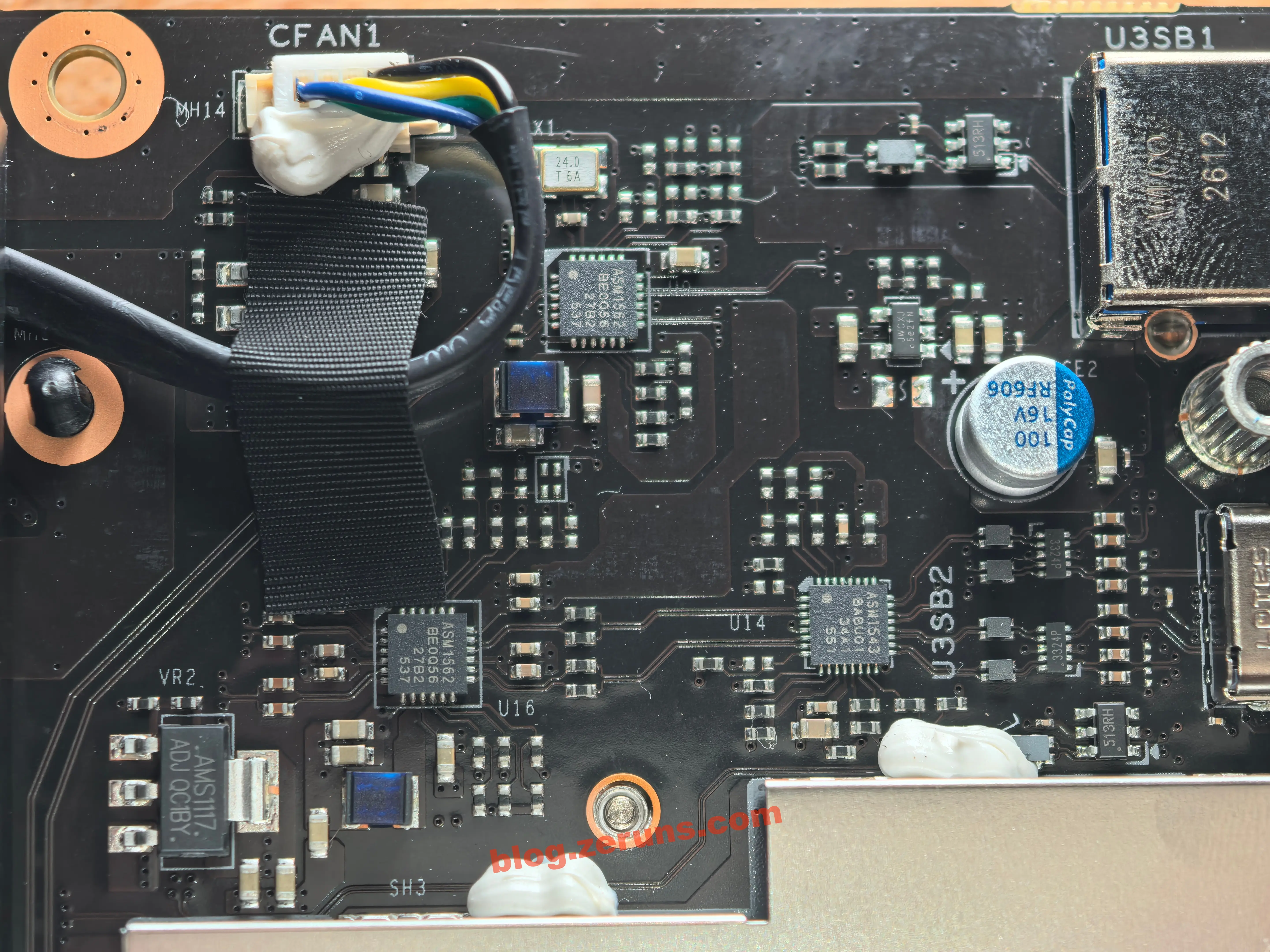
This area is the dedicated signal conditioning circuit for the front USB 3.2 Gen2 10Gbps ports, consisting of 2 × ASM1562 + 1 × ASM1543, all from ASMedia (Taiwan). It fully serves the front Type-A and Type-C 10Gbps ports, specifically counteracting the high-speed signal attenuation and distortion caused by the long ribbon cable and long PCB traces from the motherboard to the front panel, while also enabling Type-C reversible insertion and power protection.
ASM1562 USB 3.2 Gen2 10Gbps Signal Retimer Chip (AI-generated)
- Positioning: Single-channel SuperSpeed USB 3.2 Gen2 signal Retimer (a step up from a standard ReDriver), supports up to 10Gbps transfer rate — the core signal-repair component for 10Gbps long-trace designs
- Technical principle: Integrates an adaptive equalizer (CTLE), clock data recovery (CDR), and transmit de-emphasis, repairing signal attenuation, jitter, and crosstalk from long traces and ribbon cables, reconstructing a clean digital signal — dramatically improving 10Gbps port stability and compatibility over long links
- Channel assignment: Two chips independently handle two high-speed channels — one serves the complete 10Gbps transmit/receive link for the front Type-A port, the other works with the ASM1543 to serve the Type-C port's high-speed signal path, ensuring full 10Gbps bandwidth regardless of plug orientation
- Design value: The NAS front panel connects to the motherboard via internal ribbon cable, and 10Gbps differential signals suffer significant loss over long links. These two chips fully compensate for link loss — when connecting an external high-speed portable SSD, you can sustain close to 1GB/s actual transfer speed, avoiding recognition failures, speed drops, and intermittent disconnections
- Package/batch: Standard surface-mount package, silkscreen batch corresponds to 2025 mass production — a mainstream mature solution for front 10Gbps ports on consumer and industrial motherboards
ASM1543 USB 3.2 Gen2 Type-C Multiplexing Control Chip (AI-generated)
- Positioning: An all-in-one Type-C interface chip integrating CC logic control, reversible-insertion signal switching, and power management, supporting 10Gbps SuperSpeed USB signal path switching
- Core functions:
- Orientation detection and switching: Built-in CC pin detection logic automatically identifies the Type-C plug orientation, switching the high-speed data path via an internal 4:2 differential switch — orientation-blind insertion with no speed penalty
- Power management and protection: Manages VBUS power output on the Type-C port, supports VCONN, integrates overcurrent protection — quickly cuts power on external device short circuits to protect the motherboard
- Signal integrity: Switch channel insertion loss is extremely low, only −1.78dB at 5GHz, minimal impact on 10Gbps signals — combined with the ASM1562, achieves optimal full-link signal quality
- Application: Standard companion solution for front Type-C 10Gbps ports, widely used in NAS and desktop motherboards, fully compatible with USB 3.2 Gen2
All interface ports have ESD protection circuitry.
Below, the shielded can covers the SD card slot and related circuitry. I'm not quite sure why the SD card circuitry needs a shield — its operating frequency and transfer rate aren't higher than the USB circuitry above. Can anyone explain?
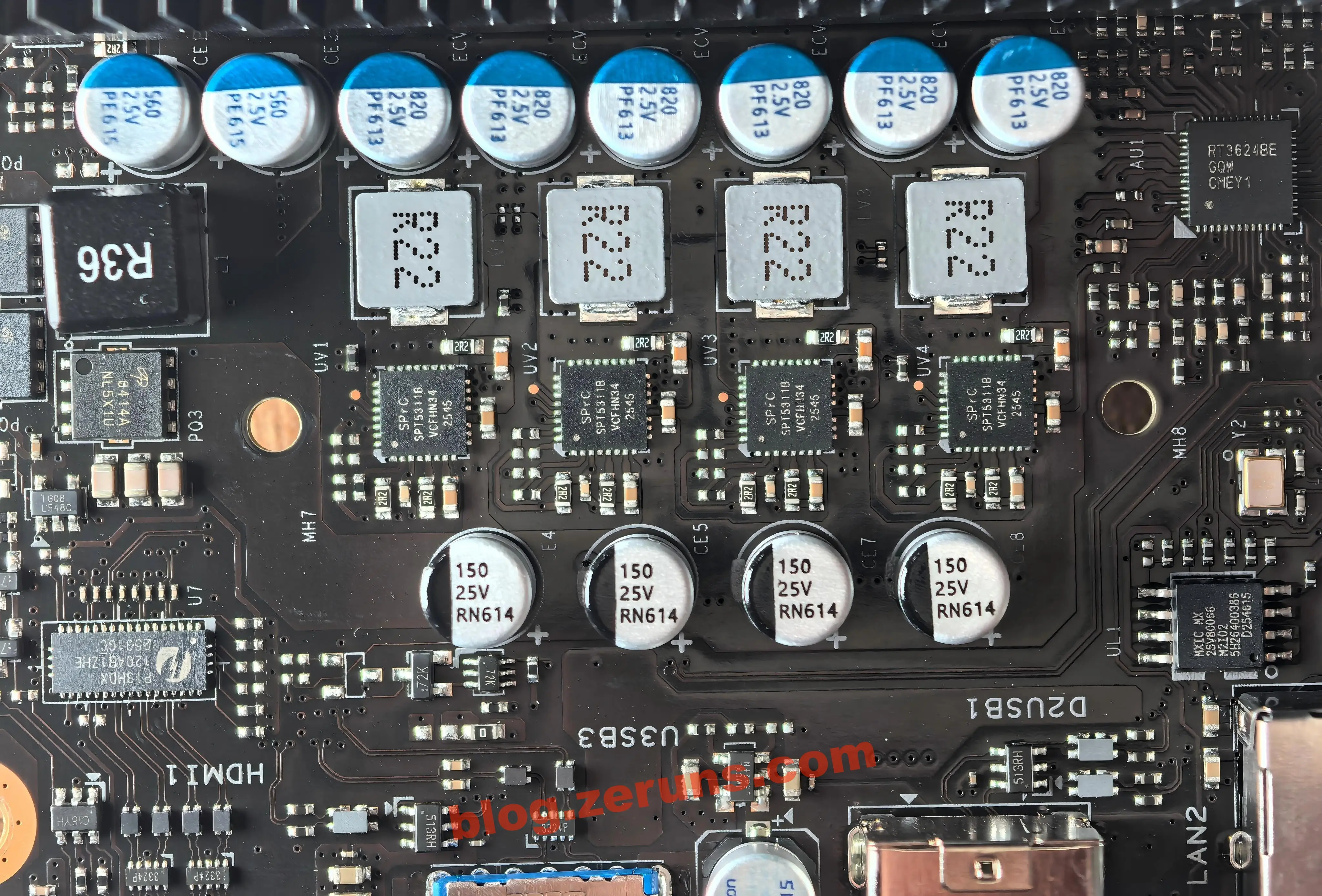
AI-generated: This area is the core multi-phase power delivery module for the i3-1315U processor, using Richtek RT3624BE as the PWM controller, paired with 4 integrated DrMOS power stages, along with low-inductance energy-storage inductors and low-ESR polymer solid-state capacitors — a complete synchronous buck power system delivering high-precision, wide-dynamic-range stable power to the CPU core. The ample redundant design suits the reliability demands of 24/7 NAS operation.
RT3624BE Multi-Phase PWM Power Controller
- Spec compliance: From Richtek (Taiwan), designed specifically for Intel 12th/13th Gen Core mobile platforms, follows the IMVP9.1 power protocol, natively matched to the onboard i3-1315U
- Phase architecture: Supports 4-phase CPU core + 1-phase integrated graphics auxiliary power; this board uses a 4-phase core design — multi-phase interleaving significantly reduces output voltage ripple while lowering input-side current stress
- Efficiency optimization: Supports Intel VID dynamic voltage adjustment, precisely tuning output voltage in real time with CPU load; automatically reduces active phases and enters diode emulation mode under light load to cut switching losses — ideal for the NAS always-on, low-load idle use case
- Protection: Built-in cycle-by-cycle overcurrent protection, output overvoltage/undervoltage protection, chip over-temperature protection, input undervoltage lockout — quickly shuts down all power stages on faults to prevent abnormal voltage from damaging the CPU
- Positioning: QFN compact package, a mature power solution widely adopted in mini PCs, NAS, and industrial x86 motherboards
SPT5311B Integrated DrMOS Power Stage (4 total, 1 per phase)
- Positioning: Integrated gate driver + high-side MOSFET + low-side MOSFET in a single chip, replacing the traditional discrete driver + dual-MOSFET approach — more compact layout, lower drive loss, faster fault response
- Output capability: Single chip supports 30A+ continuous output, built-in low-Rds(on) power MOSFET, excellent efficiency under synchronous rectification; 4 phases deliver over 120A peak — ample headroom for the 15W TDP i3-1315U
- Integrated protection: Built-in overcurrent and over-temperature detection, can directly feed fault status back to the PWM controller — much faster protection response than discrete solutions
- Batch info: Silkscreen batch 2545, corresponding to week 45 of 2025 mass production; the high-redundancy design keeps the power circuit operating in the low-load range long-term, with lower heat and longer lifespan, suited for continuous NAS operation
Companion Energy-Storage and Filter Passive Components
- Molded energy-storage inductors (4, silkscreen R22): One 0.22μH magnetically-shielded molded inductor per phase, the core energy-storage element of the buck converter, smoothing the switching waveform and outputting continuous DC; the magnetic shielding reduces EMI, with excellent saturation characteristics under high current
- Output filter solid-state capacitors (8 × 820μF 2.5V PF613): Connected in parallel at the power output, polymer solid-state capacitors with extremely low ESR and strong ripple suppression — fast response to CPU load transient current demands, keeping output voltage ripple at the millivolt level; 2.5V rating is optimized for the CPU core's low-voltage, high-current scenario, with higher capacitance density
- Input filter electrolytic capacitors (4 × 150μF 25V): Placed at the power module input, handling input energy storage and ripple filtering, smoothing voltage fluctuations on the 19V input while providing transient current reserves for CPU load spikes
NL5X10 N-channel Power MOSFET
- Identity: High-power N-channel MOSFET from Nanlin Electronics, low on-resistance, fast switching
- Circuit role: Positioned on the power input side as the main power switch for the CPU power domain, controlled by the EC chip's power sequencing — turns on in order at boot, powers down in sequence at shutdown; can also work with a sense resistor for input overcurrent protection, quickly cutting input power on faults to prevent propagation to downstream stages
The chip next to the HDMI1 silkscreen in the lower-left corner is model PI3HDX1204B1, a 4-channel HDMI 2.0 limiting-type ReDriver from Diodes (formerly Pericom). It sits in front of the rear HDMI port, specifically compensating for PCB trace signal loss between the CPU's integrated graphics and the video output port, ensuring stable high-speed video output.
PI3HDX1204B1 Key Specifications:
- Protocol speed: Fully HDMI 2.0 compliant, single-channel max 6Gbps, 4-channel total bandwidth 18Gbps — supports 4K@60Hz RGB 8-bit video output; backward compatible with HDMI 1.4 and DVI signals, also supports DP++ dual-mode level conversion
- Signal enhancement: Input equalization supports 16 adjustable levels, up to +22.2dB at 6Gbps — counteracts high-frequency signal attenuation from long PCB traces and connectors; companion 4-level de-emphasis and 4-level output swing adjustment, with independent per-channel parameter configuration
- Performance: Limiting-type re-drive architecture, additive jitter performance twice as good as traditional CMOS solutions, superior output eye-diagram quality; built-in channel activity detector, supports 50Ω/200kΩ two-tier input termination switching
- Configuration: Supports both pin-strapped and I2C software-programmable configuration modes, allowing flexible signal parameter tuning based on actual trace length for different motherboard layouts
- Electrical/package: 3.3V single-supply, industrial-grade operating temperature −40°C to +85°C; 42-pin ultra-thin TQFN package (3.4×9mm), suitable for compact layouts at motherboard I/O edges
- Integrated features: Built-in DDC channel level shifting, supports 5V-to-3.3V hot-plug detect signal adaptation — no need for an external level-shifter chip, simplifying the peripheral circuit
In the DXP4800 Pro, this chip handles the HDMI 2.0 video signal from the i3-1315U's integrated graphics, compensating for the long-trace loss from CPU to rear port — preventing screen flicker, artifacts, or resolution caps on external displays. It's a standard signal-optimization solution for x86 NAS and mini PCs with video output.
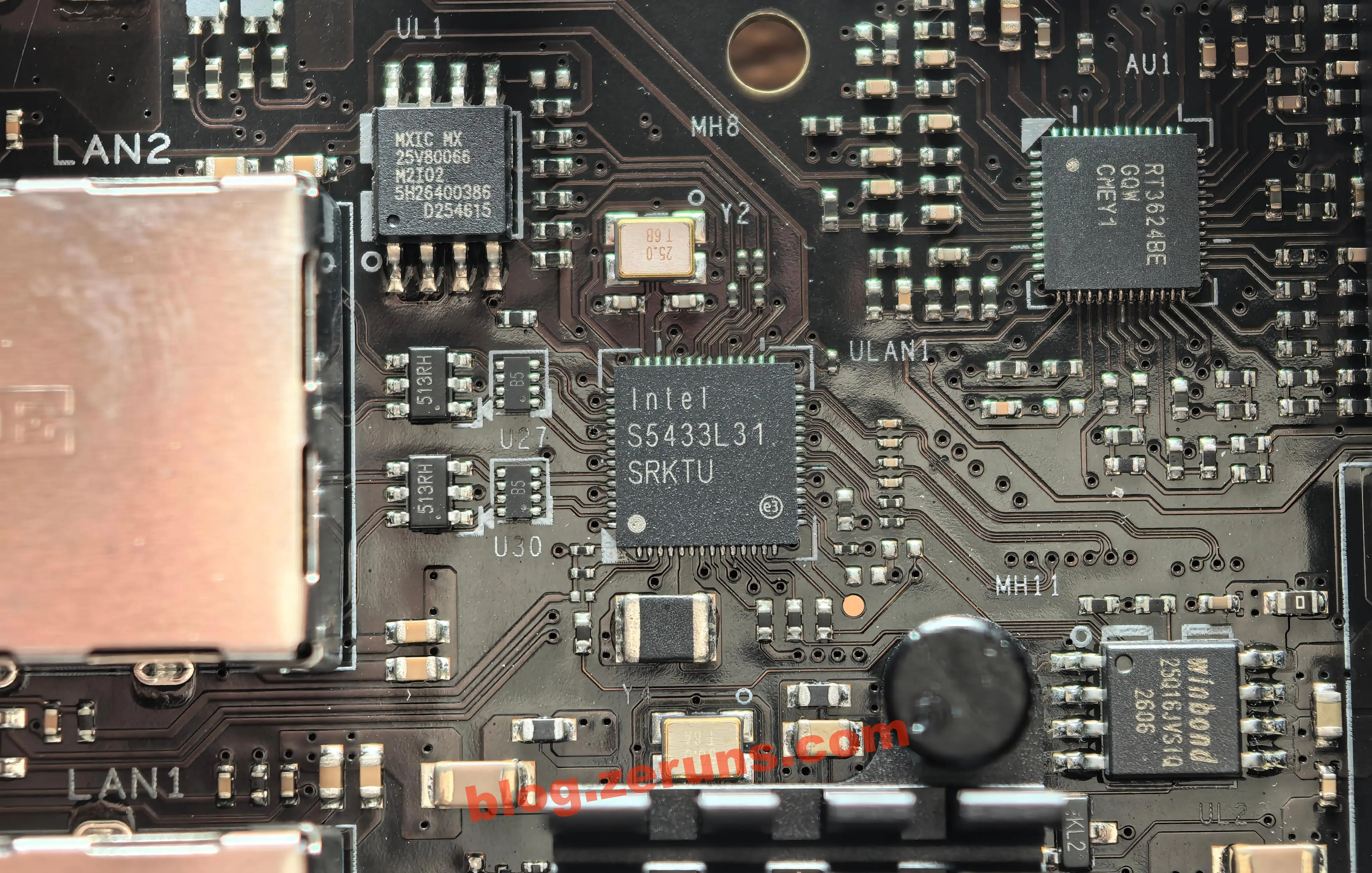
AI-generated: This area houses the motherboard's dual Ethernet interface circuitry, including one fully visible 2.5Gbps Ethernet path and one 10-gigabit Ethernet path covered by a heatsink. The two are independently designed and managed, together forming the hardware foundation of the NAS's network connectivity.
Intel I226-V 2.5Gbps Ethernet Controller (silkscreen Intel S5433L31 SRKTU)
- Positioning: Intel's third-generation 2.5G Ethernet controller, S-spec number SRKTU, directly connected to the CPU PCIe 3.0 x1 lane — currently the most mainstream 2.5G copper-port solution on x86 NAS and mini PC platforms
- Speed and protocol: Supports 10/100/1000/2500Mbps four-speed auto-negotiation, IEEE 802.3ab/802.3bz compliant; supports 9KB jumbo frames, VLAN tagging, QoS traffic shaping, with hardware-integrated TCP/UDP/IP checksum offload — significantly reducing CPU overhead under high-concurrency access
- Power and reliability: Intel 10nm process, typical operating power under 1W, very low heat with no additional cooling needed; supports EEE (Energy Efficient Ethernet), further reducing power consumption at idle — suited for 24/7 NAS operation
- System compatibility: Linux, Windows, and other major OSes have native driver support; all NAS firmware can recognize and adapt directly, with no extra debugging required
Macronix MX25V80066 SPI NOR Firmware Flash
- Electrical specs: Industrial-grade low-power SPI NOR flash from Macronix, 8Mbit (1MB) capacity, 3.3V single supply, wide operating temperature range
- Core role: Dedicated companion to the I226-V NIC, storing the NIC firmware, PHY calibration parameters, factory MAC address, and initialization config; at power-on, the NIC loads firmware via the SPI bus, completes its own initialization, then connects to the PCIe bus
- Reliability: NOR flash has long erase/write endurance and strong data retention — ideal for storing rarely-modified firmware parameters, ensuring the NIC can still boot properly after long power-off periods
10-Gigabit Ethernet Path (heatsink-covered area)
- Controller (inferred): The heatsink-covered chip is the 10-gigabit Ethernet controller. Mainstream 10GbE copper-port choices for NAS include the Marvell Aquantia AQC113C, AQC107, and similar single-chip controllers, directly connected to the CPU PCIe 3.0 x4 lane
- Speed capability: Supports 100M/1G/2.5G/5G/10G five-speed auto-negotiation (NBASE-T standard), 10Gbps full-duplex theoretical bandwidth 20Gbps — actual large-file sequential transfer speeds can exceed 1GB/s, meeting high-bandwidth needs like LAN backup and virtualization storage mounting
- Thermal design: 10-gigabit controllers have significantly higher power consumption and heat output than 2.5G solutions, so a dedicated heatsink provides passive cooling — keeping the chip temperature stable during sustained max-speed transfers, avoiding thermal throttling or link drops
NIC Peripheral Circuitry
- Shielded integrated RJ45 ports: Both Ethernet ports use shielded metal-housing integrated connectors with built-in network transformers — providing electrical isolation, impedance matching, and common-mode interference suppression while raising ESD and surge protection levels
- ESD protection arrays: The differential signal paths on the network ports have dedicated TVS/ESD protection devices in series, absorbing high-voltage spikes from cable insertion/removal and lightning-induced surges to prevent surge damage to the downstream NIC controller
- Independent power filtering: Each NIC has its own LDO regulator circuit and multiple filter capacitors, providing low-ripple clean power, reducing power supply noise interference on high-speed differential signals, improving stability and bit-error-rate performance over long cable runs
Review
Plug in the power and ethernet cable, then power on.
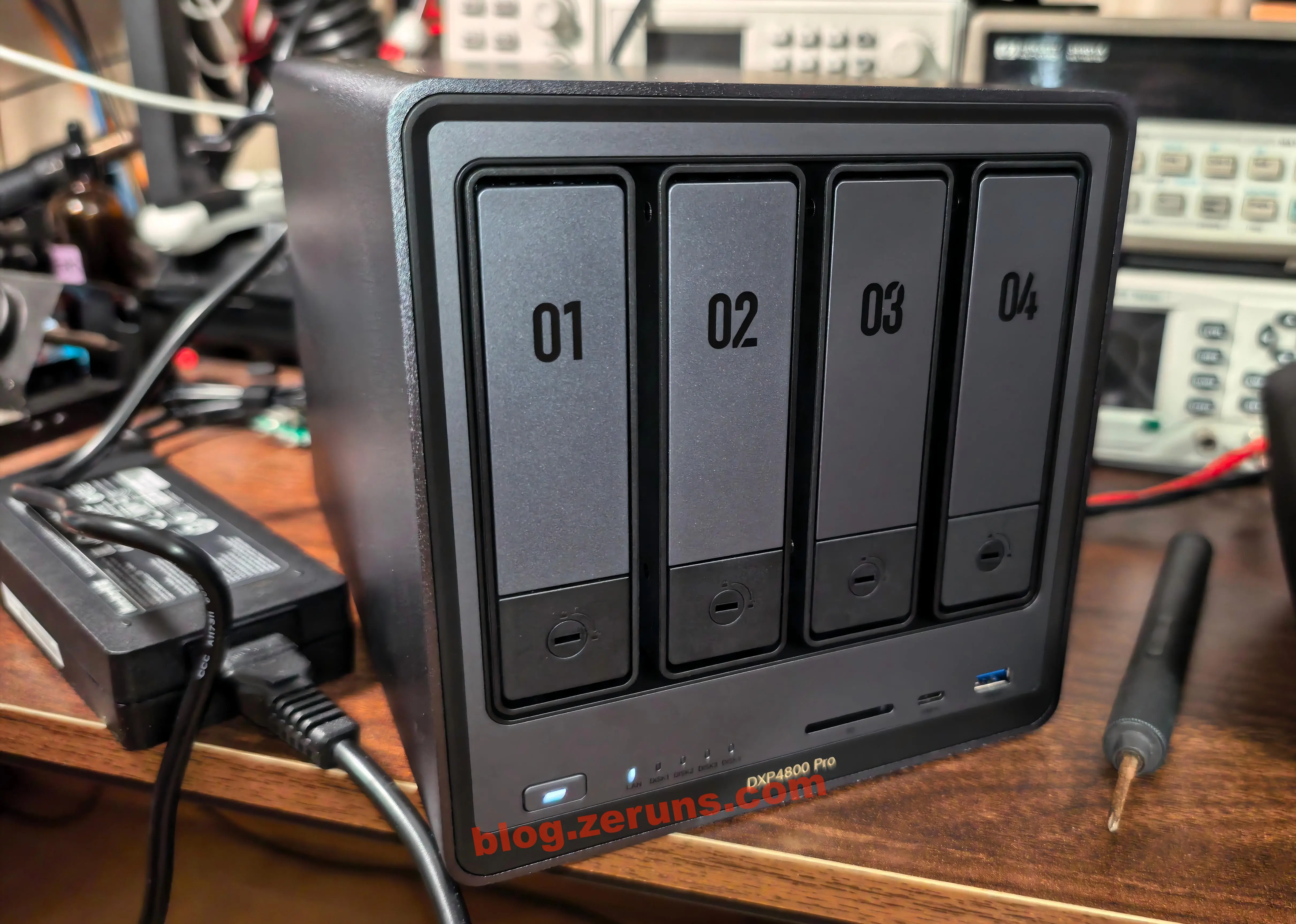
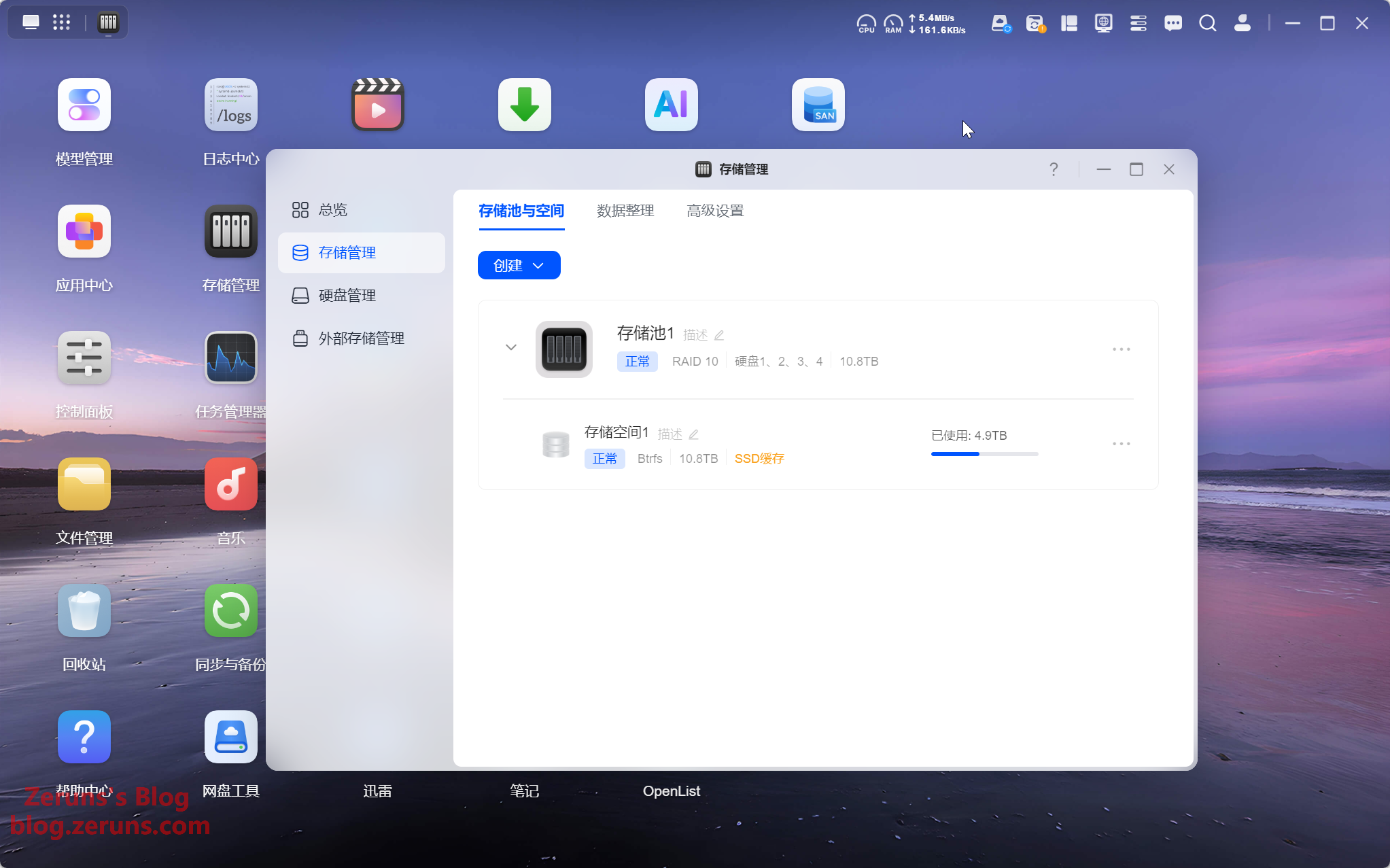
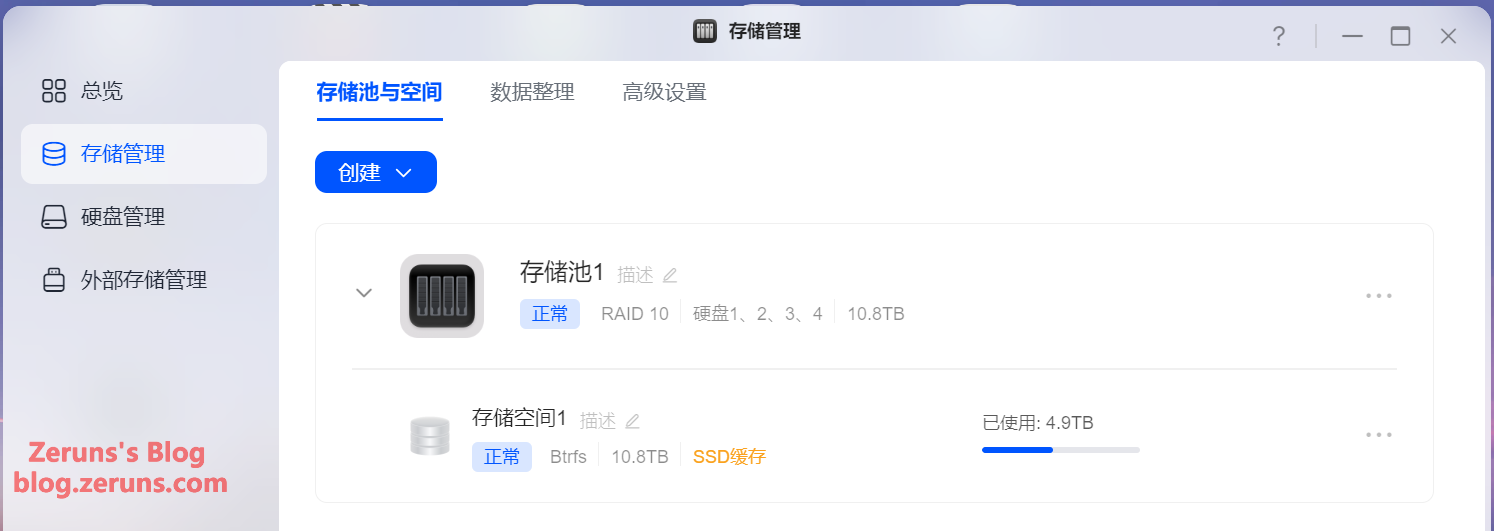
Download the Ugreen NAS client, search for the NAS, and follow the setup wizard to initialize it. I configured a RAID 10 array with the Btrfs file system, plus two 500GB SSDs in RAID 1 for read/write caching.
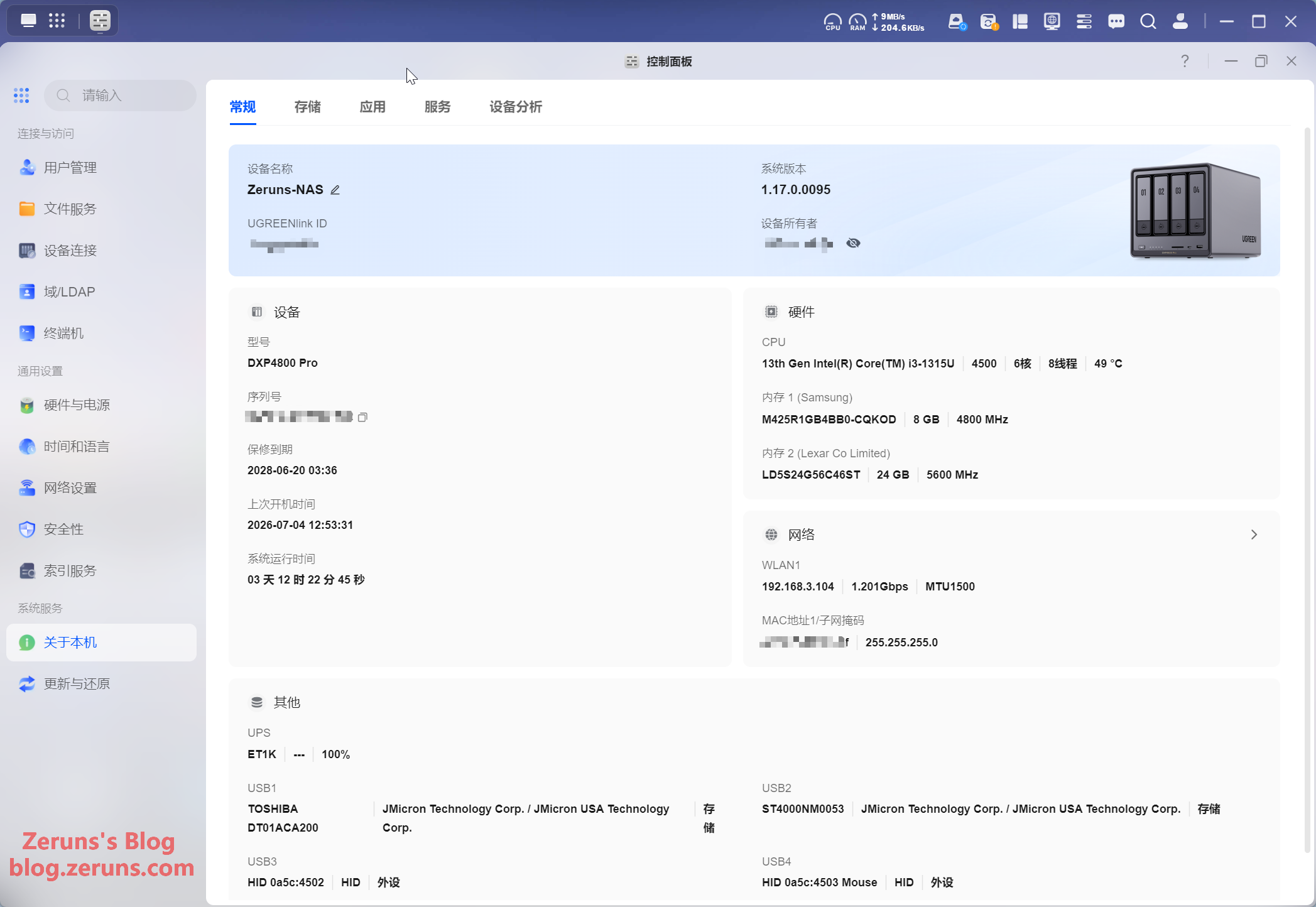
The Control Panel's "About" page, shown below.
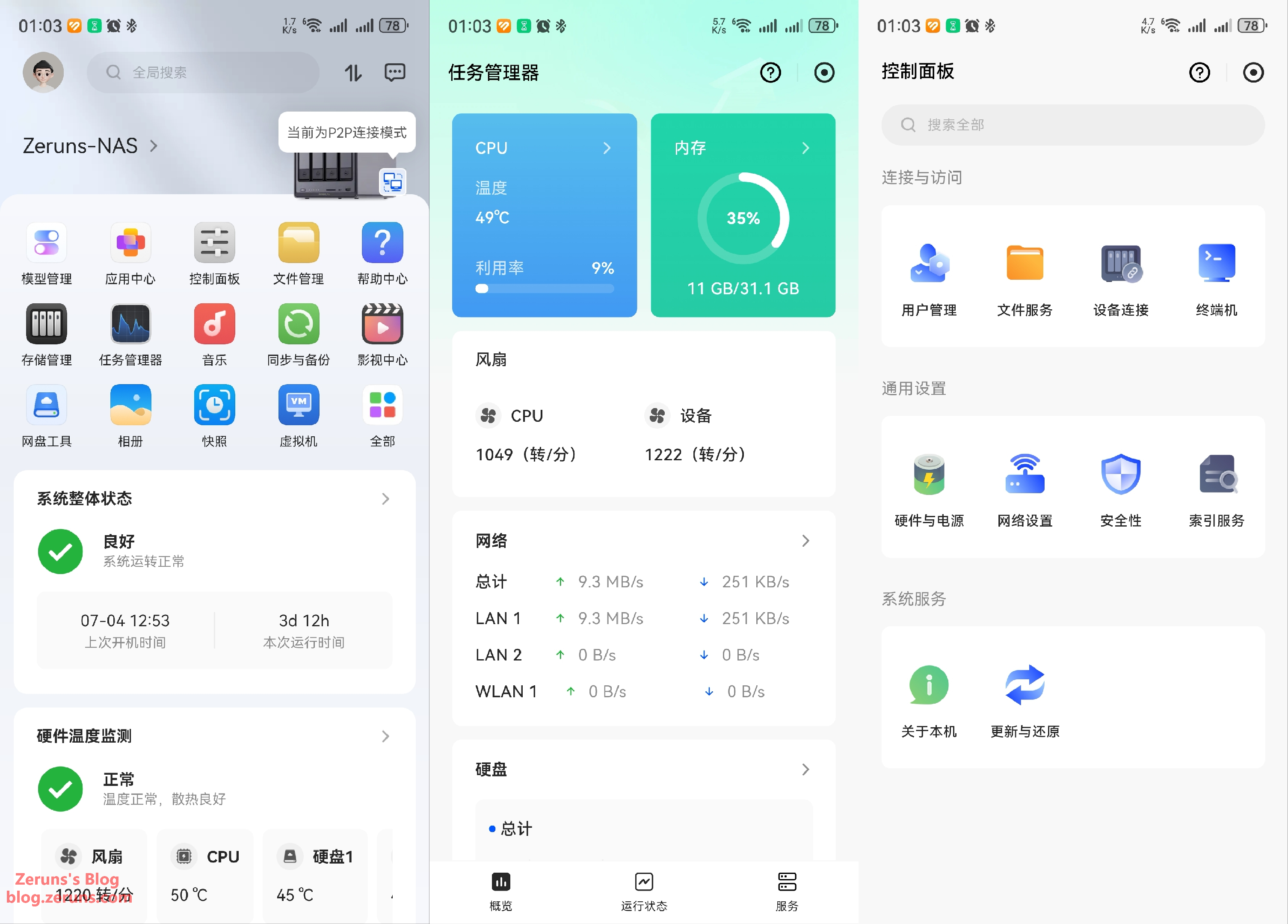
Below are screenshots of the mobile client. The interface is quite nice — clean and attractive — and all features are consolidated in a single app. Unlike QNAP, where you need to install five or six separate apps, the user experience here is much better.
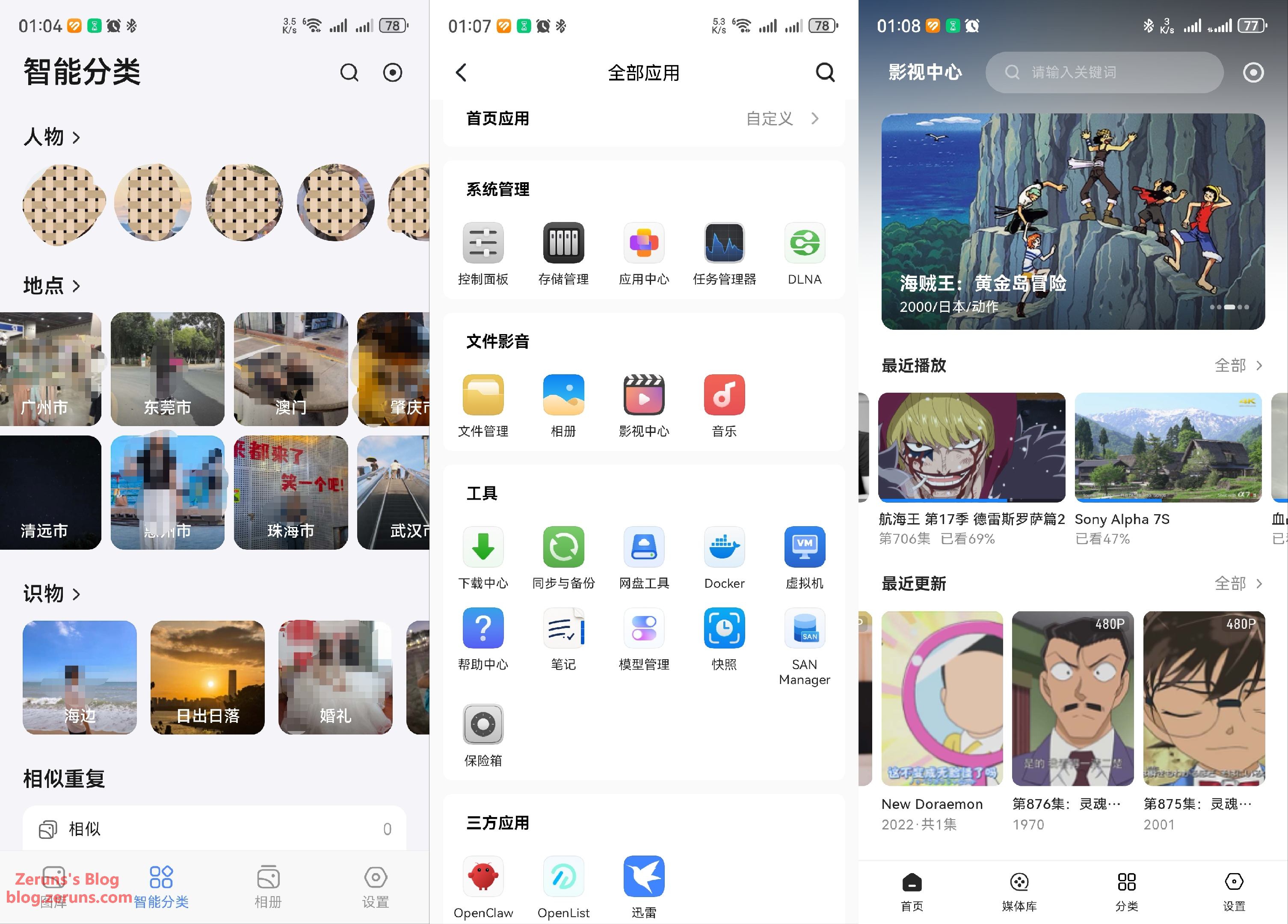
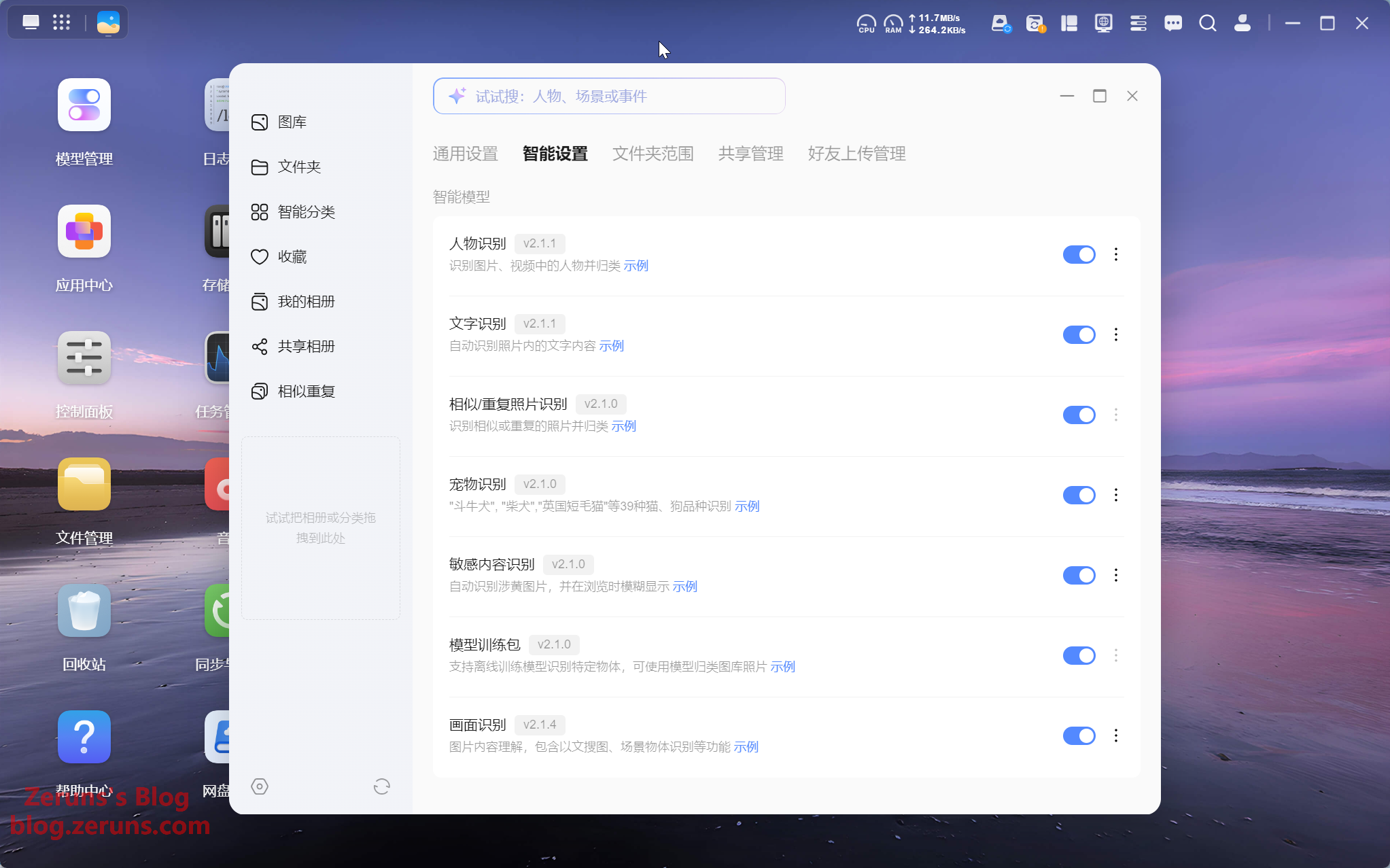
The Photos app supports enabling multiple AI models for photo recognition and classification, including face recognition, text recognition, similar/duplicate photo detection, pet recognition, sensitive content detection, and image content understanding. You can also add your own photos to train models or import pre-trained models.
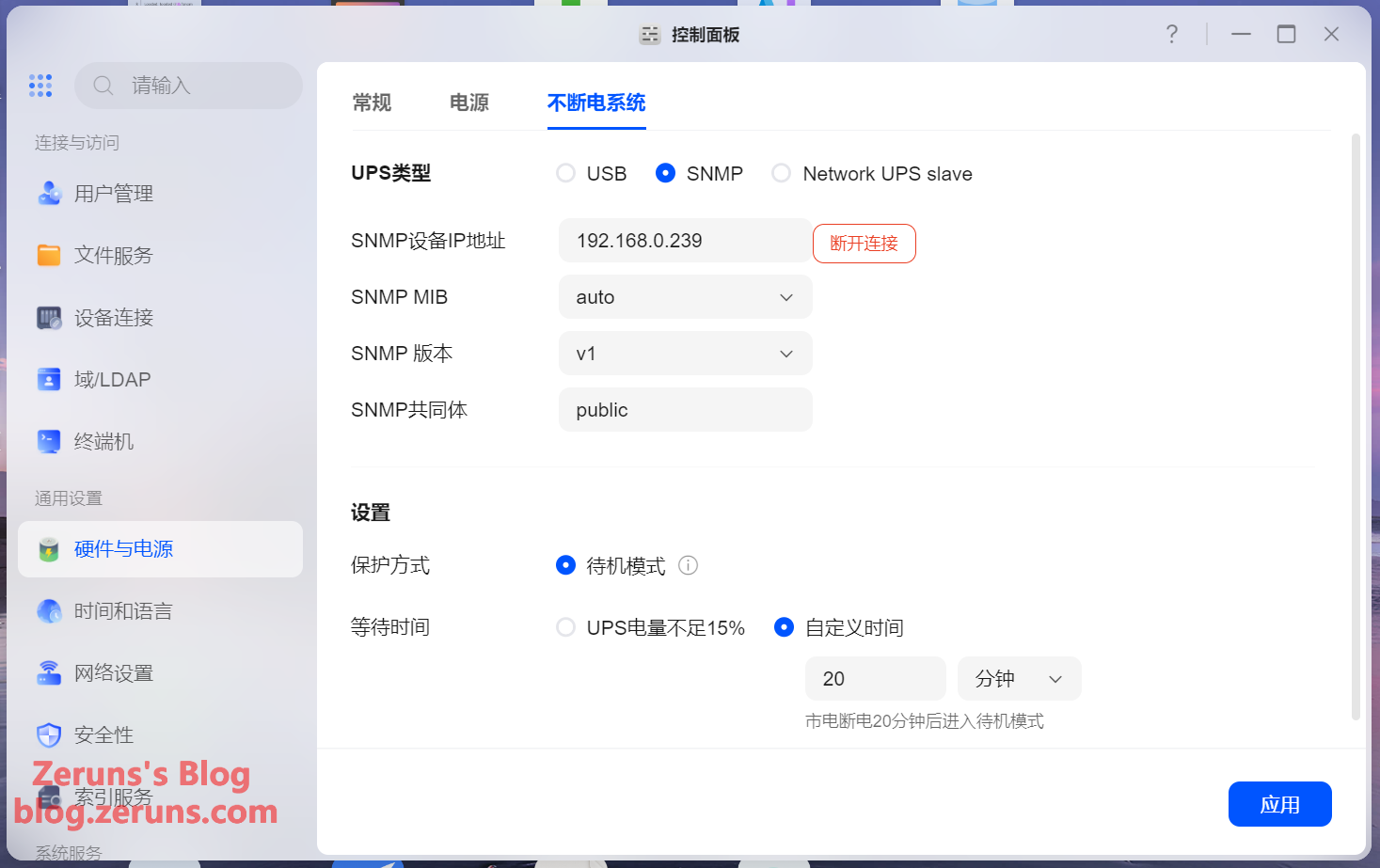
UPS settings page — supported UPS types include USB, SNMP, and Network UPS slave.
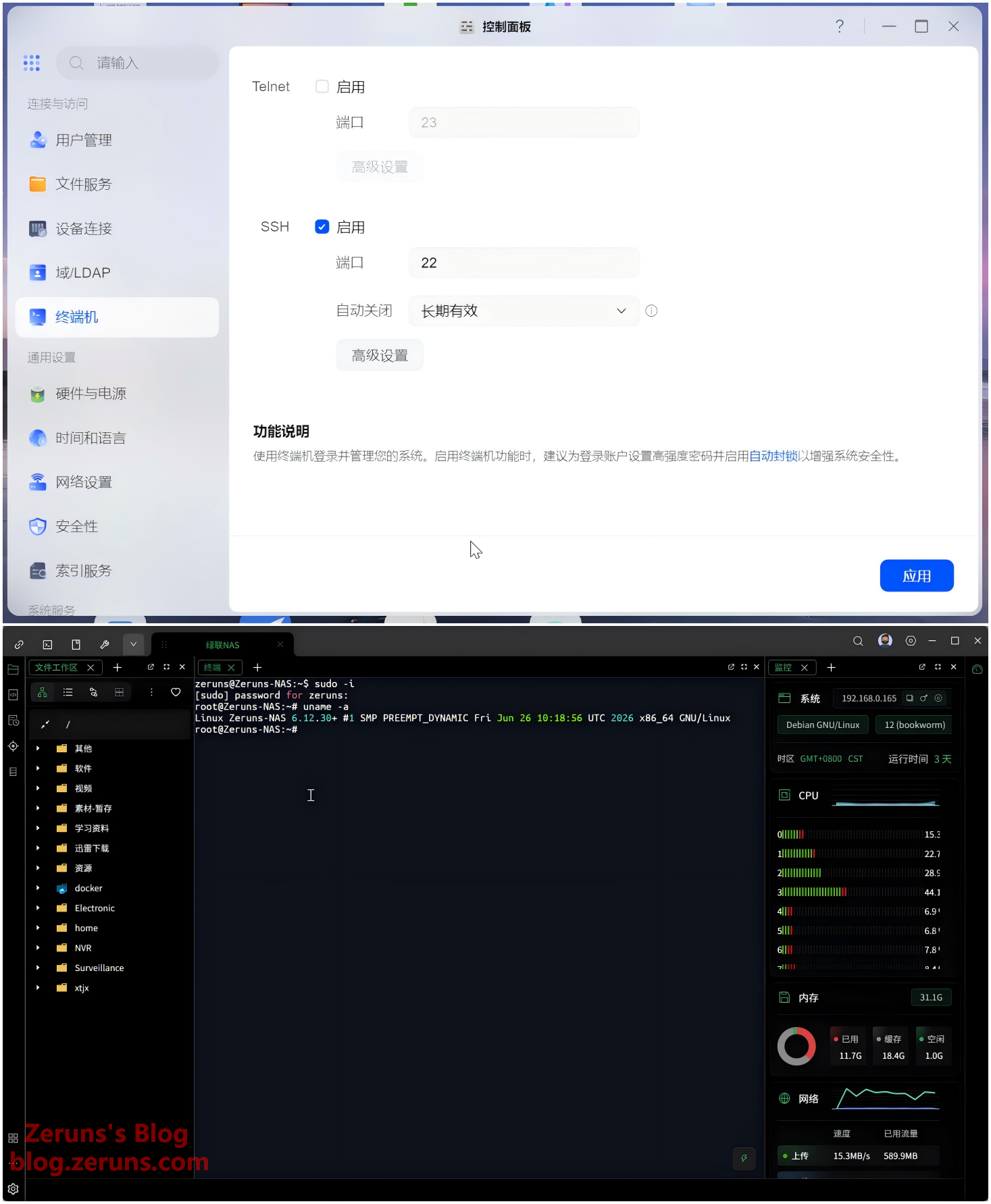
SSH can be enabled. After logging in via SSH, use the sudo -i command to gain root privileges. Ugreen's UGOS Pro system is based on Debian 12, and as of July 2026, the kernel version is 6.12.30.
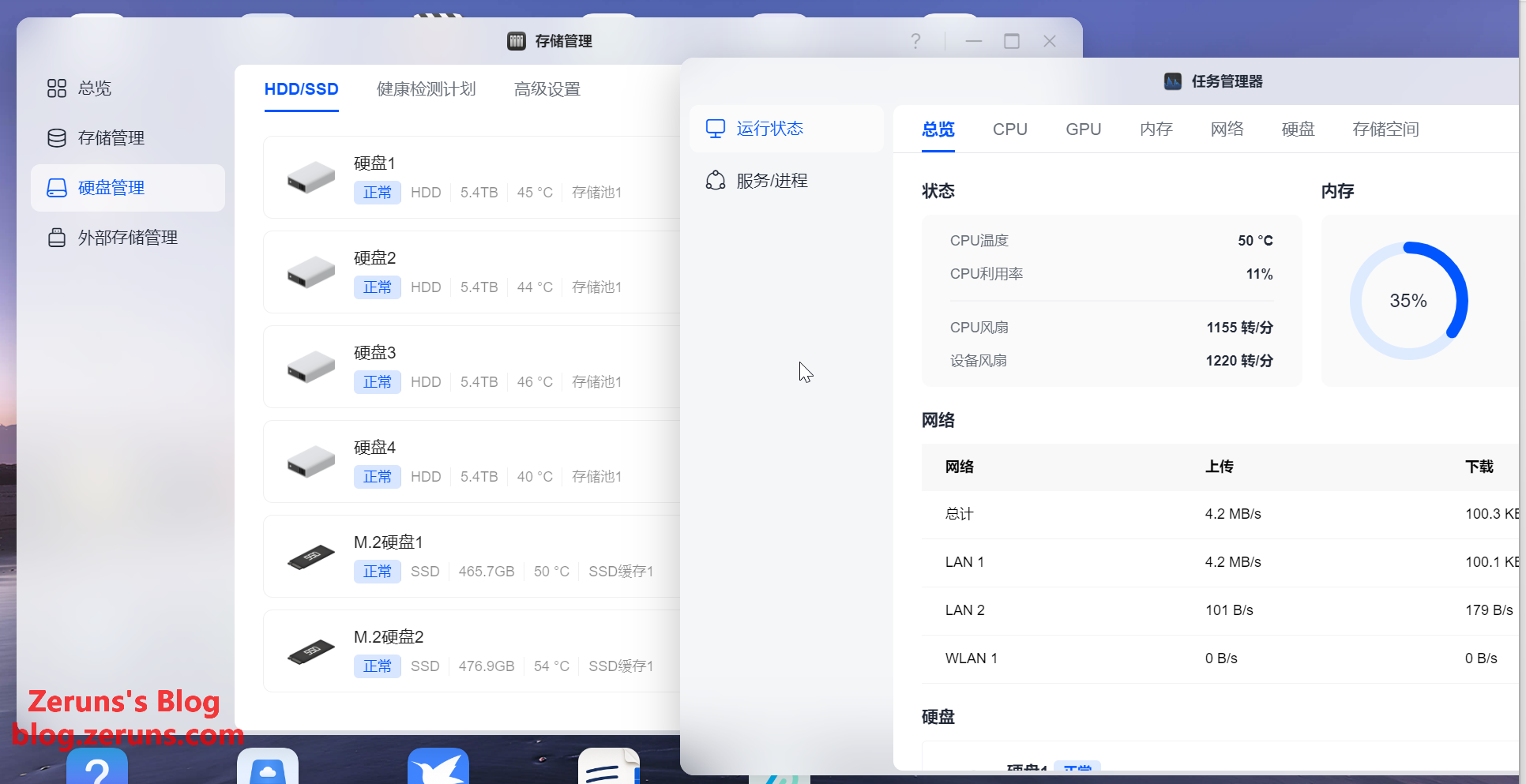
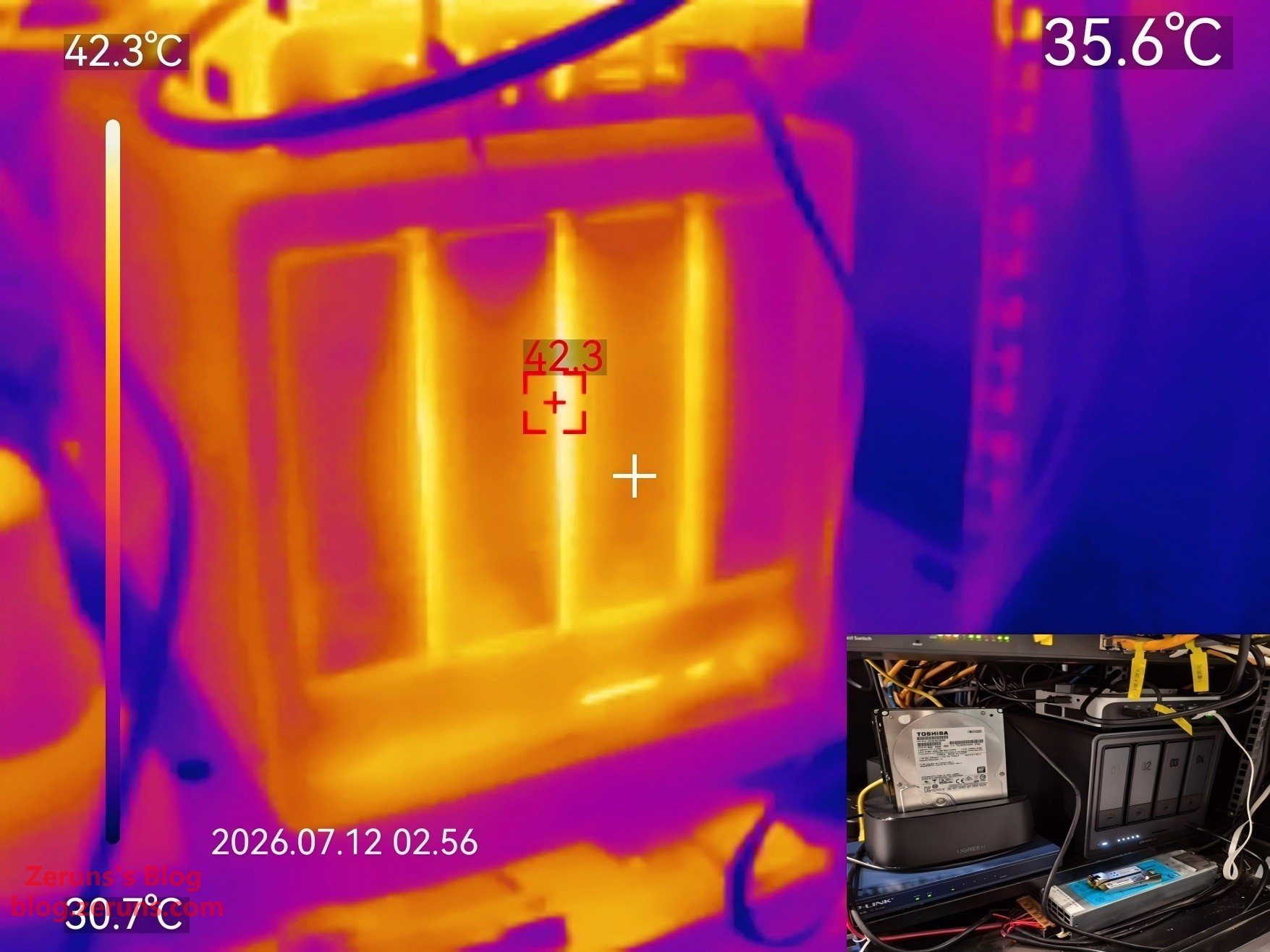
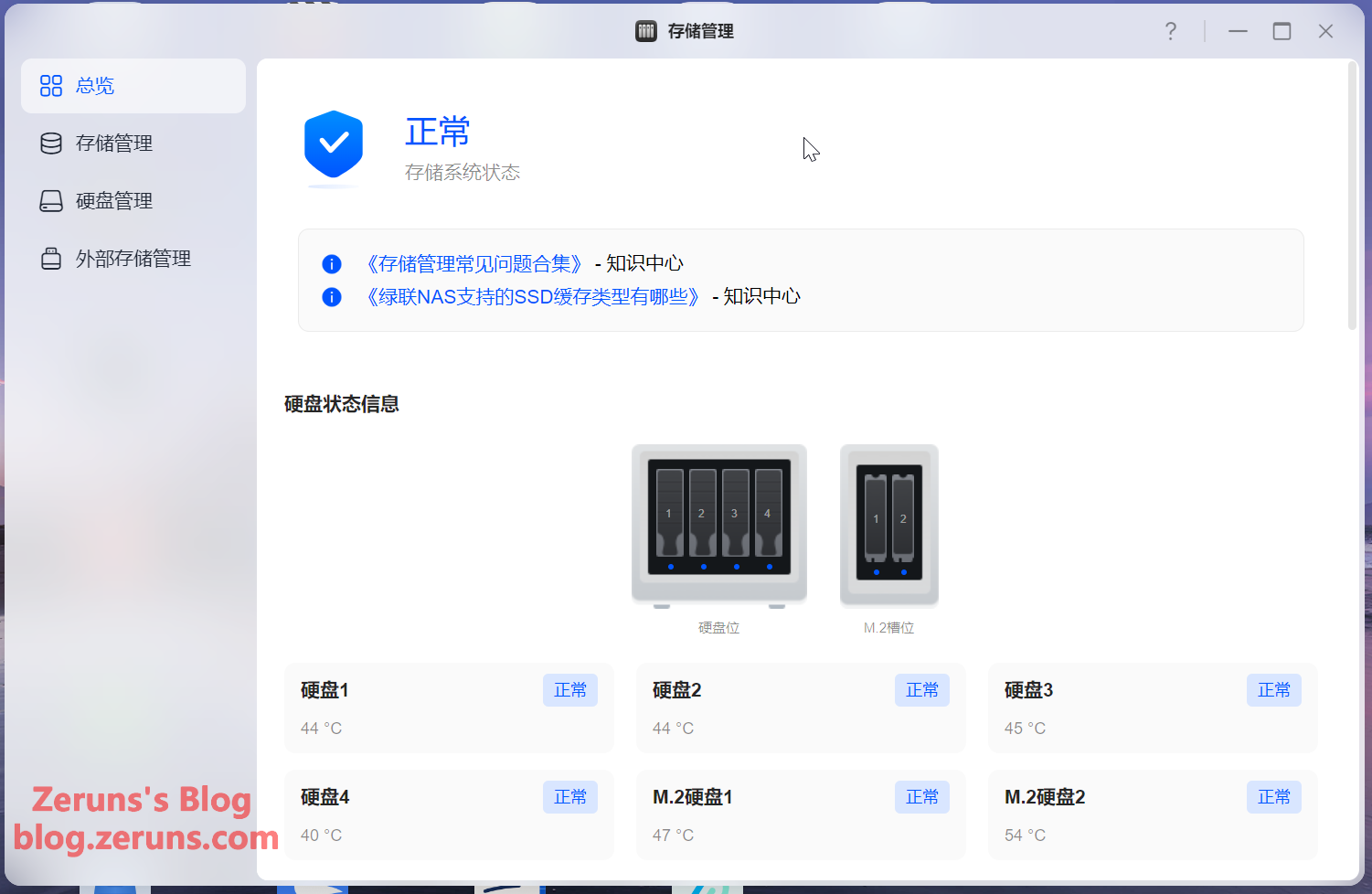
With the cabinet ambient temperature around 32°C, CPU utilization at about 10%, and no major read/write activity, the mechanical drives sit between 40–45°C, SSDs between 50–55°C, and the CPU around 50°C. Both fans spin at roughly 1200 RPM — noise is low and the thermal performance is quite good.
Thermal imaging of the NAS — CPU at ~10%, no major read/write activity. The highest temperature on the front is around 42°C.
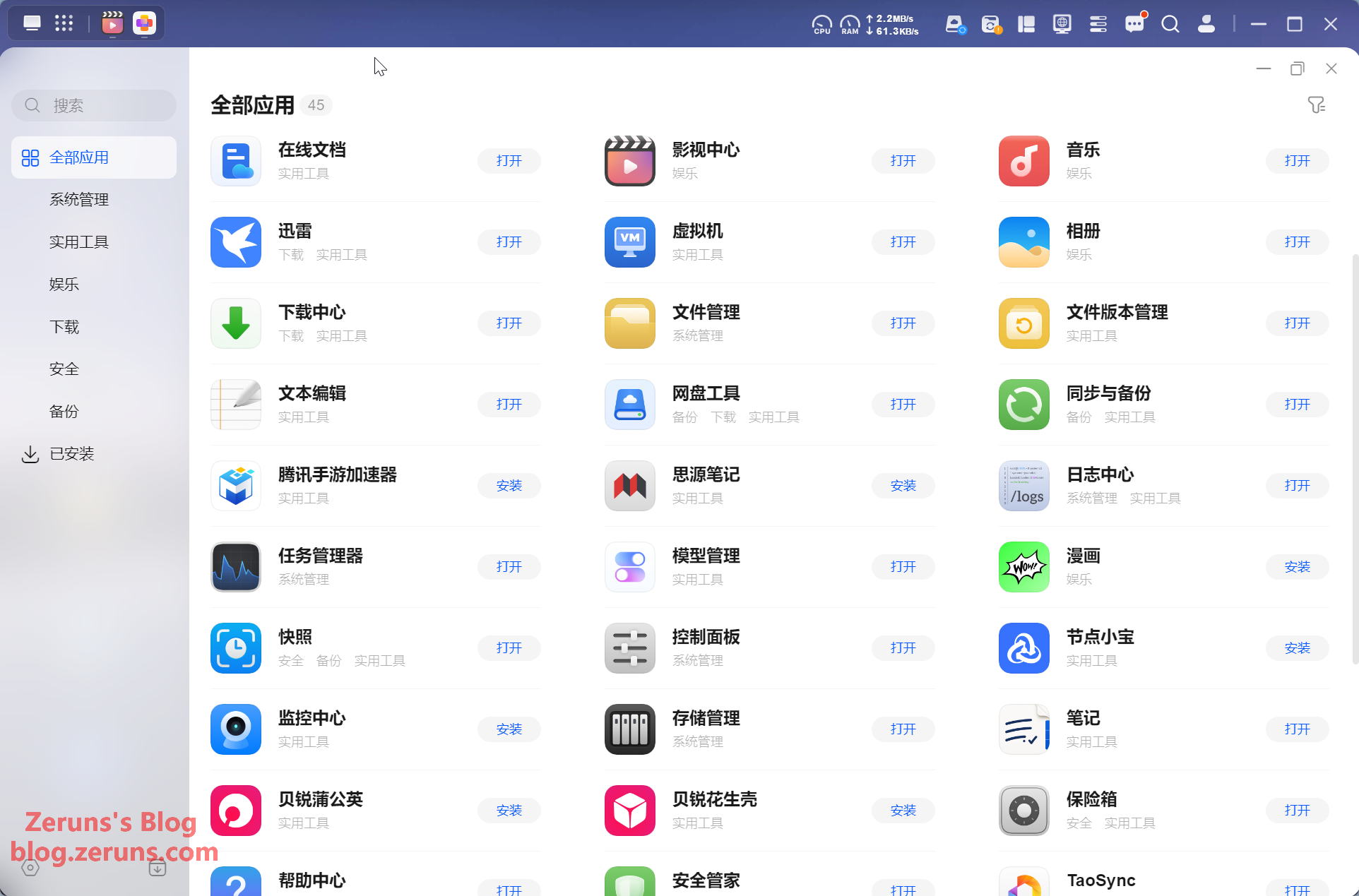
App Center screenshot — currently there are 45 apps in total, some of which are Docker-based.
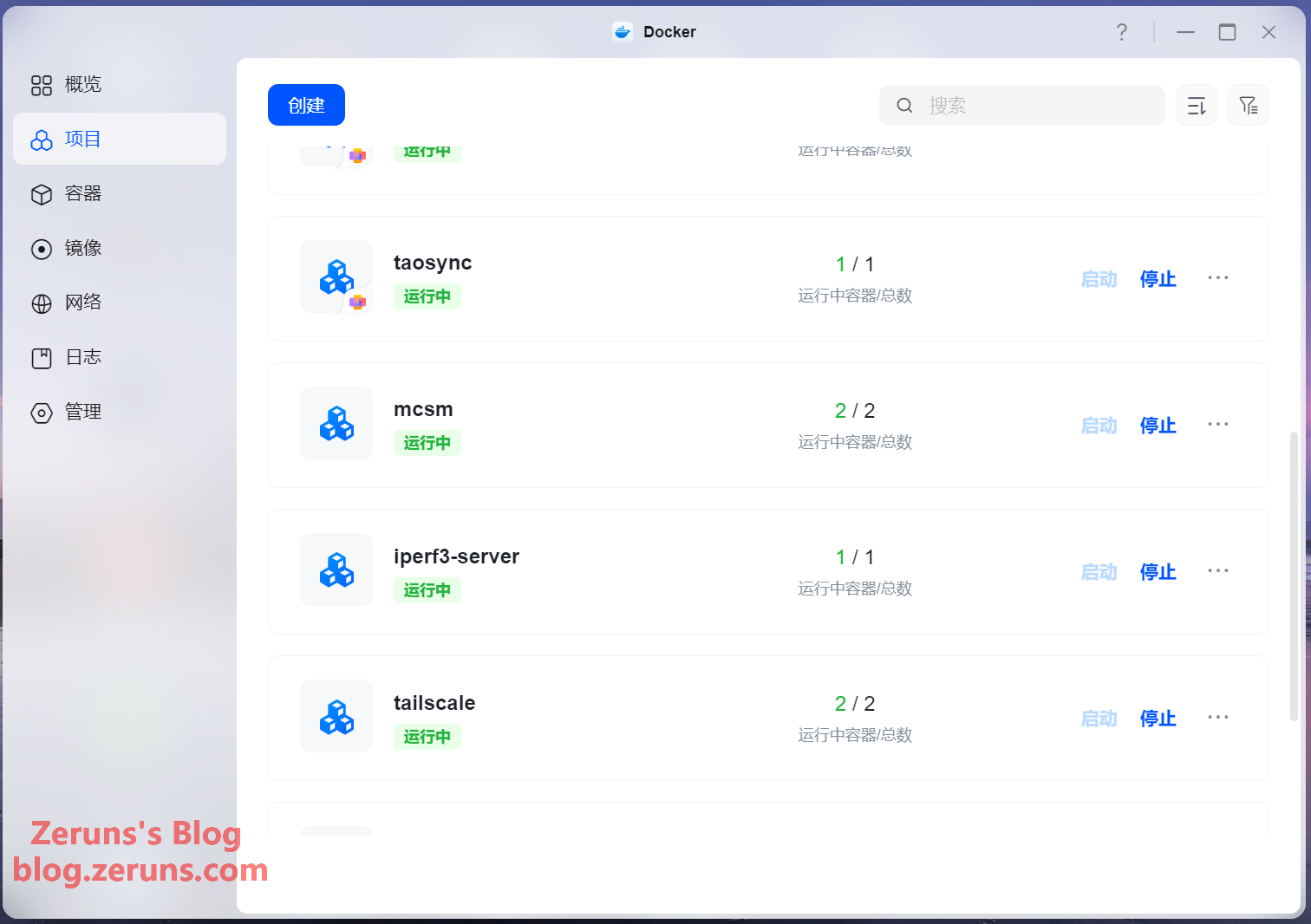
Docker management — the Docker feature set is quite comprehensive.
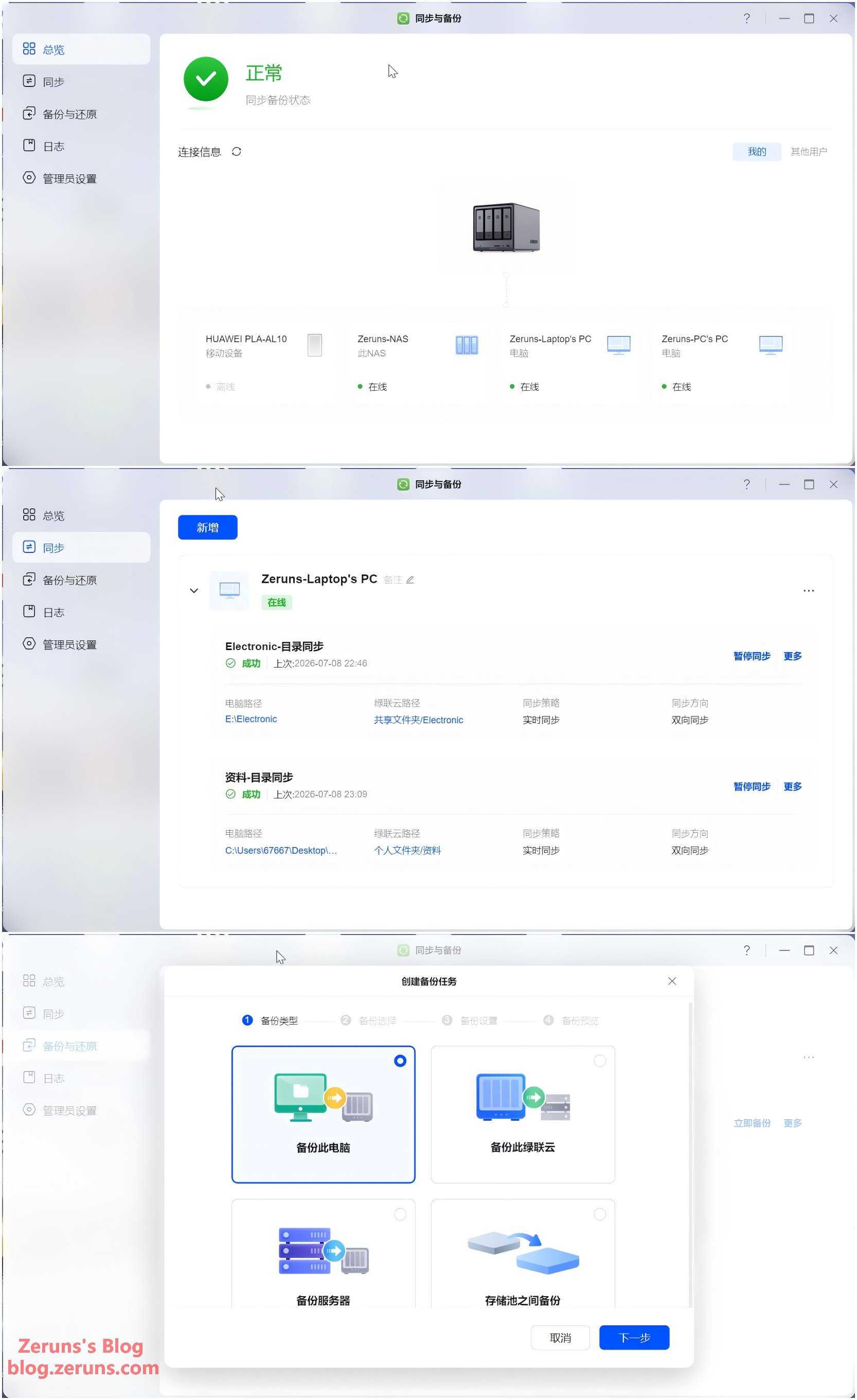
Sync and backup features.
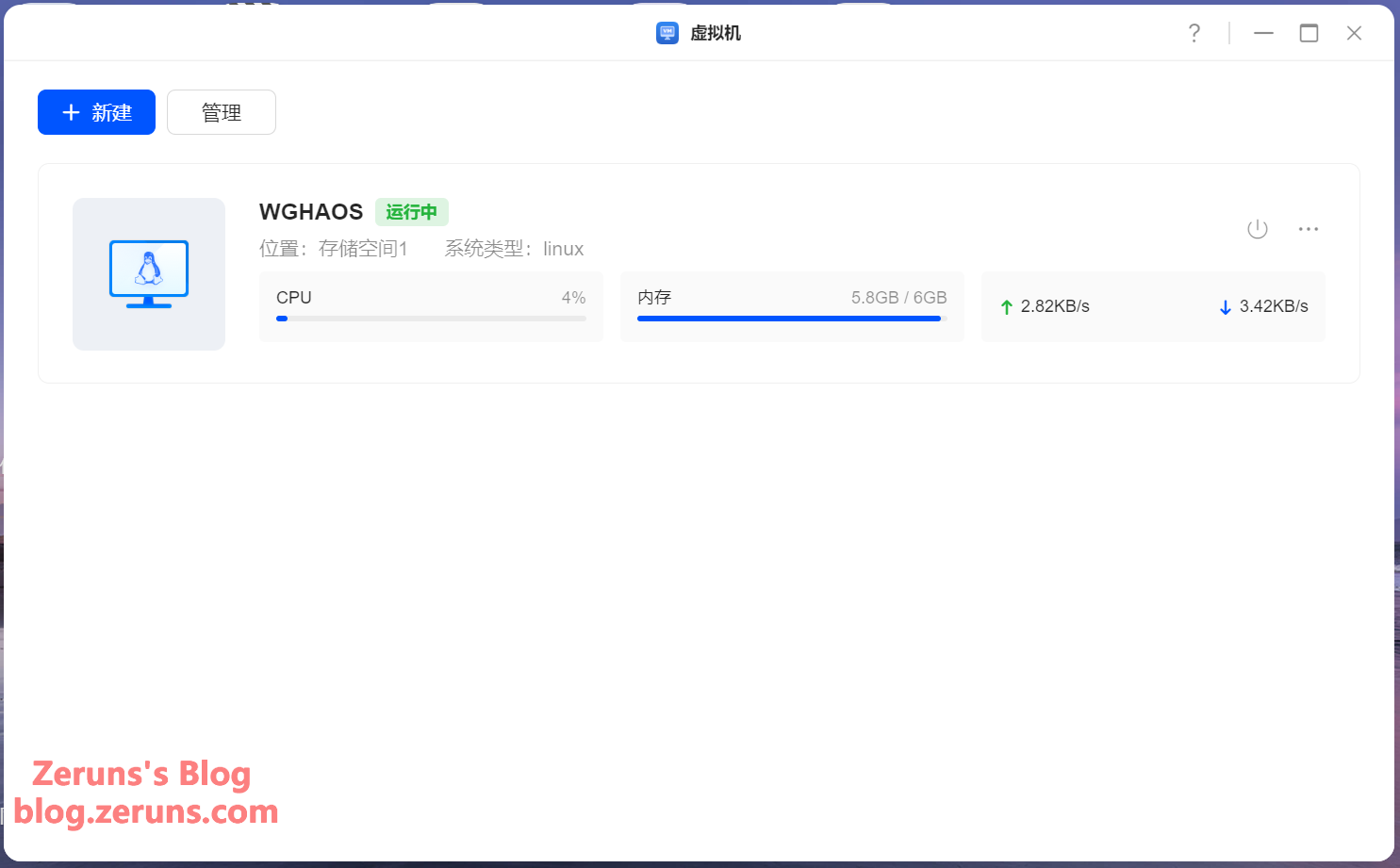
Virtual machine feature — currently the VM app is quite bare-bones and not very usable.
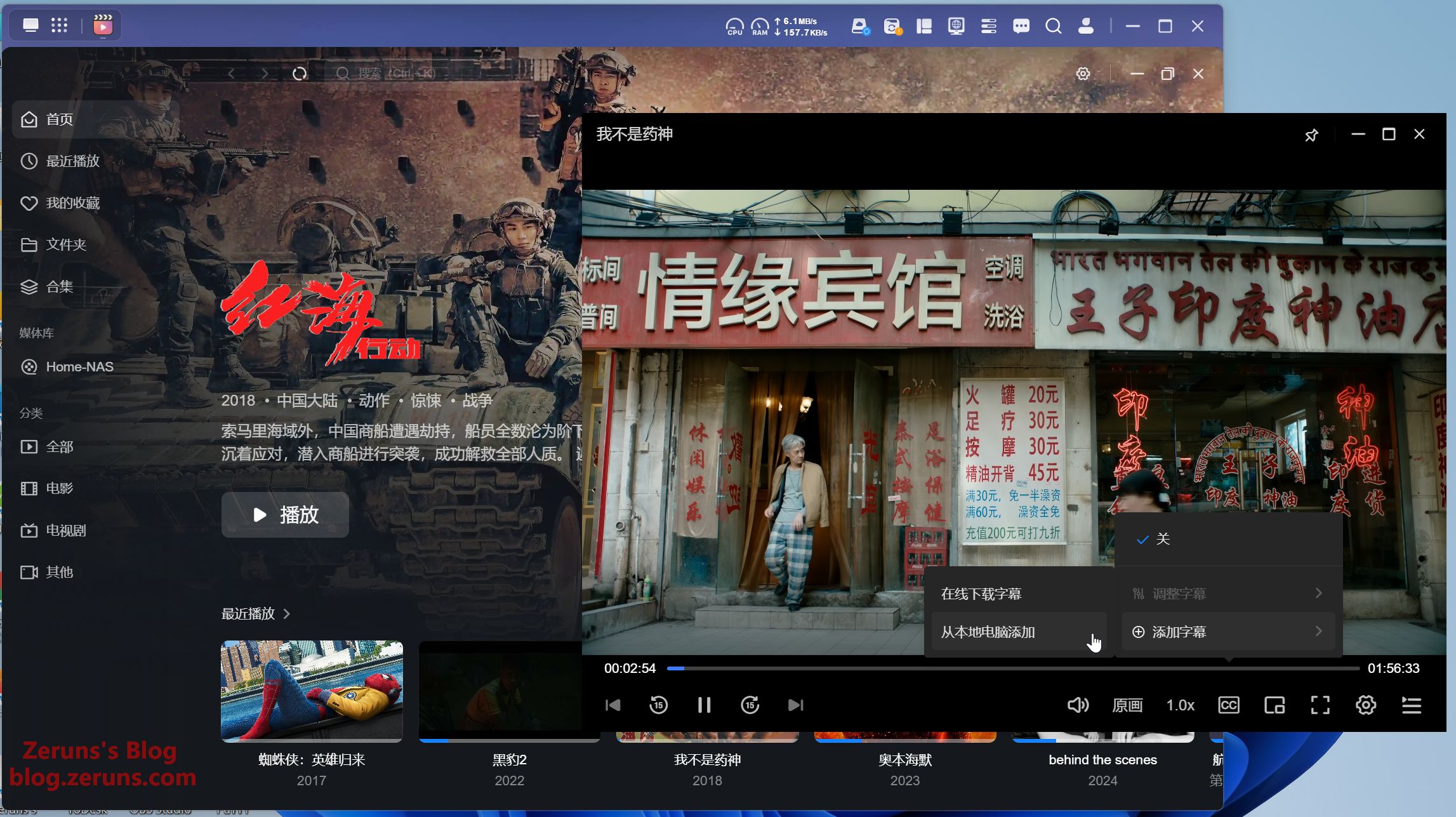
The Media Center app has TMDB built in, automatically scraping movie covers, ratings, plot summaries, cast info, and more — great for movie enthusiasts, giving you a fuller picture of each film. It can also search for and download subtitles online. Quite full-featured.
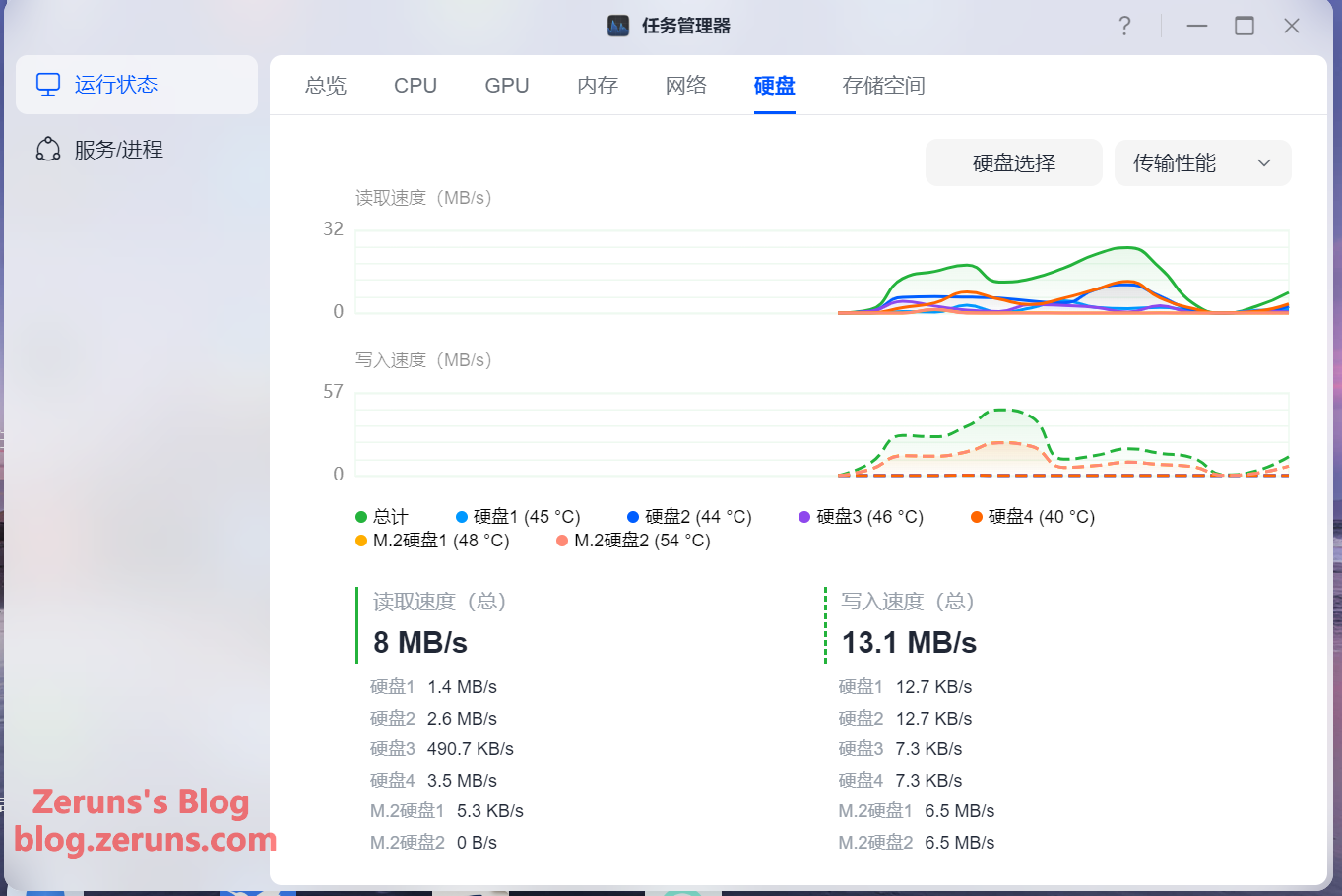
The Task Manager lets you view NAS hardware temperatures, CPU utilization, GPU utilization, memory usage, network speeds, drive read/write speeds, storage pool read/write speeds, and more. You can also view and manage services and processes.
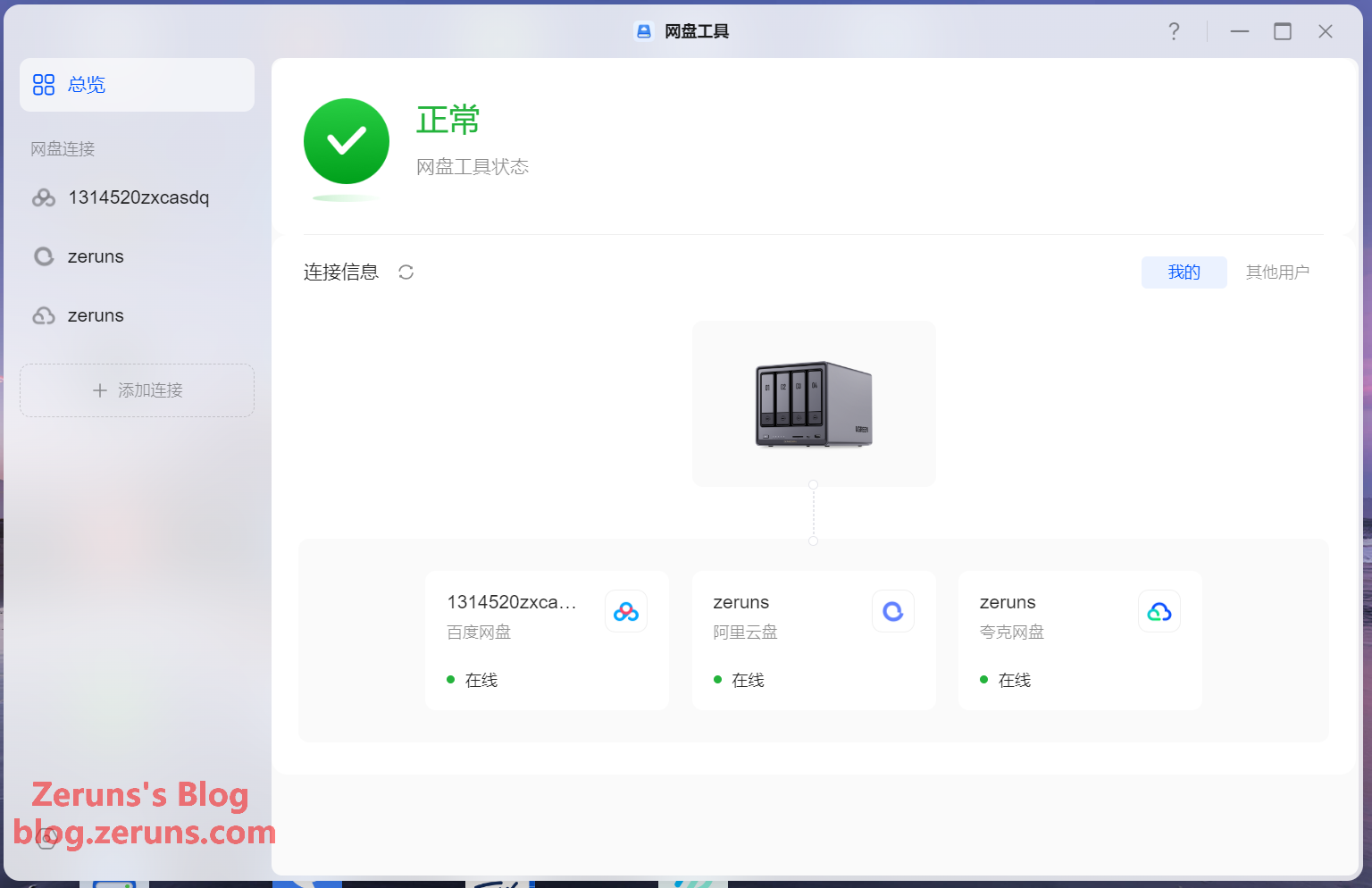
Cloud Drive tool — you can log into various cloud storage accounts, set up sync tasks to mirror NAS files to the cloud, and upload/download cloud files. However, it currently doesn't support mounting cloud drives in the file manager (QNAP can do this), which makes cloud file management inconvenient. Also, Baidu Netdisk requires an additional NAS membership subscription to use the sync feature.
Currently supported cloud drives include: Baidu Netdisk, Microsoft OneDrive, Google Drive, Dropbox, Alibaba Cloud Drive, 115 Cloud, Quark Drive, China Telecom Cloud Drive, Amazon S3, and Backblaze B2.
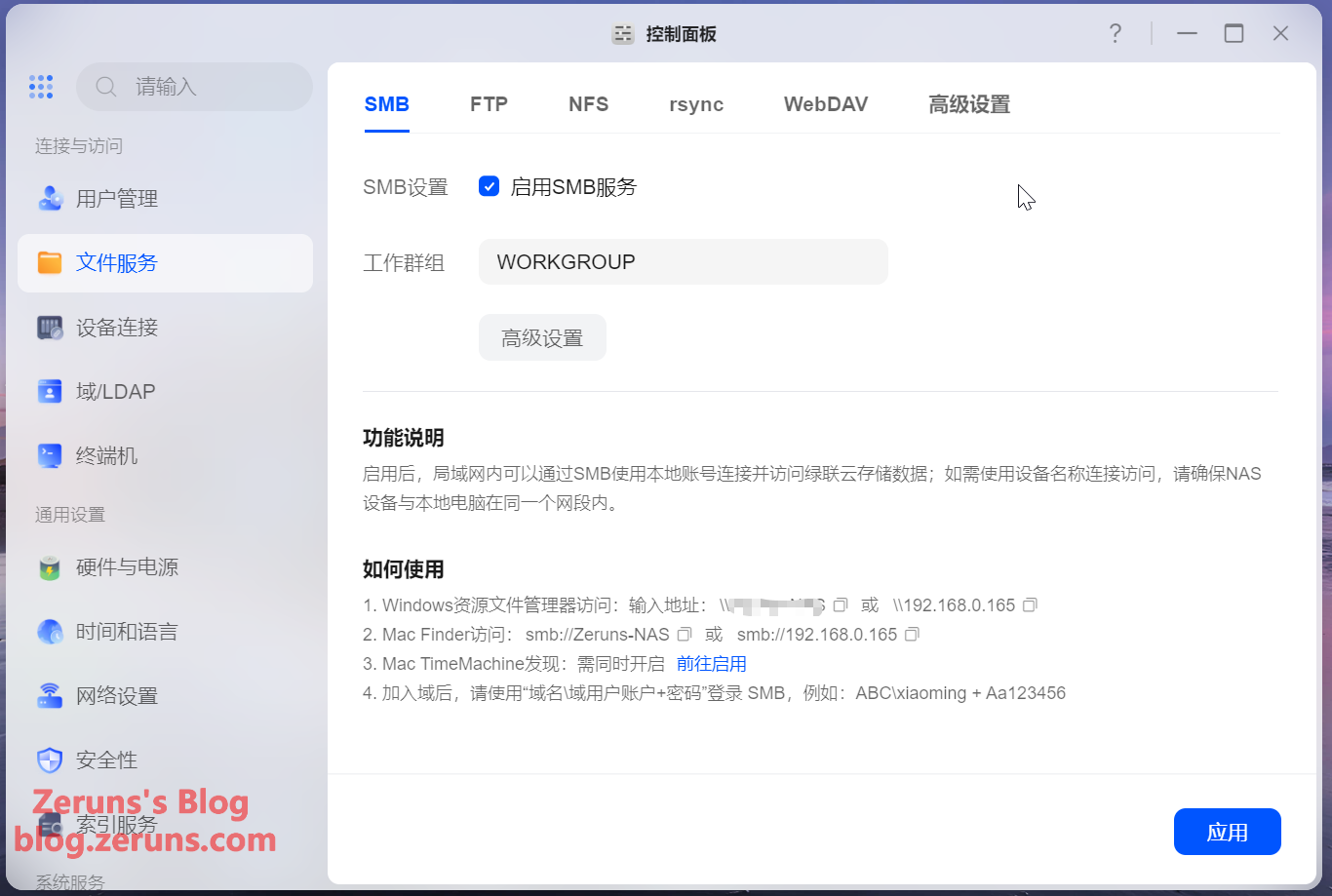
File sharing services support SMB, FTP, NFS, rsync, and WebDAV.
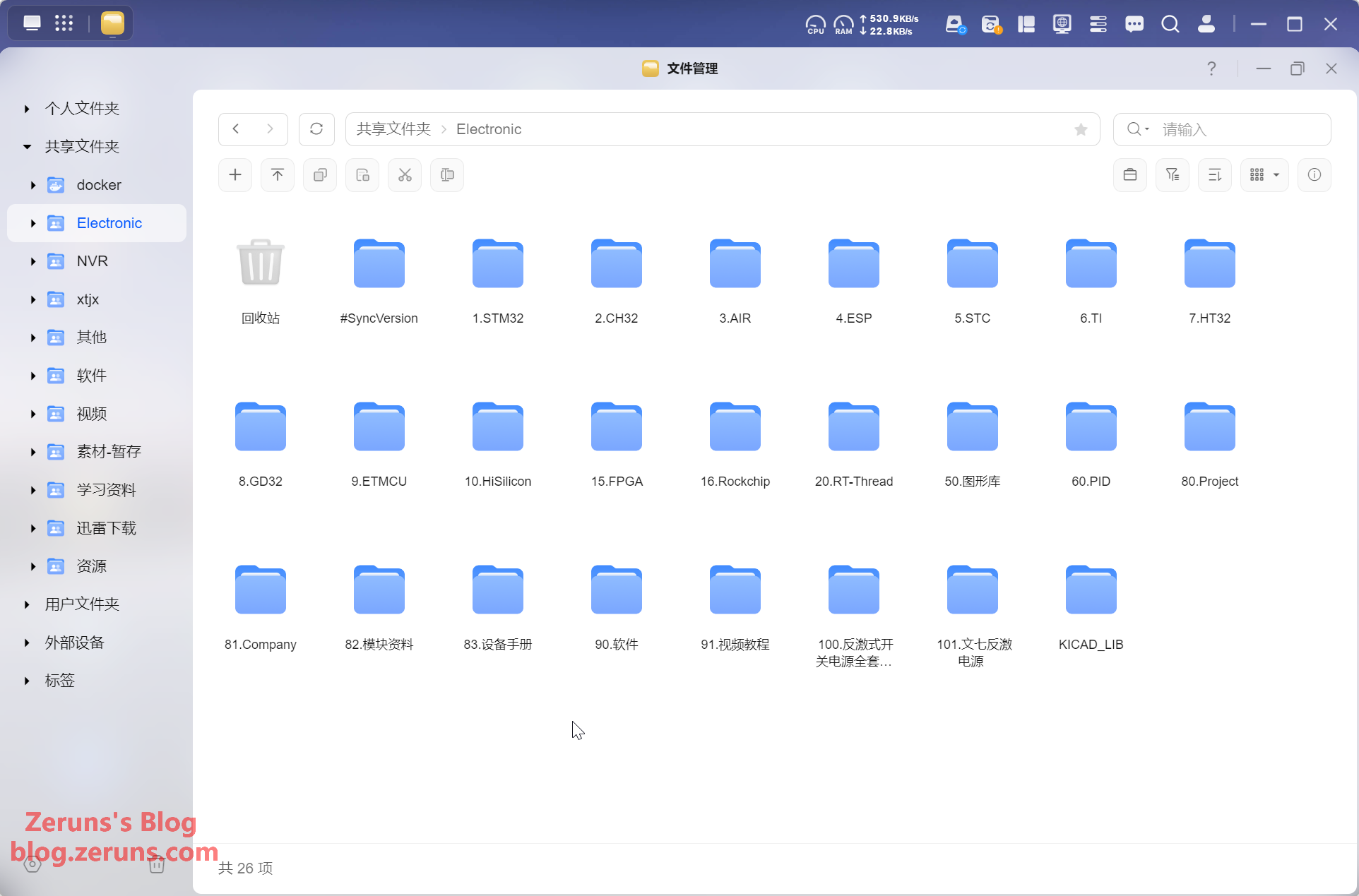
File manager — response speed is reasonably fast.
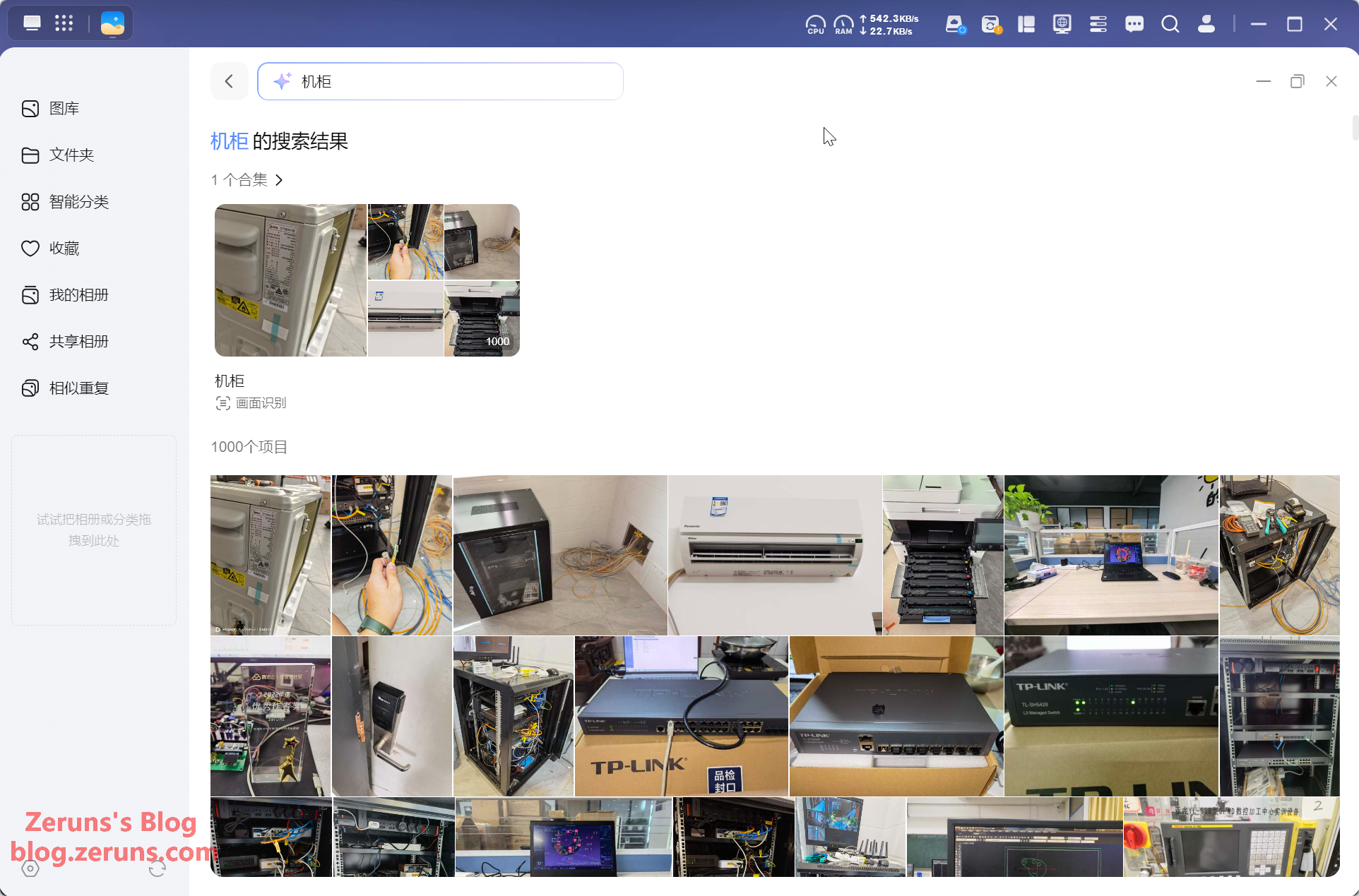
After the Photos app finishes AI recognition, you can search photos directly with text — and it's quite accurate. Very convenient.
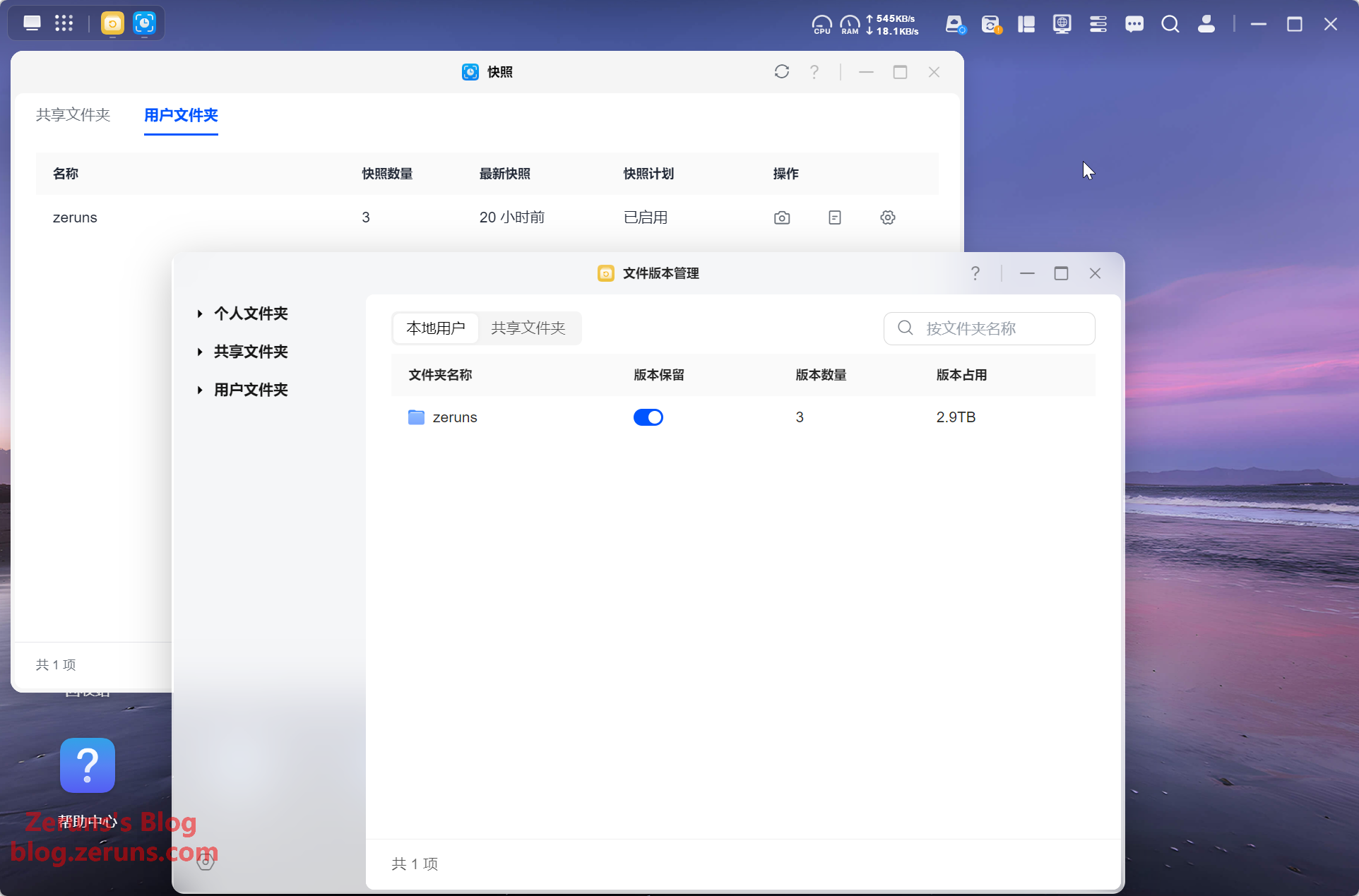
Supports snapshots and file version management.
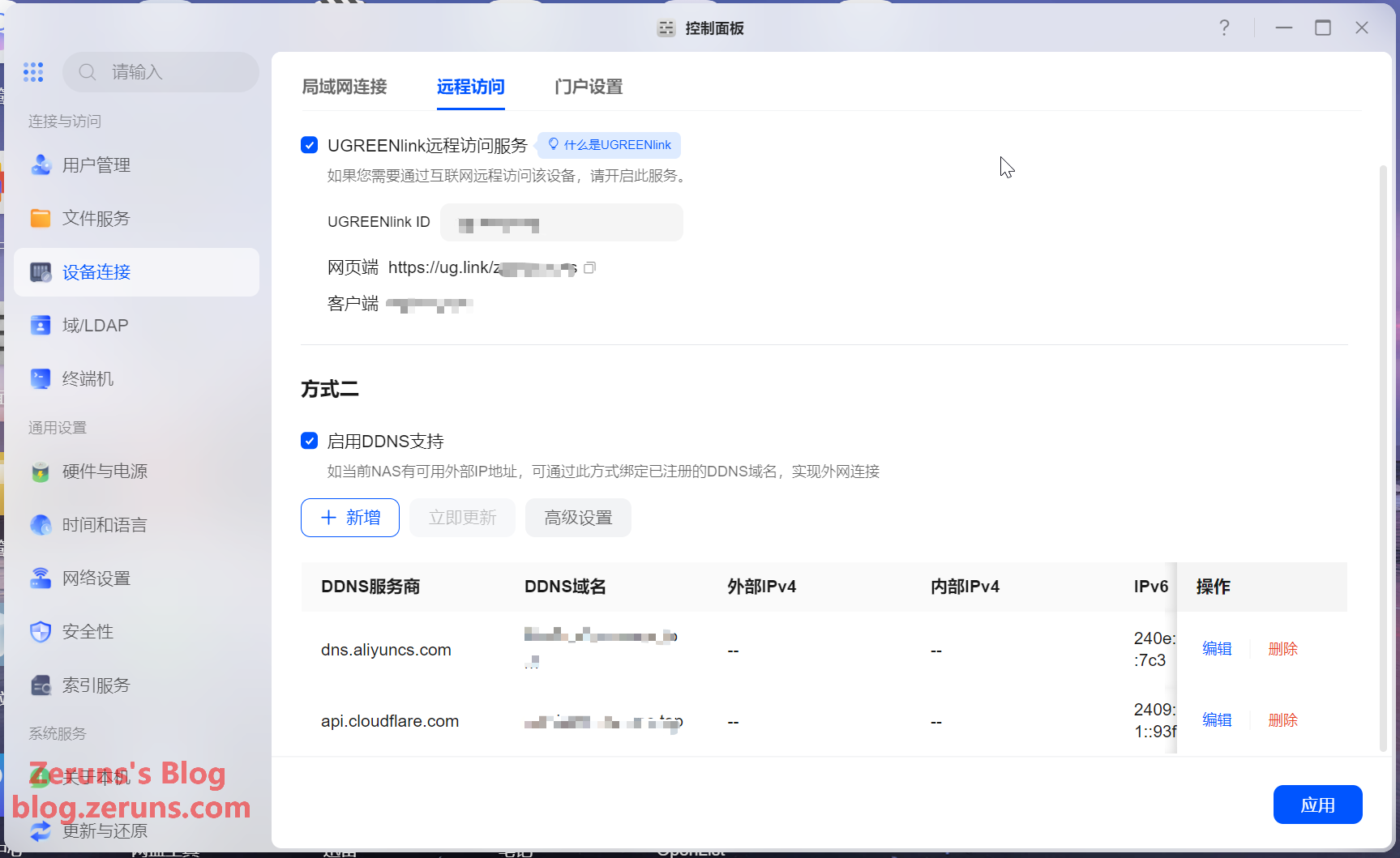
Remote access settings — if your home broadband doesn't have a public IP, you can use Ugreen's official remote access service (UGREENlink). If you do have a public IP, you can set up DDNS.
Storage management.
You can view drive basic properties and SMART info, and also test read/write performance. However, Ugreen's drive performance test has a significant limitation — it can only be run on drives that aren't yet in use. Once a drive is part of a storage pool, you can no longer test it. QNAP allows testing in either state.
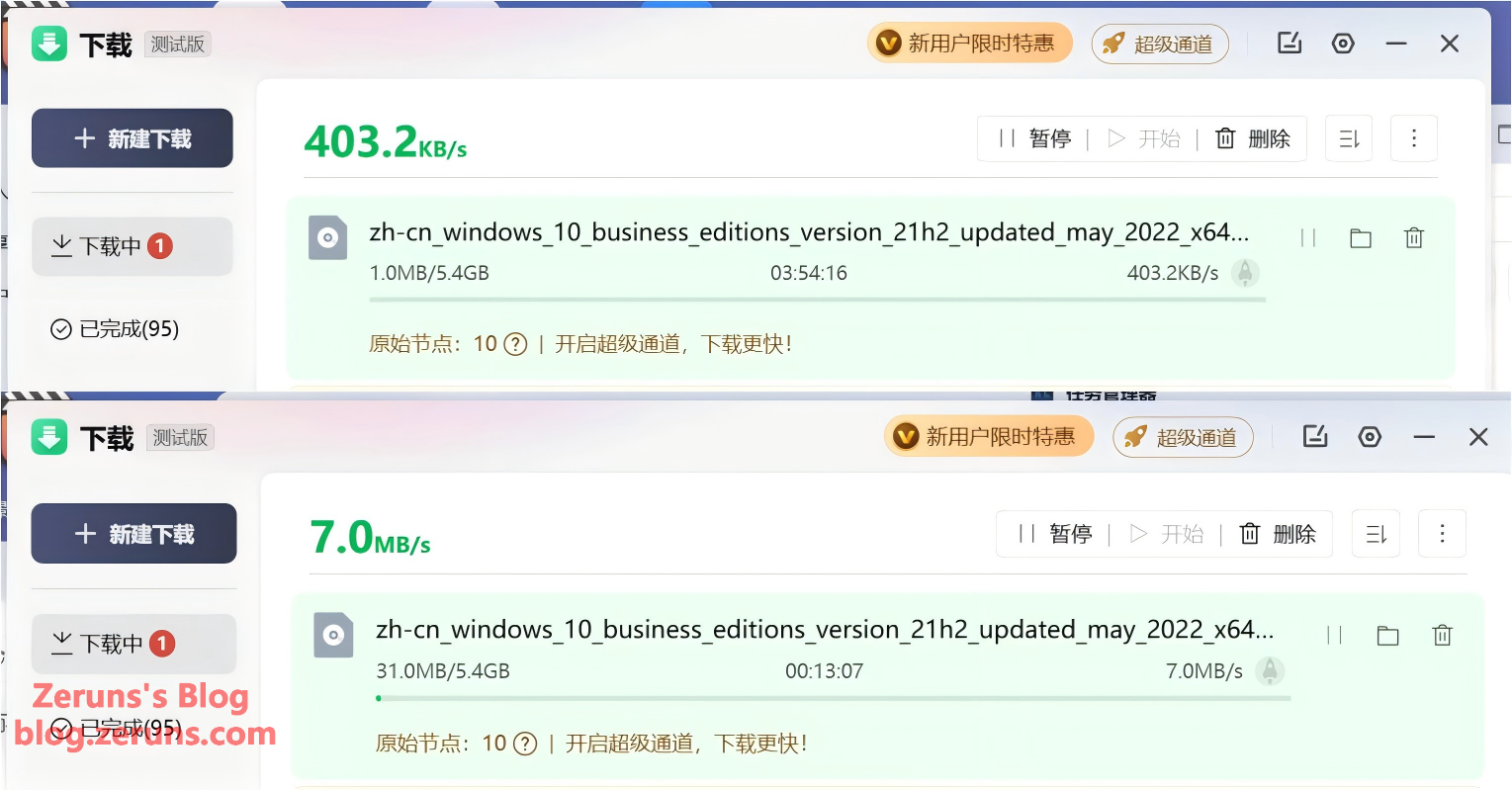
Remote Access Speed Test:
- Top image: Download speed when accessing my NAS's public IP (Foshan, China Telecom, 100Mbps upload) from Shenzhen (China Mobile). Only about 400KB/s — likely QoS throttling on cross-ISP traffic (cross-network throttling these days is truly aggressive).
- Bottom image: Download speed when accessing the NAS via Ugreen's official relay service from Shenzhen (China Mobile). Reaches about 7MB/s — quite decent. In practice, 4K movies on the NAS load instantly for playback.
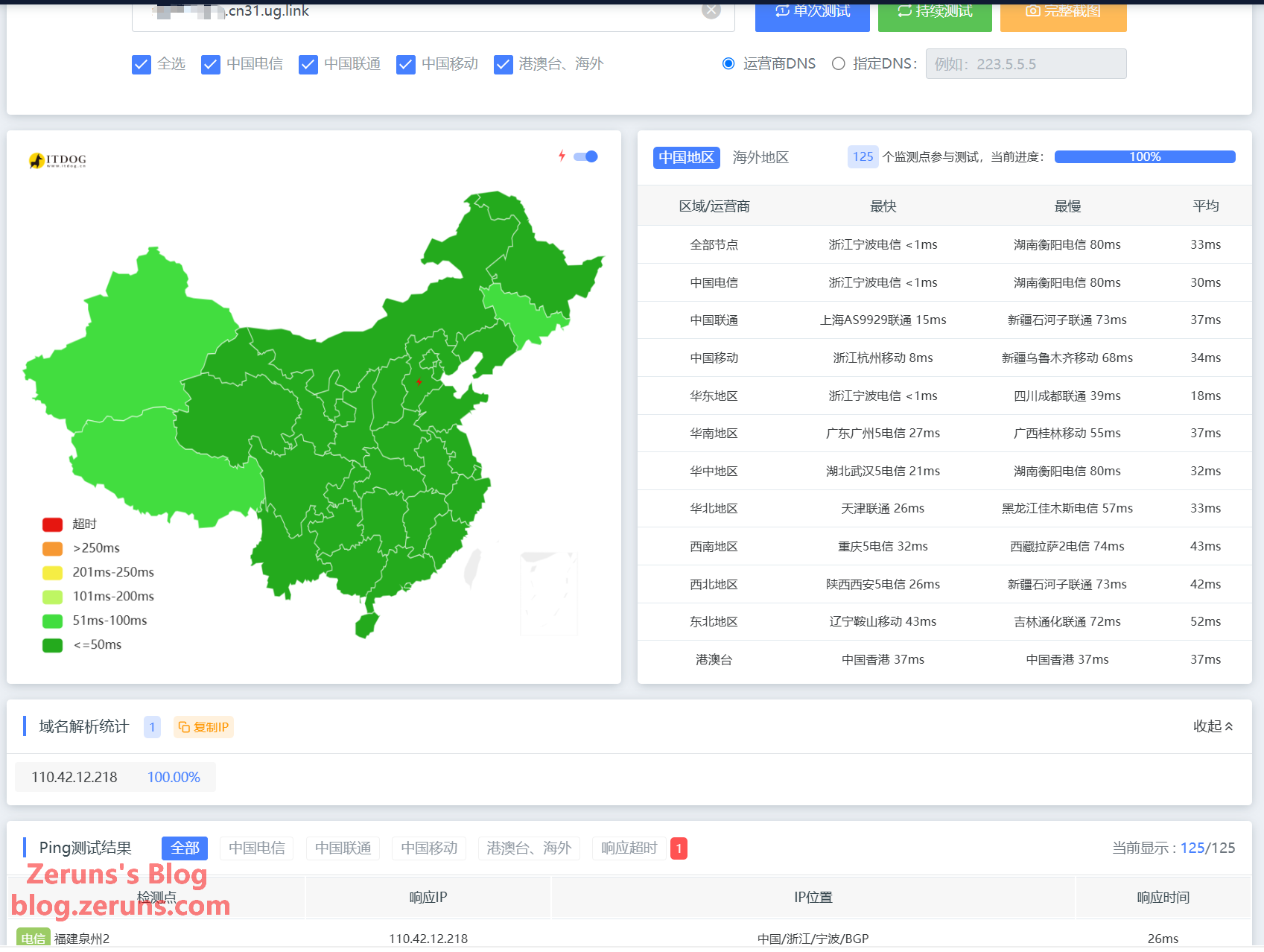
Ping test to Ugreen's official relay server — it's a BGP server in Ningbo, with an average nationwide latency of 33ms.
What is BGP: BGP (Border Gateway Protocol) is, simply put, the protocol used between internet service providers (China Telecom, China Unicom, China Mobile, etc.) to exchange routing information and select optimal paths — essentially an "intelligent navigation system" for cross-ISP networks.
The reason Ugreen uses a Ningbo BGP server for relay is that BGP data centers connect to multiple ISPs simultaneously and broadcast the same IP to all of them, letting data automatically take the smoothest path and bypass cross-network congestion points. So for a scenario like a Shenzhen Mobile user accessing a Foshan Telecom NAS — where a direct connection gets QoS-throttled to 400KB/s — routing through a BGP relay means the Mobile user's traffic can essentially travel along Mobile's own network all the way, no longer bottlenecked at inter-ISP peering points, and speeds naturally reach 7MB/s. In short: BGP relay is like switching to a "highway" for cross-network access, helping you bypass the toll booths.
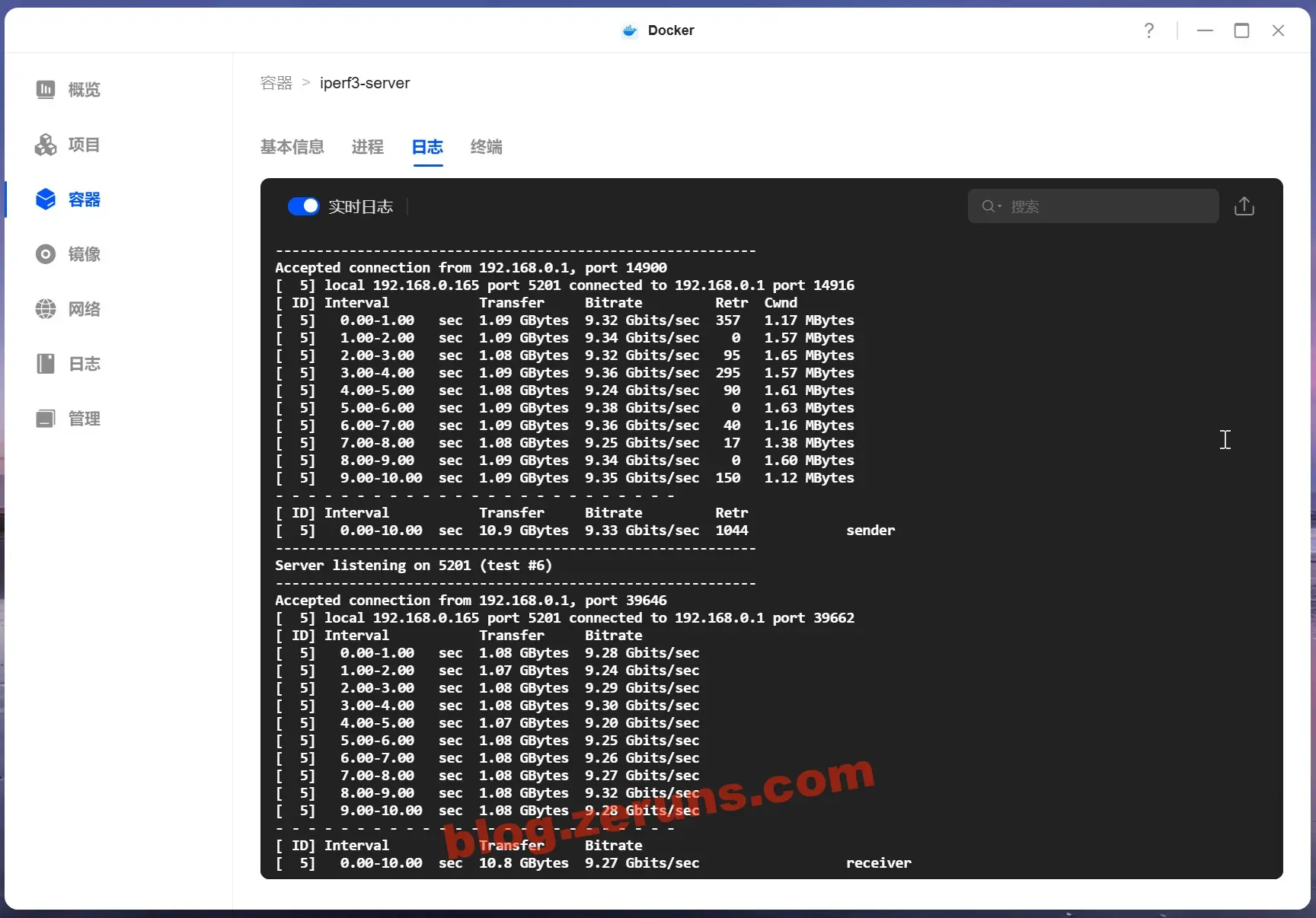
LAN 10-Gigabit Speed Test — using the iperf3 benchmarking tool, from the NAS 10GbE port through a 10GbE switch to an iKuai x86 software router's 10GbE port. The measured speed topped out at 9.38Gbps.
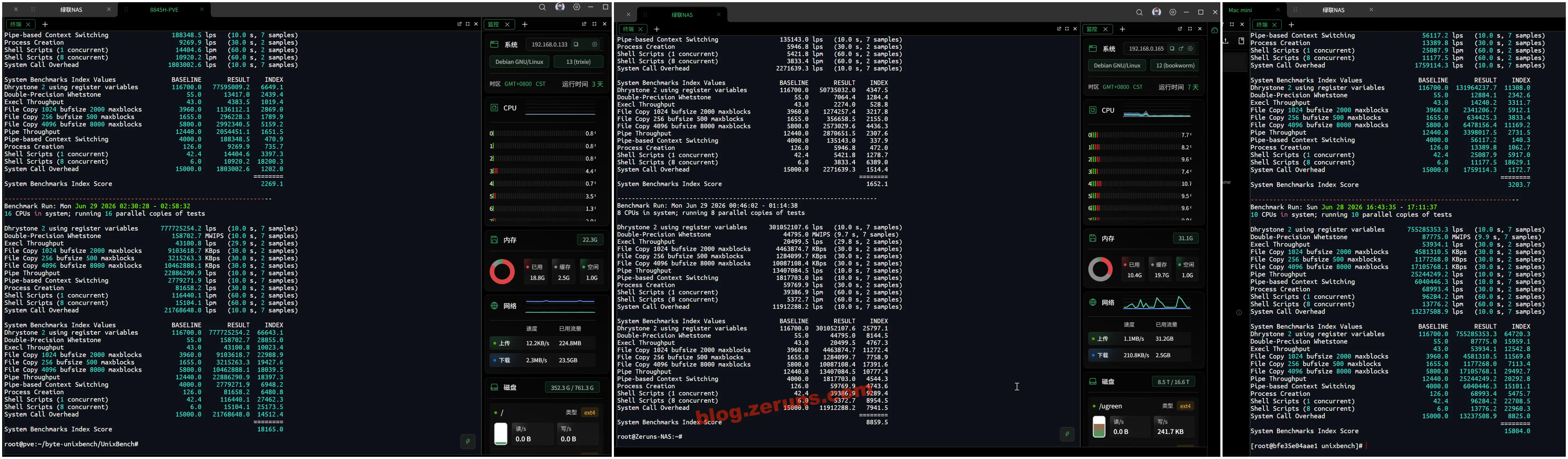
CPU Performance Test — using Unixbench. The results compared:
- R7-8845H (mini PC): single-core 2269.1, multi-core 18165, multiplier 8x
- i3-1315U (DXP4800Pro): single-core 1652.1, multi-core 8859.5, multiplier 5.36x
- Apple M4 (Mac mini): single-core 3203.7, multi-core 15804, multiplier 4.93x
- E5-2650Lv3 × 2 (server): single-core 1023.7, multi-core 16933.4, multiplier 16.52x
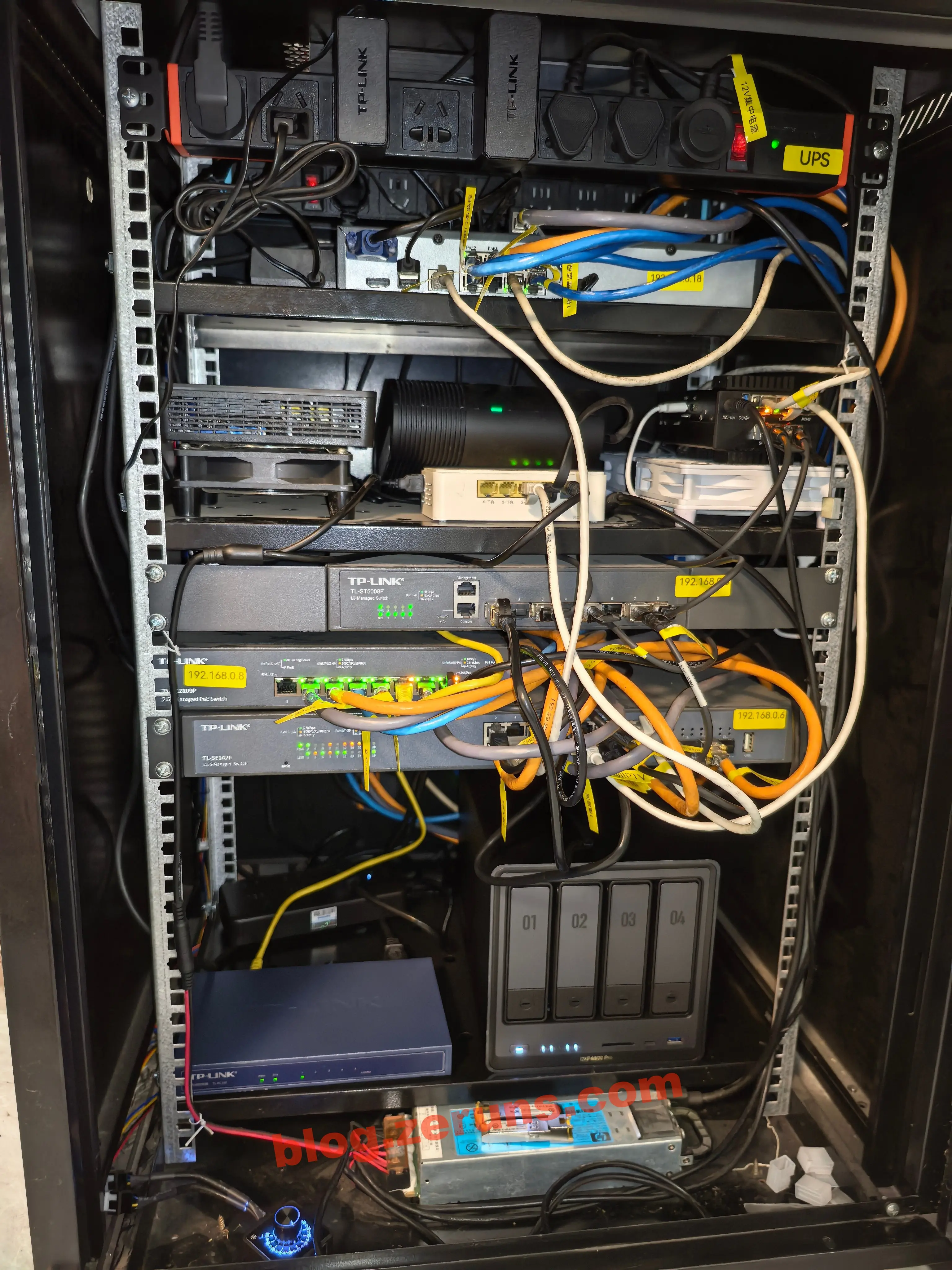
The NAS in my home network cabinet:
Issues & Shortcomings
Here are the current issues and shortcomings of Ugreen's UGOS Pro NAS system (as of July 2026):
- Virtual machines cannot create snapshots while running — the VM feature is too bare-bones.
- Once a drive is in use (after creating a storage pool), you can no longer run drive read/write performance tests. QNAP allows this.
- Using the Baidu Netdisk sync feature in the Cloud Drive tool requires a separate Baidu Netdisk NAS membership (79 yuan/year, ~$11/year). QNAP doesn't require any extra membership. Worse, even after subscribing, Ugreen's sync only allows 3 parallel transfers — syncing a large number of files can take days and still not finish. Way too slow.
- You can't mount cloud drives into the file manager for direct cloud file management, like you can on QNAP.
- You can't back up photo album categories and index data. There's a fear that if photo app data is lost or you migrate to a new NAS, you'd have to re-tag all faces and re-categorize all albums from scratch. (I've seen users on Xiaohongshu report that after a Photos app update, they lost all album index and category data, requiring all photos to be re-recognized and re-categorized.)
- Network settings are basic — no VLAN support. For example, if I want to assign multiple VLAN IDs to a single port and connect to multiple different VLAN networks through the same port, it's not supported (QNAP can do this).
- The built-in DDNS feature is limited — you can only add one entry per DDNS provider. So if I have two domains from the same provider and want to resolve both to this NAS, I can't. Or if my NAS has two internet connections and I want to set up two subdomains on the same domain pointing to each connection separately — also not supported.
- The official Security Manager app's quarantined risk files can't be restored — it throws an "operation failed" error. Not sure if it's a bug. Also, the file owner is listed as
root, not my personal admin account. - No S3 bucket sync/backup support (QNAP has this). You can only achieve it through openlist + taosync, which is more of a hassle.
...
Recommended Reading
- Affordable & high-value VPS / cloud server recommendations: https://blog.zeruns.com/archives/383.html
- Minecraft server hosting tutorials: https://blog.zeruns.com/tag/mc/
- [Open Source] Pure IP database online query system — IP geolocation lookup, your IP lookup, DNS resolution: https://blog.zeruns.com/archives/944.html
- Hermes Agent deployment guide — set up your first AI assistant step by step: https://blog.zeruns.com/archives/939.html
- AI large model API platform recommendations and overview: https://blog.zeruns.com/archives/947.html
- [Open Source] 65W GaN charger (ACF), based on DK8607AD, IP6538-AC-65W, XPM52CDP65: https://blog.zeruns.com/archives/930.html
评论